













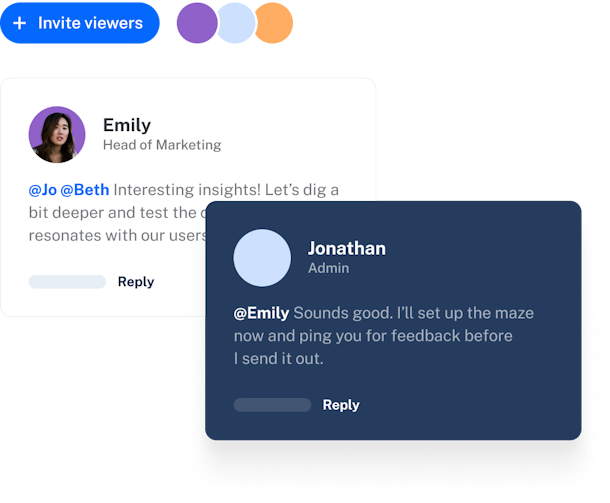
Research autonomously, learn as a team.
Create team spaces, assign roles, and work together on mazes with key stakeholders—from user surveys to usability tests.


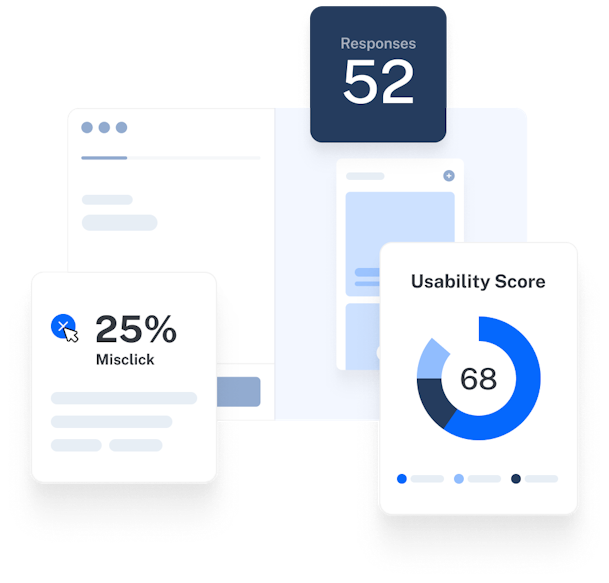
Make user insights accessible across teams
Your responses are automatically transformed into meaningful metrics and visually dynamic data to make it easy for the whole team to extract actionable insights.
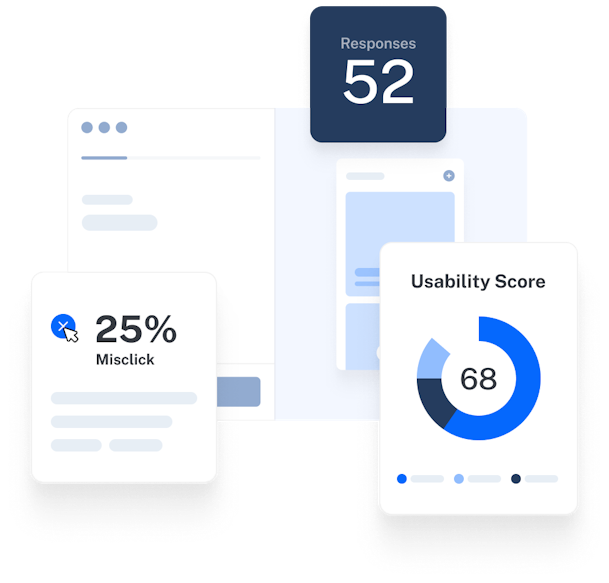
Automated, beautiful reporting to share
Communicate key insights in no time with beautifully-packaged Maze Reports that calculate unique usability scores and empower collaboration with comments and customizable components.
Nothing should come between your team and great product research


![]()
Maze enabled us to double the number of testing sessions with users before shipping a new feature.
Nicolas Berthozat
co-founder at FairMoney

Frequently asked questions
Can multiple teammates comment and contribute to the same Maze project?
Can multiple teammates comment and contribute to the same Maze project?
Maze allows unlimited team members and collaborators to join projects, comment on blocks and reports, assign tasks, and resolve feedback. This supports a highly interactive research workflow.
How do permissions work when sharing tests or results with external teams?
How do permissions work when sharing tests or results with external teams?
Maze lets you invite external stakeholders as collaborators on individual projects (without giving full team access), or share reports with public/private links. Additionally, Enterprise users can restrict access only to authenticated team members within specific workspaces.
Does Maze integrate with Slack, Notion, or other collaboration tools?
Does Maze integrate with Slack, Notion, or other collaboration tools?
Yes, Maze integrates with productivity tools like Slack for instant notifications, Notion for sharing and embedding reports, and other platforms like FigJam, Miro. and Atlassian.
Can I manage team roles and access levels in Maze workspaces?
Can I manage team roles and access levels in Maze workspaces?
Yes! Owners and admins can assign roles (Owner, Admin, Editor, Collaborator), manage permissions, transfer ownership, and set access at both team and project levels from the 'Team Settings' dashboard.