













TL;DR
B2B user research is tricky because:
- B2B participants are hard to come by
- B2B products are complex and widely used
- Important data is often siloed
- Privacy concerns hold up testing
- Teams face pressure to ship fast and meet investor expectations
Overcoming these challenges is well worth it—teams that do, see 2.7x better outcomes. Explore these challenges in this article, and how Maze helps teams run B2B research by simplifying recruiting, usability testing, interviewing, and sharing insights across the organization.
B2B research is more complex than B2C research. Instead of focusing on one primary user type with individual decision-making power, B2B research needs to account for all the roles that interact with a product during its lifecycle. This includes:
- Daily users who complete tasks, enter data, or manage workflows
- Team managers who review activity, performance, or approvals
- System administrators who set up accounts, permissions, integrations, and security rules
- Executives, procurement, or finance leads who evaluate ROI, compliance, cost, and long-term fit
Because each role has different goals and responsibilities within your product, you need to conduct more research that focuses on optimizing different user experiences—from the day-to-day use of your product right up to communicating how it creates a clear business impact.
According to our Future of User Research Report, 87% of organizations use research to guide major decisions, and teams that apply insights at both the product and strategy level see 2.7× better outcomes.
In this guide, we cover how B2B user research differs from B2C, then explore the specific challenges that shape B2B studies, and offer practical ways to design fast, reliable research workflows for complex products.
Why is B2B user research unique?
In B2B user research, the goal is to understand how decisions move across teams, how workflows operate in real environments, and how insights should guide long-term product strategy.
These differences shape what you study, from where you recruit participants, and how insights influence product development.
- Workflows cross teams and systems, so research must evaluate the entire process. In B2B, workflows need approvals, compliance checks, billing, reporting, and system integrations. Research must follow the end-to-end flow to reveal where friction comes from, whether it’s a UI issue, a cross-team dependency, or a system constraint. This insight shapes decisions about integrations, automation, data architecture, and cross-department UX.
- Buying and adoption cycles are long. Because B2B decisions involve procurement, legal, security, and pilot phases, UX research must support:
- Evaluation (does the product appear trustworthy and compliant?)
- Pilot use (can small teams onboard without guidance?)
- Rollout (does the experience scale to hundreds of users?)
- Long-term adoption (are teams still using it six months later?)
B2B buying cycles average 11.3 months and involve approximately 11 decision-makers. This level of scrutiny and evaluation requires a high-quality user experience to get deals over the line.
- Success metrics are business outcomes, so research must measure impact. B2B teams judge products by accuracy, efficiency, compliance, reliability, and ROI. Research must show how design decisions influence these outcomes, not just whether users “like” the interface.
Next, let’s look at the specific challenges these teams run into and how research practices can overcome them.
6 B2B challenges in user research (+ how you can overcome them)
The more complex products, people, and internal processes all add layers that don’t show up in typical UX playbooks. Before you design your next study, it helps to be aware of the common research friction points B2B teams encounter and the practical ways to work around them.
1. Recruiting B2B participants is tough
Recruiting the right research participants is difficult because your target audience performs specific job functions inside B2B companies. For example, account managers, finance operators, system admins, support reps, analysts, and operations leads might all be using your product.
The challenge isn’t willingness to participate; it’s access. B2B research teams rarely have direct contact with end users. Outreach typically has to go through customer success managers, account managers, or internal champions who decide when and how customers can be contacted.
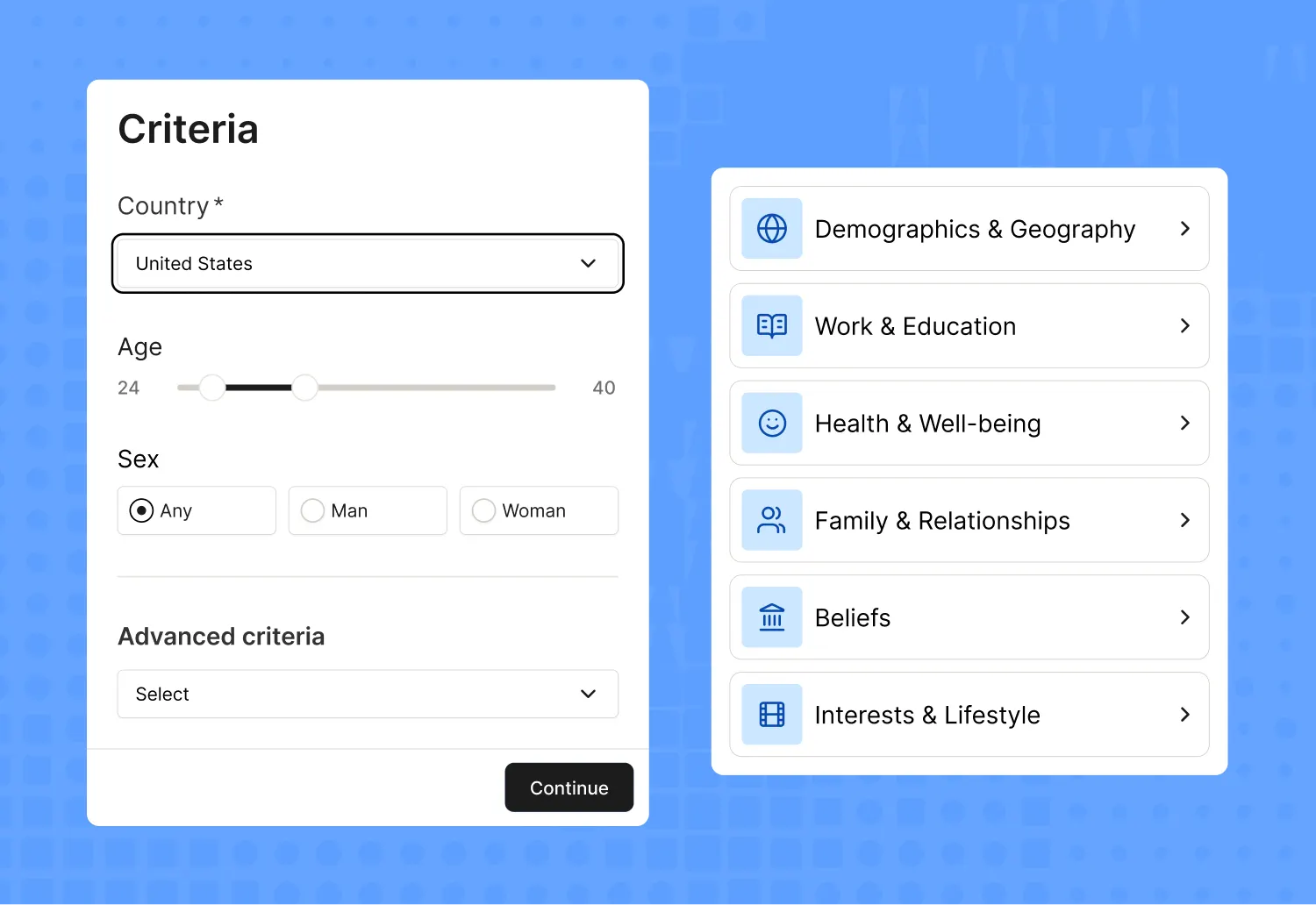
That’s why you need to look in the right places with a user testing tool like Maze. The Maze Panel gives you access to more than 3 million B2B and B2C participants across 130+ countries, with 400+ filters to help you recruit exactly who you need based on job title, industry, seniority, or tool familiarity. With 95%> show-up rates and a median match time of 15 minutes, your research moves a lot further, faster.

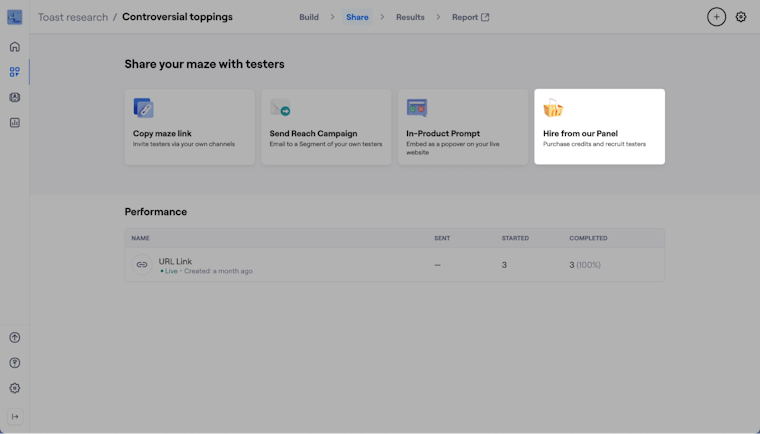
And if you want insights from your own B2B customers, Maze Reach lets you build a CRM-style database, segment them by role or behavior, and send targeted user testing campaigns.
Plus, you can set up a few screener questions at the very start of the test that filter people based on criteria you define, like job title, industry experience, tool familiarity, seniority level, or anything else that matters for your B2B research project. The screener block evaluates all responses together, and Maze automatically accepts or rejects personas based on the rules you set.

2. Stakeholders often don’t see the value of user research
Even though strong UX research is linked to higher customer satisfaction, better product-market fit, and measurable revenue impact, earning stakeholder buy-in can still be difficult.
B2B leaders often focus on delivery timelines, revenue targets, or operational KPIs, and the connection between user problems and business outcomes isn’t always obvious at first glance. This makes research seem disconnected from short-term priorities.
Several factors contribute to this:
- Stakeholders focus on their own goals (revenue, delivery deadlines, support metrics) rather than the underlying user needs driving these outcomes
- Research is often misunderstood or confused with marketing, analytics, or customer feedback
- ROI is hard to predict before the research project begins, so leaders hesitate to invest
- Internal incentives rarely reward a better user experience, making research feel like a ‘nice to have’
- Time and budget pressure make research seem too slow, too expensive, or too detached from ‘real work’

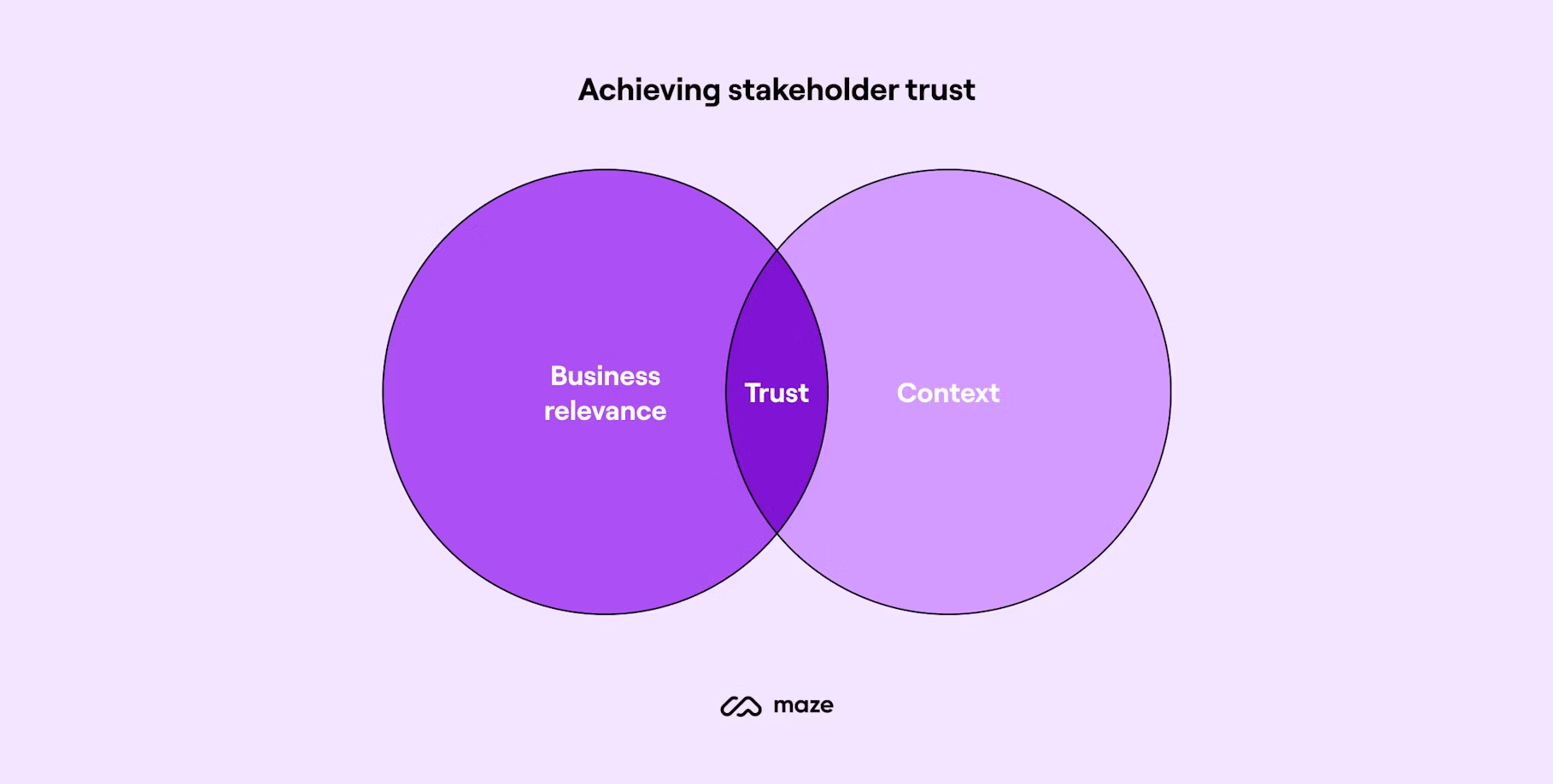
But most of this hesitation comes from visibility. If insights are buried in long documents, scattered notes, or hour-long interview recordings, it’s hard for stakeholders to understand what’s happening and why it matters for the roadmap. Maze helps build stakeholder trust in UX research by making insights clear, structured, and easy to share.
Maze’s automated UX reports consolidate everything from task success metrics, time on task, drop-off points, click maps, path analysis, and summarized open responses into a skimmable format you can share as a link or export. Reports are built for fast internal alignment, helping stakeholders see the connection between user experience and business outcomes.
With insights from Maze AI that turn raw qualitative and quantitative data into readable themes, summaries, and sentiment insights, stakeholders can grasp what’s happening without sifting through transcripts.

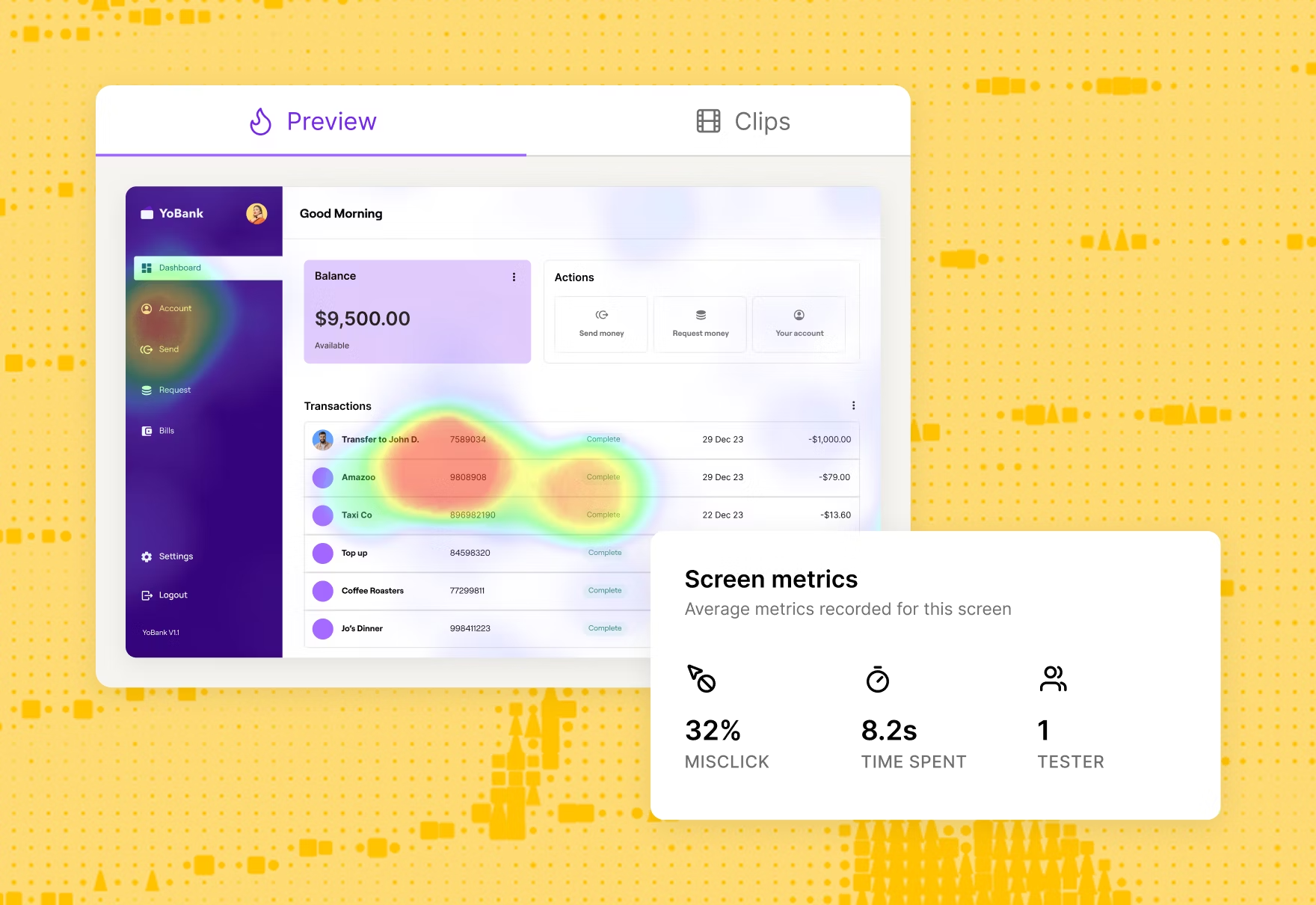
3. B2B products are typically complex
A single task—like approving an invoice, updating a Salesforce record, configuring an automation, or handling a support escalation—can involve multiple roles, data sources, and systems. This creates pain points that only appear when you look at the complete workflow—not isolated screens.
You’re also not testing with ‘a user.’ You’re testing with several personas across the company, like daily operators, managers, product admins, IT, finance, and other decision-makers. Each group uses the same interface differently. What feels intuitive to an end user may confuse an admin, and what works well for an admin may slow down operational teams.
This complexity directly affects research. If you test only screens instead of workflows, or speak to only one user persona, you risk misinterpreting issues or missing dependencies that shape the actual user experience. That’s why researchers need a grounded understanding of how the product fits into real processes.
To build that understanding, researchers can use simple, practical methods to get closer to the real workflow:
- Observe users in context: Watch operators, managers, or admins complete their typical tasks. You’ll see workflow frictions that never show up in prototype-only testing. With Maze’s moderated interview studies, researchers can capture this context directly through live sessions.
- Map the full workflow: Document each step, tool, and handoff involved. This helps you design studies around realistic flows rather than isolated interactions.
- Speak with admins: They understand permissions, configuration rules, and integration behavior better than anyone on the customer side.
- Review training materials and SOPs: Internal documentation shows how teams expect the workflow to function and reveals hidden dependencies.
- Check support tickets or customer feedback: These patterns surface recurring usability issues across roles or industries. Pairing these insights with unmoderated usability tests helps validate whether those issues show up in real tasks.
- Understand system integrations: If your product connects to Salesforce, SAP, or internal tools, learn how those integrations shape the experience.
4. Data is often siloed across busy teams
The information you need for user research sits across different teams, tools, and functions. Customer Success hears where accounts struggle, Support sees the day-to-day pain points, Sales collects objections from prospects, Product knows workflow drop-offs, and Engineering understands the technical limits that shape the experience.
All of this is highly valuable user data, but it rarely lives in one place or follows a shared process. As a result, researchers often get only a partial view of how users actually work, which makes it harder to scope studies correctly or interpret findings with confidence.
Here are some quick ways that help you break these silos:
- Sync with Customer Success regularly: They identify real workflow issues, high-friction accounts, renewal risks, and post-onboarding pain points.
- Join Support ticket reviews: This gives you visibility into recurring usability problems across different roles and industries.
- Talk to Sales before running a study: Their notes capture what confuses prospects, what features get misinterpreted, and what decision-makers expect during evaluation
- Check product analytics before testing: Reviewing time-on-task, drop-offs, and workflow patterns helps you ground your qualitative research in real usage. With Maze’s integration for in-product prompts via Amplitude, you can reach the right users at the right moment and connect behavioral data directly to targeted research sessions.
- Review onboarding and training materials: Internal documents, SOPs, and training decks give you a fast understanding of how teams expect the workflow to run.
- Create a shared insights loop: A simple Slack channel, Notion workspace, or monthly sync ensures every team contributes and nobody is the sole keeper of customer knowledge.
Maze helps reduce this fragmentation by making research findings easy to access and share across the organization. Automated reports consolidate quantitative metrics, path data, click maps, and summarized insights into a single view that anyone can skim in minutes.
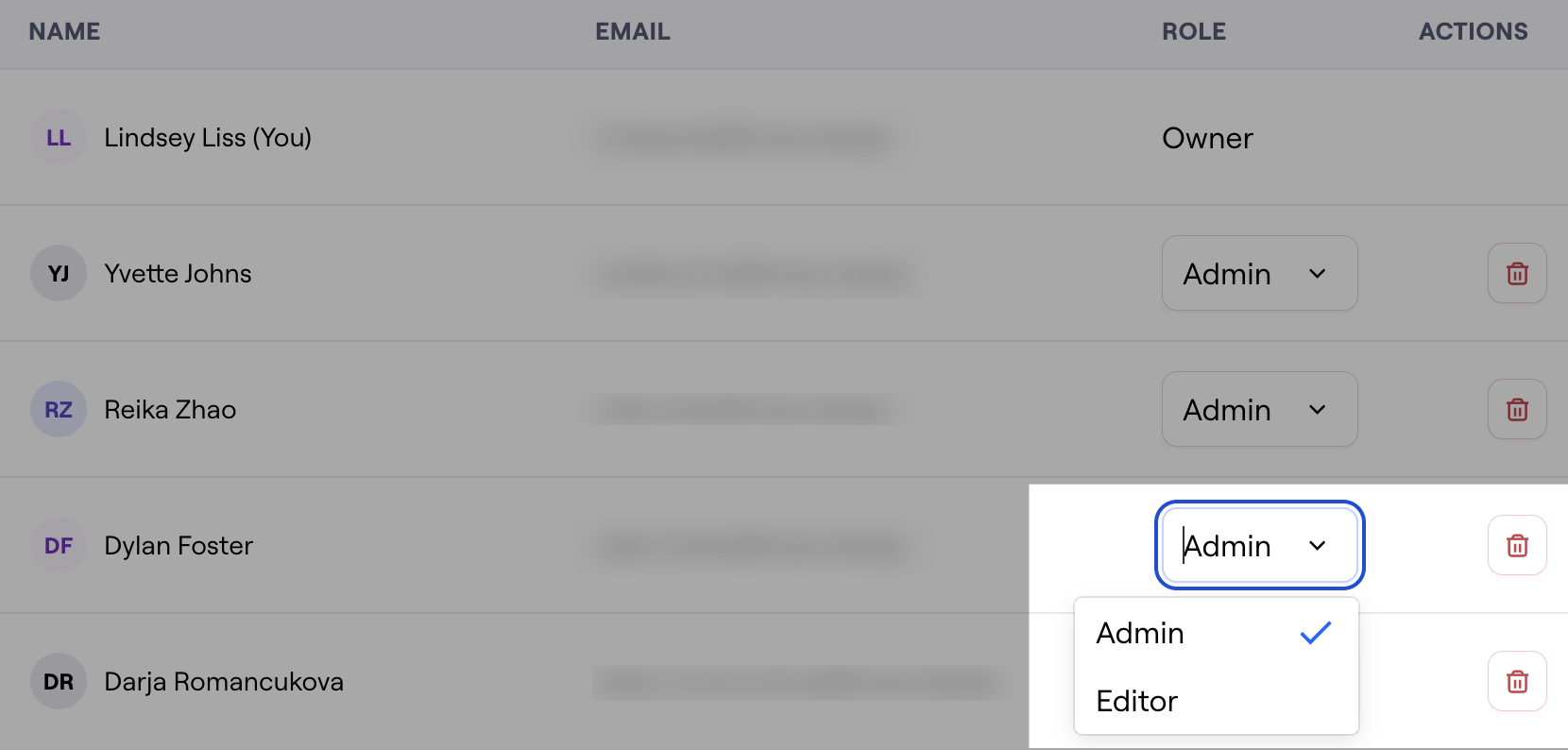
Role-based permissions keep this access structured:
- Owners and admins manage the team, organize workspaces, and ensure the right people have access
- Editors create and launch studies, analyze findings, and collaborate directly in projects
- Collaborators (view-only, included in Enterprise plans without using a paid seat) can access individual projects and reports without needing complete tool permissions
This means Product, Design, Support, Customer Success, and leadership can all see research outputs at the level they need, without consuming extra seats.

5. Data privacy and compliance limitations
Regulated industries—like finance, insurance, healthcare, public sector, and enterprise SaaS—restrict screen sharing, require anonymization, or block external tools altogether. Even simple usability studies often need extra approvals from legal, IT, and security teams before you can talk to participants or record sessions. These constraints slow down research and limit how much of the workflow you can realistically observe.
This is why you need to design research that fits within these constraints.
- Use anonymized or masked datasets that preserve the shape of the workflow without exposing real customer information
- Run studies in sandbox or staging environments, which let users demonstrate real tasks without risking a policy breach
- Ask participants to talk through restricted steps, then continue the session in a safe environment to see the parts they can show
- Align early with legal, security, and IT so you know what’s allowed before scheduling users
- Document any restricted areas, so product managers understand where limitations may have influenced results
- Check with admins or compliance teams to learn how rules affect the workflow sometimes the constraint is a usability issue
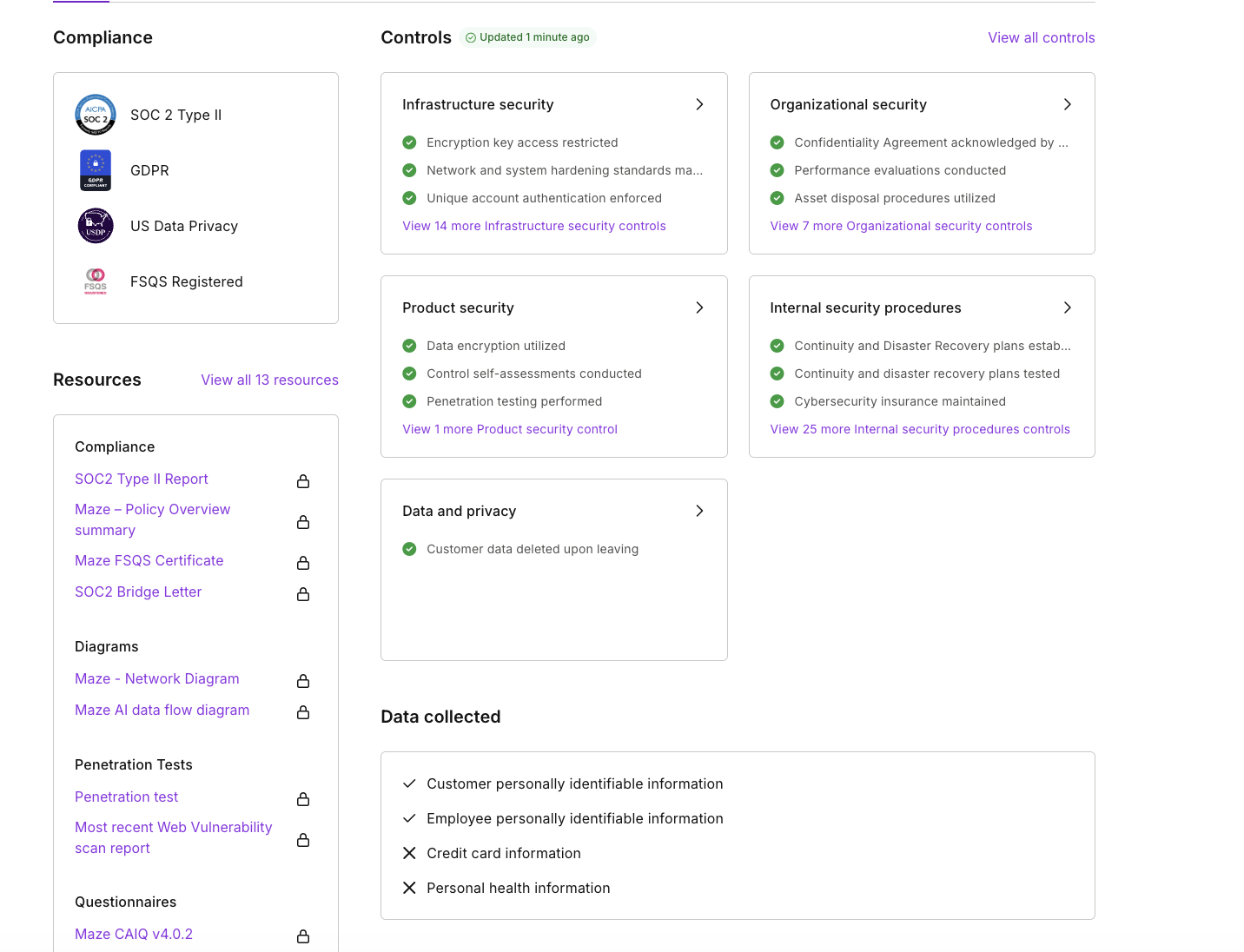
Maze supports this type of research by giving teams a secure environment that meets strict enterprise requirements. The platform’s security is SOC 2 Type II certified, GDPR compliant, uses encrypted transmission and storage, and runs on AWS virtual private clouds, which makes it easier for organizations to participate in research without risking data exposure.
With clear consent flows and transparent data handling, Maze helps researchers run studies that respect privacy constraints while still generating reliable insights.

6. B2B teams face intense pressure to ship fast
B2B product teams operate under tight timelines, often far tighter than B2C. Investor-backed companies face runway pressure, board expectations, and fundraising cycles that reward visible product progress. Even self-funded or bootstrapped B2B teams need to move quickly to stay competitive or reach key revenue milestones.
This creates a research challenge as teams need reliable insights, but they rarely have the luxury of long studies, manual analysis, or slow recruiting. Research gets compressed, deprioritized, or skipped entirely because ‘we need to ship this quarter.’
Median fundraising gaps stretch to 2.2 years from Seed to Series A and 2.5 years from Series A to Series B, meaning teams must demonstrate traction longer and ship faster to maintain momentum.

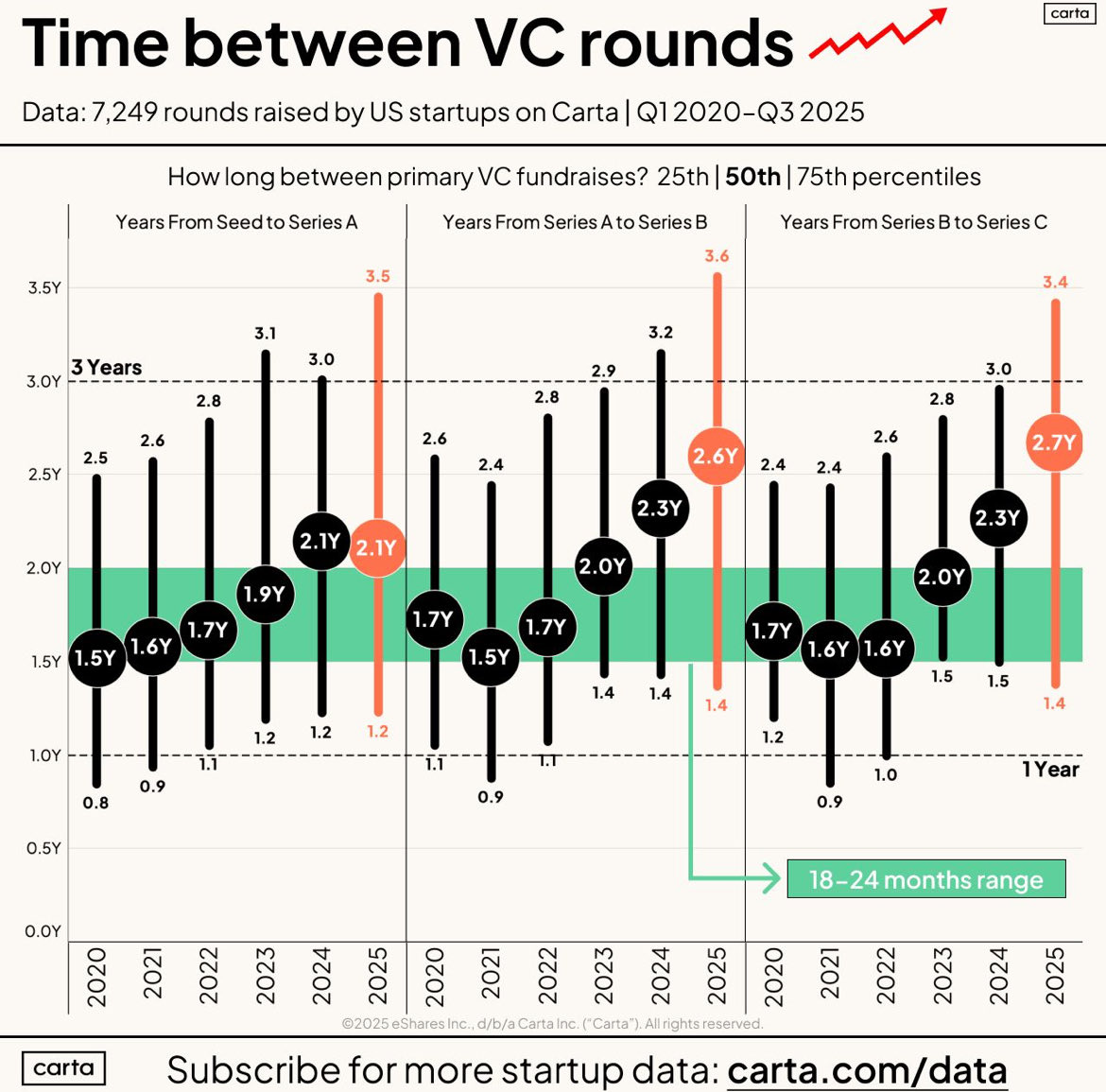
Source: Carta
This environment changes how B2B research must operate:
- Studies need to run quickly without sacrificing depth
- Recruiting must be fast and targeted
- Analysis must happen the same week (or same day)
- Insights need to be digestible for execs who are tracking revenue, not UX metrics
Maze keeps research aligned to fast-paced development by enabling quick study setup, rapid iteration, and immediate visibility across product, design, and leadership. Teams can test early concepts, validate assumptions between release cycles, and keep a continuous feedback loop running, even when timelines are tight.
Make B2B user research easier with Maze
Multiple personas, long workflows, and organizational guardrails can make the research process feel slow and complicated. Maze reduces that complexity by giving you a single platform to test ideas, gather feedback, and share insights.
With Maze, you can run moderated and unmoderated studies, test prototypes at any fidelity (including those generated with AI-prototyping tools), recruit from a global panel, or reach your own customers with targeted campaigns. You can also run ongoing research through surveys and In-Product Prompts to understand how different user groups experience a feature long after launch.
Maze’s AI moderator helps you run interviews automatically across time zones and teams. You can collect insights while you’re offline and review structured outputs you can trace and edit.
Structured reports make it easy for stakeholders across product, design, engineering, and leadership to understand findings and act on them.
Maze makes it easier to test complex flows and turn real user input into decisions your team can trust.

Frequently asked questions about B2B user research
How is B2B user research different from B2C?
How is B2B user research different from B2C?
B2B research looks at complex work tasks across several roles, while B2C focuses on simple, personal tasks done by one user. B2B workflows are longer, connect to other tools, and often follow company rules like approvals or compliance, which makes the research more detailed and harder to recruit for.
How do you conduct user research and recruit users in B2B?
How do you conduct user research and recruit users in B2B?
Maze gives you one place to run B2B user interviews, usability tests, surveys, and prototype tests. For recruitment, Maze Panel helps you find the right professionals using 400+ filters like job title, industry, and seniority. If you want to use your own customers, Maze Reach lets you build a research-ready database and send targeted studies.
What tools are best for running B2B user interviews?
What tools are best for running B2B user interviews?
Maze is built for B2B interviews because it supports both AI-moderated and live-moderated sessions in one place. AI Moderator runs structured interviews for you, asks follow-ups, and produces instant transcripts, summaries, and highlights. For deeper conversations, you can host live interviews directly in Maze, record sessions, and use AI-powered analysis to review insights quickly.