


















TL;DR
- Dscout is best suited to enterprise teams running diary studies, field research, interviews, and qualitative research over time.
- Teams usually look for Dscout alternatives when they need advanced recruitment from global panels, a wider selection of integrations, or options for getting started without speaking to sales.
- Maze is an AI-first user testing alternative for teams that want AI-first research across moderated and unmoderated research methods, recruitment, analysis, and reporting.
- Userlytics is best for UX benchmarking, Respondent for participant recruitment, Optimal for IA testing, Hotjar for live website behavior, Lookback for moderated sessions, Loop11 for task analytics, and Lyssna for quick design validation.
Dscout is an AI‑powered experience research platform for running usability tests, website intercepts, diary and field studies, surveys, and interviews. It also layers on AI tools to help you draft studies, moderate sessions, and turn insights into summaries.
However, Dscout won’t fit every research workflow. Global recruitment beyond its native panel comes with limited screening options, its integrations may not cover every tool in your stack, and there’s no self-serve free plan or upfront pricing.
In this article, we list the best Dscout alternatives for end-to-end research, AI-supported planning and analysis, and teams that need to scale user research.
✨Scale interviews and reach more diverse audiences with the Maze AI moderator that runs and analyzes interviews for you and the Maze panel, a global pool of millions of B2B and B2C participants in 130+ countries, with 400+ filters and fast turnaround for both unmoderated and moderated studies.
Why teams look for a Dscout alternative
As teams mature their practice, they often hit limits around recruiting, integrations, and pricing that make them consider other tools.
Global recruitment depends on Partner Panels
Dscout’s native Scout panel is strongest for consumer research, especially with US participants. For B2B studies, this can make it harder to recruit niche professional audiences through the native panel alone—especially when you need participants with specific job titles, seniority levels, industries, or company profiles.
Teams can use Partner Panels to reach 3M+ participants across regions like North America, Europe, Asia-Pacific, Africa, and parts of Latin America.
However, Partner Panels don’t support the same recruiting workflow as Dscout’s native panel. Teams lose some advanced screener options, such as skip logic, piping logic, and flexible ‘must select’ rules. That gives teams fewer ways to narrow down and qualify highly specific B2B participants before a study.
Rich media screeners are also restricted, so teams can’t use video, photo, screen recording, ranking, or checkpoint questions to qualify participants before the study. Plus, when you recruit using Partner Panels, screeners must be reviewed by the Dscout team—a process that can take 1-2 business days.
Integrations that miss parts of your stack
Dscout’s integrations are useful, but they’re concentrated around a limited set of parts of the research workflow: scheduling interviews, sending incentives, sharing to Slack or Miro, and exporting data for analysis.
If your workflow depends on direct product analytics, issue tracking, design systems, knowledge bases, or multiple prototyping tools, Dscout may not connect with every tool your team already uses.
No free plan or upfront pricing
Dscout doesn’t offer a self-serve free plan or publish pricing for its Core, Select, or Enterprise plans. Teams need to schedule a demo and discuss a custom quote before they can understand what the platform will cost.
While Dscout offers a free usability test for AI products, it isn’t a free version of the platform. You submit a link to your product or prototype, and Dscout’s research team runs the study with five participants and sends you the resulting videos. You don’t get access to Dscout itself to build a study, explore the workflow, or test its research features firsthand.
Now, let’s look at Dscout alternatives that offer more flexibility across methods, recruitment, integrations, and pricing.
Top 9 Dscout alternatives: Comparison table
Dscout competitors | Best for | G2 Rating | Pricing starts at |
|---|---|---|---|
Maze | AI-first research across testing, interviews, and reporting | 4.5/5 | Free |
Userlytics | UX testing with benchmarking and global participants | 4.4/5 | $30/session |
Respondent | Recruiting verified B2B and niche participants | 4.6/5 | $80/B2B session |
UserTesting | Enterprise usability testing with global participant access | 4.4/5 | Custom |
Optimal | Card sorting, tree testing, and IA research | 4.3/5 | $199/month, billed annually |
Hotjar | Heatmaps, recordings, funnels, and website feedback | 4.3/5 | Free |
Lookback | Moderated interviews, live observation, and session recordings | 4.3/5 | $299/year |
Loop11 | Quantitative usability testing and task analytics | 3.7/5 | $179/month, billed annually |
Lyssna | Quick design validation and first-click testing | 4.5/5 | Free |
1. Maze: AI-first user research platform
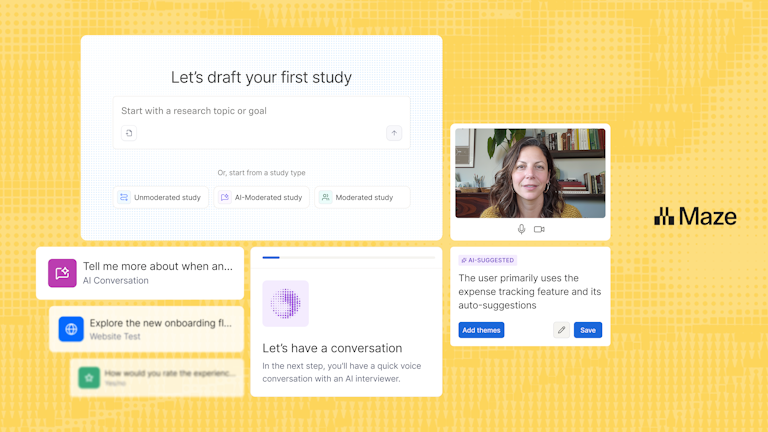
Maze is an AI-first, end-to-end user research platform that offers a comprehensive suite of research methods, combined with global participant recruitment, AI-powered workflows and analysis, and in-depth, customizable reporting.
Maze AI enables teams to plan and automate interviews, generate follow‑up questions, summarize findings, and identify key themes. AI-driven prototyping integrations with Figma Make, Bolt, and Lovable make it a complete, scalable solution for modern research workflows.
As a holistic UX research platform, Maze goes beyond user testing—offering participant recruitment and management solutions, a variety of user research templates tailored to different research needs, and advanced AI features for analysis and reporting.

💡 Want a side-by-side comparison? Check out Maze vs. Dscout to see how both platforms compare across research methods, participant recruitment, AI features, and pricing.
Pros
- Comprehensive testing methods: Run prototype testing, live website testing, live mobile testing, feedback surveys, interview studies, card sorting, and tree testing in one platform.
- Maze Participate app: Run mobile usability tests directly on participants’ iOS and Android devices, capturing screen, audio, and face recordings alongside task metrics to understand real-world mobile behavior.
- Clips: Capture audio, video, and screen recordings of individual user research sessions to showcase user interactions and pain points, and easily communicate findings to prioritize improvements.
- Maze AI: Maze AI lets you highlight critical learnings, automate project naming, and help you create the perfect bias-free questions.
- AI moderator: Plan, conduct, and analyze user interviews automatically based on your research goals.
- AI study builder: Generates complete, launch-ready studies from a short description of what you want to learn.
- Automated, custom reporting: Customize and share automated research reports with usability metrics, heatmaps, path analysis, and other study insights to communicate findings and secure stakeholder buy-in.
- Participant recruitment: Access a diverse panel of millions of participants worldwide with the Maze panel. Filter participants quickly and easily to reach your target testers.
- Ample integrations: Connect Maze with your favorite tools, such as Figma, Slack, and Amplitude, to share insights across your team and incorporate user feedback into your design and development processes. Integrations with AI prototyping tools like Figma Make, Bolt, and Lovable make it a complete, scalable solution for modern research workflows.
Cons
- Custom pricing requires a conversation, which can make it harder for teams to estimate costs and compare options early in the evaluation process.
Pricing
Free | Enterprise |
|---|---|
$0/month | Custom pricing |
|
|
Maze vs. Dscout
There are a couple of key differences between Maze and Dscout to consider. Firstly, Maze offers AI-moderated interviews—a research method that Dscout currently doesn’t offer. Maze also edges ahead with a wider list of integration capabilities, making it easier to slot into your existing workflow and tech stack.
Dscout is a great fit for heavy, longitudinal research. However, setup for research studies can be complex. This can make fast, lightweight studies harder to execute efficiently. Maze helps teams speed up research with AI features for study setup, analysis, and reporting.
The verdict: Maze is an all-in-one platform that simplifies your workflow. If you want to gather both qualitative and quantitative insights, integrate easily with your design stack, and avoid complex setup, Maze stands out as the strongest choice.


2. Userlytics: Best for benchmarked UX testing
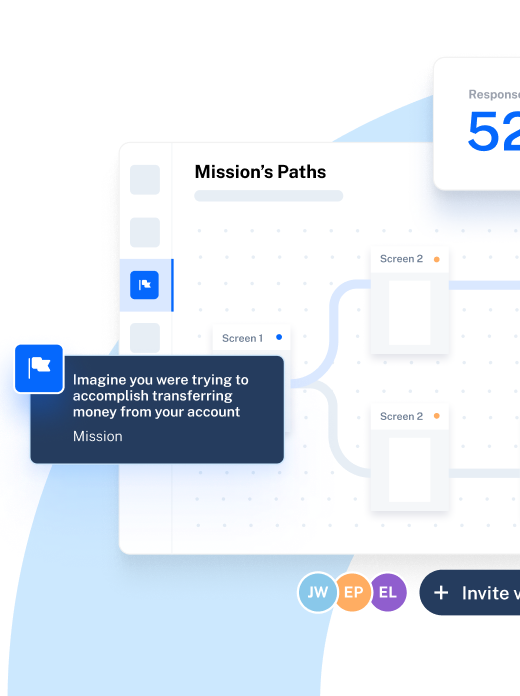
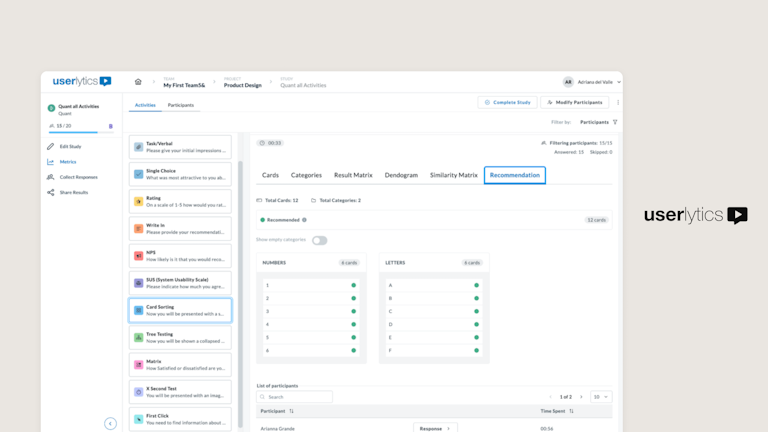
Userlytics positions itself as user testing at AI speed, combining human-centered research with AI-powered insight generation in one unified UX platform. It’s built for teams that want to run moderated and unmoderated tests, recruit from a global participant panel, and speed up analysis with AI.
Its main differentiator is benchmarking. Userlytics’ ULX Benchmarking Score helps teams turn qualitative feedback into a measurable UX score across areas like trust, usability, appeal, performance, appearance, and affinity. This is useful when teams need to compare experiences, track UX quality over time, or show stakeholders a clearer measure of product experience.

Pros
- Large participant panel: Access to 2M+ participants across 150+ countries and 60+ languages
- Mixed-method testing: Support for UX research methods like moderated and unmoderated studies, mobile testing, prototype testing, surveys, and video-based research
- Flexible prototype testing: Works with prototype links from tools like Figma, Adobe XD, InVision, Axure, Proto.io, and Marvel
- No-download recorder: Lets participants record webcam, audio, and screen without installing browser extensions or software
Cons
- Limited diary study depth: Not ideal for teams that need dedicated diary or longitudinal research workflows
- No live in-product testing: Does not trigger microsurveys or intercepts inside a live website or app experience
- Limited integrations beyond prototypes and calendars: Userlytics supports prototype tools and calendar syncing, but it doesn’t integrate with common product, analytics, or knowledge management tools
Pricing
Project-based | Enterprise | Self-recruitment | Limitless |
|---|---|---|---|
Requires minimum purchase of 5 sessions | Starts at $30/session | Starts at $699/month for 5 seats | Custom |
|
|
|
|
Userlytics vs. Dscout
With a large participant pool, Userlytics provides access to diverse user feedback. In contrast, Dscout’s smaller, U.S.-centric participant panel might limit insights for teams targeting international audiences.
Userlytics stands out for its ULX Benchmarking Score: a proprietary UX benchmark that evaluates 18 attributes across eight areas, including usability, trust, appeal, performance, and distinction. This gives teams a broader view of the user experience. They can also
The verdict: Userlytics is a better fit if you prioritize global participant recruitment, quantitative usability testing, and UX benchmarking.
3. Respondent: High-end participant recruitment platform
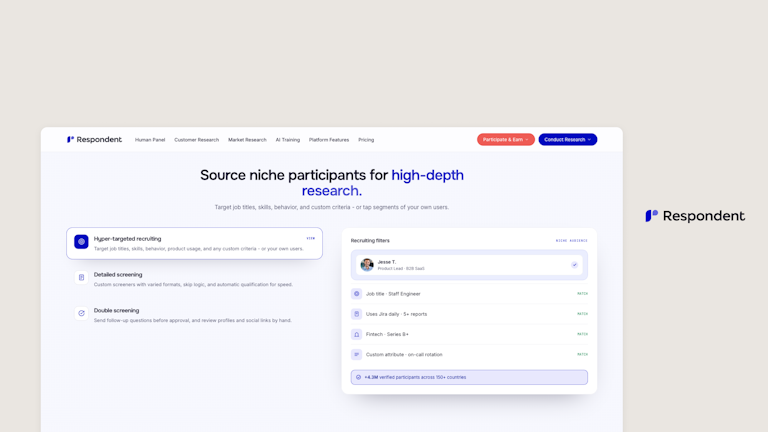
Respondent is a participant recruitment marketplace that helps teams find, screen, schedule, and pay verified participants for external research. It’s a solid solution if you’re planning to switch from Dscout to another tool, but still want to access a high-quality participant panel.
Respondent can be used alongside user research tools to recruit participants. It reports a fraud rate under 1%, which helps when teams need confidence that participants match the required role, industry, or experience level.

Pros
- Large verified participant pool: Gives access to 4M+ verified consumers and professionals across 150 countries
- Built-in screening and scheduling: Lets teams screen participants, invite qualified matches, and manage scheduling in one recruitment workflow
- Automated participant payments: Handles incentive payouts after sessions, reducing manual admin for research teams
- Useful alongside research tools: Can send recruited participants into external tools for interviews, surveys, usability tests, or prototype studies
Cons
- Not a testing workspace: Respondent does not provide the place to build tests, record sessions, analyze behavior, or create research reports
- No post-study UX analysis: It does not generate heatmaps, usability metrics, transcripts, AI summaries, or sentiment analysis
- Costs depend on audience and incentives: Total cost can increase for senior, niche, or hard-to-reach participants because recruitment fees sit alongside participant incentives
Pricing
Pay-as-you-go | Credit bundle | Large volume |
|---|---|---|
$80/session On-demand sessions | $68/session Includes 31 research sessions | Custom |
|
|
|
Respondent vs. Dscout
Respondent is strictly a premium participant recruitment marketplace designed to find, vet, and schedule hyper-specific audiences. In contrast, Dscout is an enterprise-level research suite that combines its own built-in participant panel with powerful, native testing software.
The verdict: Choose Respondent if you already have your own testing tools and simply need to recruit highly specific, verified professional audiences.
4. UserTesting: Best for bigger budgets
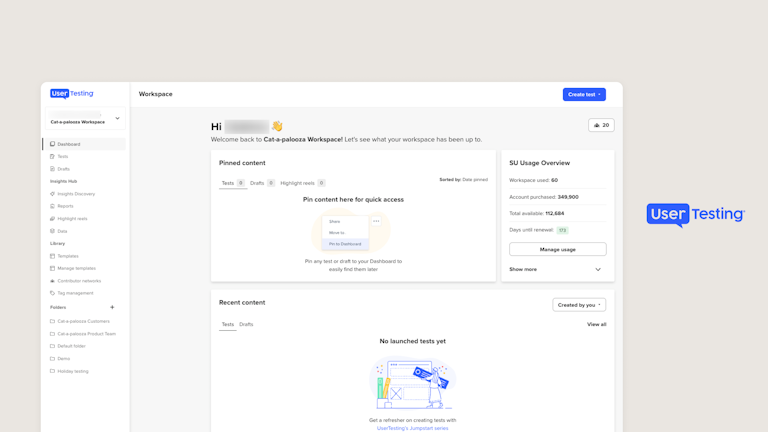
UserTesting is a Human Insight platform for enterprise teams. It helps teams run usability tests across websites, mobile apps, prototypes, concepts, and customer journeys. Its core strength is unmoderated think-aloud testing. Participants complete tasks while sharing their screen, voice, and reactions, so teams can see where users get stuck, confused, or confident.
UserTesting now also owns User Interviews, a participant recruitment platform for user research, market research, and AI training. Its analytics suite includes features like sentiment analysis, click maps, and path flows, providing actionable insights into user behavior.
Pros
- Moderated live conversations: Supports live one-on-one interviews with scheduling, video calls, note-taking, and participant management
- Built-in evaluative methods: Includes tools for card sorting, tree testing, first-click testing, five-second tests, surveys, and prototype feedback
- Strong Figma workflow: Lets teams test Figma prototypes more securely and with less manual setup
- AI-powered analysis: Helps summarize videos, identify themes, generate transcripts, and highlight moments of frustration or positive feedback
Cons
- Limited diary study depth: Not built for structured diary studies with mobile journaling, recurring prompts, or longitudinal behavior tracking
- No live in-product testing: Doesn’t trigger feedback prompts inside a live website or app while real users are browsing
- Credit-based pricing: Some plans use research credits, and unused credits may expire at the end of the contract period
- Less flexible for smaller teams: The platform is built for enterprise programs, so it may feel heavy or expensive for teams that only need quick, lightweight research
Pricing
UserTesting does not publicly list its pricing, but plans include:
Advanced | Ultimate | Ultimate + |
|---|---|---|
|
|
|
UserTesting vs. Dscout
When it comes to participant recruitment, UserTesting’s global Contributor Network offers worldwide testers, while Dscout’s native, U.S.-centric pool is better suited for studies targeting this specific region. Although Dscout enables you to tap into its Panel Partners, recruiting outside of the native Dscout Scouts limits your control over screeners.
The verdict: Both platforms are better suited for large teams with substantial budgets. Choose UserTesting if you’re a large enterprise with a roomy budget and a need for global participant access, but consider another alternative if you’re focused on longitudinal research.
💡Choosing between UserTesting and Maze? See how they compare across usability testing, AI, participant recruitment, and pricing in this Maze vs. UserTesting comparison.
5. Optimal: Best information architecture and mixed-method usability testing
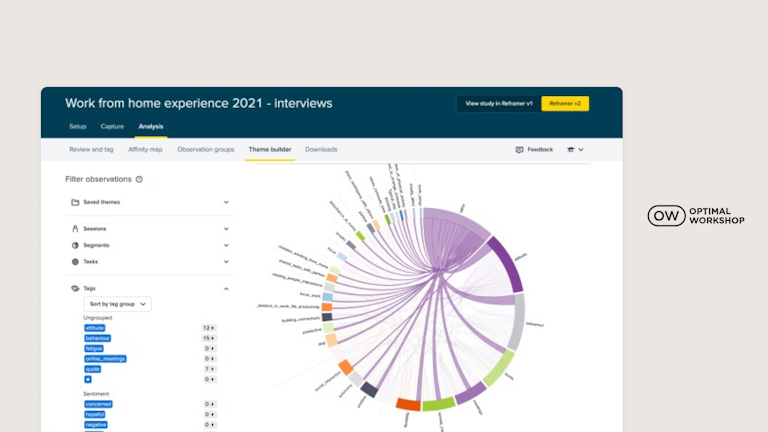
Optimal is a user research platform for testing how people navigate, understand, and use digital products. It combines its established information architecture methods, such as card sorting, tree testing, and first-click testing, with prototype testing, live site testing, surveys, interviews, and qualitative analysis. Optimal supports participant recruitment and offers AI-powered analysis to help teams identify themes, sentiment, and key moments across research findings.

Pros
- Information architecture toolkit: Optimal offers dedicated card sorting, tree testing, and first-click testing tools. These help teams test navigation, labels, content groupings, and information hierarchy before and after launch.
- Broader usability testing: Teams can run prototype tests, live site tests, and surveys individually or combine them within one mixed-method usability study.
- Interview and qualitative analysis tools: Optimal Interviews supports scheduling, recording through Zoom, Google Meet, or Microsoft Teams, transcription, AI-generated themes, highlight reels, and AI Chat for exploring interview findings.
- Built-in recruitment options: Teams can invite their own participants, use Optimal Recruitment, connect external panel providers, or request specialist recruitment for niche audiences.
Cons
- Survey logic still has limitations: Optimal now supports display logic and branching or skip logic. However, it doesn’t currently support answer piping, backward branching, or branching from post-task questions.
- No full AI-moderated interview workflow yet: Optimal has introduced AI-moderated questions within surveys, where AI can ask adaptive follow-ups. However, its full AI Interviewer for conducting complete AI-moderated interviews is still listed as 'coming soon.'
Pricing
All pricing plans are billed annually.
Starter | Enterprise |
|---|---|
$199/month | Custom pricing |
|
|
Optimal vs. Dscout
Optimal and Dscout overlap across usability testing, surveys, interviews, card sorting, and tree testing. However, Optimal offers more specialized information architecture analysis, including first-click testing, dendrograms, similarity matrices, and clustering views for card sorting.
The verdict: Choose Optimal if you need more specialized tools for testing navigation, content structure, and information architecture. Choose Dscout if diary studies, field research, or real-time intercepts are an important part of your research program.
💡Between Maze and Optimal? Check out this Maze vs. Optimal comparison to see how both tools stack up across IA testing, usability testing, participant recruitment, and AI-powered analysis.
6. Hotjar: For live website behavior analytics
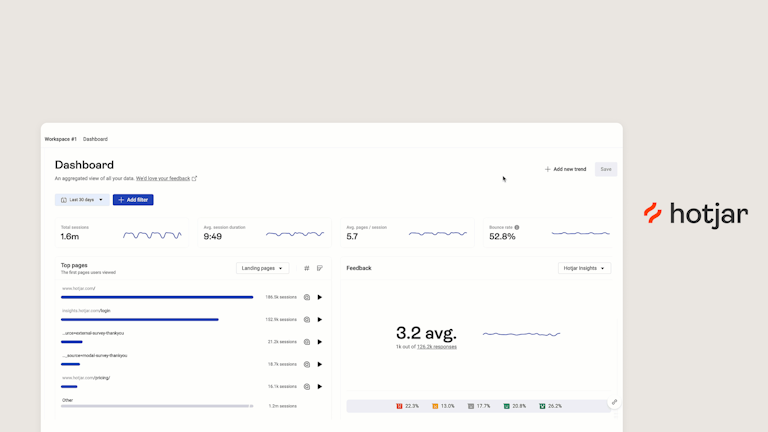
Hotjar is a product and user behavior analytics tool that gives insights into user interactions on websites and apps. Its primary features include. Its primary features include heatmaps generation and session recordings, surveys, and on-site feedback widgets. Teams can see where users click, scroll, hesitate, rage click, or drop off, then collect direct feedback to understand why. Plus, Hotjar's API lets you export responses to various tools, integrating them into your existing workflows.

Pros
- Behavior-based surveys: Lets teams trigger surveys based on user actions, such as exit intent, page visits, or on-page behavior
- Conversion funnels: Helps teams see where users abandon key journeys, such as sign-up, checkout, or onboarding flows
- User interviews and user tests: Supports moderated interviews and asynchronous user tests through Hotjar Engage
- AI-assisted summaries: Helps teams summarize survey responses, recordings, and key moments faster
Cons
- Limited prototype testing: Hotjar supports moderated prototype testing through Engage, but its tracking code can’t run directly inside tools like Figma, Adobe XD, or Sketch. Its unmoderated tests are also no longer available to new customers.
- No native mobile app analytics: Hotjar’s tracking code doesn’t work with native iOS or Android apps, so teams can’t use its heatmaps or session recordings to analyze behavior inside a mobile app.
- No built-in card sorting or tree testing: Hotjar doesn’t offer dedicated tools for testing information architecture, navigation structures, labels, or content groupings.
- Interview setup has device limitations: Participants need a desktop or laptop and Google Chrome to join Engage interviews. Mobile usability testing is possible, but requires additional screen-sharing setup.
Pricing
Free | Growth | Pro | Enterprise |
|---|---|---|---|
$0 | $49/month | Custom | Custom |
|
|
|
|
Hotjar vs. Dscout
Hotjar is primarily built around understanding behavior on live websites through tools like heatmaps, session recordings, surveys, and interviews. Dscout supports a broader range of evaluative and generative research, including prototype testing, usability testing, diary studies, field studies, surveys, and interviews. It can also test interactive Figma prototypes before a product goes live.
The verdict: Hotjar offers better value for money for those prioritizing cost-effectiveness and a balance of quantitative and qualitative research tools focused on user behavior. If live product analytics is your focus, then Hotjar fits the bill.
7. Lookback: For live moderated sessions and observations
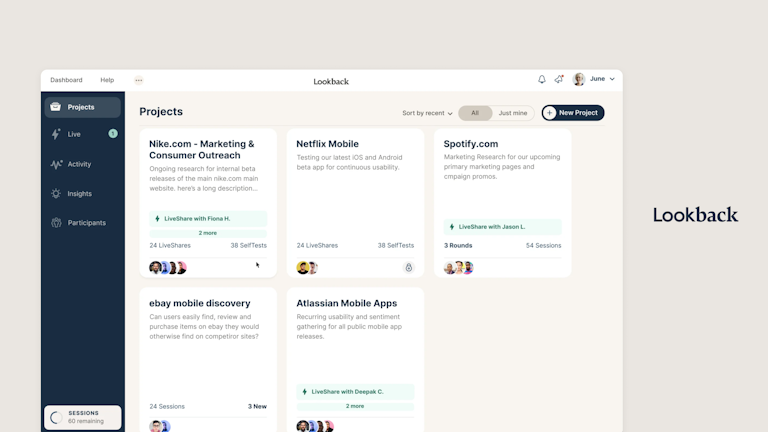
Lookback is built for remote user testing, interviews, and session analysis. It supports moderated research, unmoderated tasks, and testing across desktop, iOS, and Android.
Teams can capture screen activity, audio, face camera, and mobile touch gestures and then bring stakeholders into live observer rooms to watch, chat, and take timestamped notes. Lookback also includes AI features for suggested findings, follow-up questions, smart transcript summaries, and project-level analysis through Discover.

Pros
- Moderated research workflow: Lookback supports live interviews and moderated usability sessions with face-to-face video, screen sharing, and cloud recording
- Unmoderated task-based testing: Teams can create step-by-step tasks for participants to complete on their own, across desktop, iOS, and Android
- Useful mobile testing setup: Captures mobile touch gestures, screen activity, audio, and face cam, which helps teams understand how users interact with apps and mobile experiences
- Live stakeholder observation: Observers can watch sessions behind the scenes, use team chat, and take timestamped notes without interrupting the participant
- AI-assisted synthesis: Lookback can suggest findings, generate smart transcript headlines, ask AI follow-up questions, and help teams search across sessions in a project
- Participant recruitment options: Teams can bring their own participants or recruit through Lookback’s User Interviews integration
Cons
- No native IA testing tools: Lookback is not built for dedicated card sorting, tree testing, or first-click testing workflows
- Limited quantitative usability metrics: It doesn’t focus on metrics like task success, time on task, System Usability Scale, Net Promoter Score, or click heatmaps
- No live in-product testing: It doesn’t trigger surveys or feedback prompts inside a live website or app while users are browsing
- Recruitment depends on integrations: Lookback does not have its own large native participant panel, so teams rely on their own users or external recruitment partners
- Limited cross-project intelligence: Its AI is useful inside projects, but it is not a full research repository for finding patterns across an entire organization’s research history
Pricing
Lookback’s plans are billed annually and come with a 60-day free trial:
Freelance | Team | Insights Hub | Enterprise |
|---|---|---|---|
$299/year | $1,782/year | $4,122/year | Custom |
|
|
|
|
Lookback vs. Dscout
Lookback and Dscout target fundamentally different stages of the user research lifecycle. Dscout is a generative, longitudinal research platform built for context-rich diary studies and discovery work. Lookback, on the other hand, is an evaluative tool designed for remote, real-time usability testing and live-moderated interviews where observing a user’s immediate interactions with a prototype or screen is paramount.
The verdict: Choose Lookback if you have your own participant pool, primarily need user interview tools, and are working with a smaller budget or as a freelancer.
8. Loop11: Best for cross-platform testing
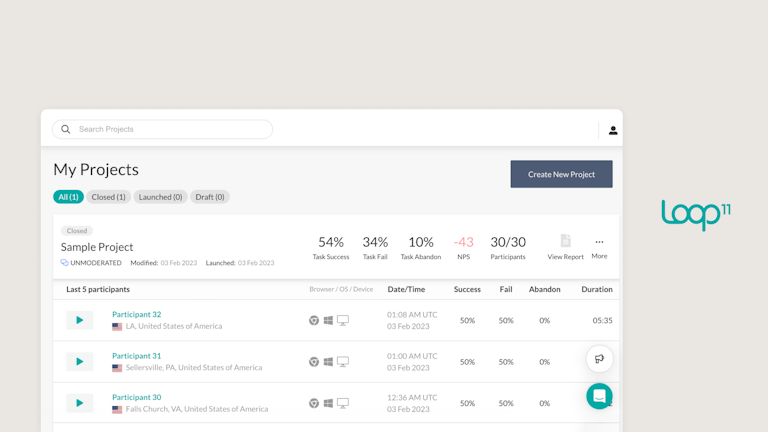
Loop11 is built for teams that want to measure how well users complete tasks on websites, prototypes, and competitor sites. Its main focus is unmoderated usability testing, but it also supports moderated testing, prototype testing, mobile and tablet testing, information architecture testing, and UX benchmarking.
It also includes AI features, such as AI audio transcription, AI Insights, AI summary and analysis, and AI Browser Agents that simulate how AI agents navigate a website or prototype.
Pros
- Information architecture testing: Includes click testing, tree testing, and prototype usability testing to validate navigation, labels, and content structure
- Quantitative reporting: Tracks clickstream data, heatmaps, session recordings, and replay data to show how users move through a task
- AI Browser Agents: Lets teams assign tasks to AI agents and compare AI behavior with human user behavior
- Recruitment integrations: Connects with User Interviews and Cint, so teams can recruit participants through external panels rather than only bringing their own users
Cons
- Less suited to deep moderated research: Loop11 supports moderated testing, but its core strength is still structured task measurement, not interview studies
- No live in-product testing: It does not focus on triggering feedback prompts inside a live product while users are actively browsing
- Limited conversational AI probing: Its AI helps with summaries, insights, and AI-agent testing, but it is not an AI moderator that asks human participants dynamic follow-up questions during a session
Pricing
Loop11 also offers a 14-day free trial with the Enterprise plan and 3 user studies:
Rapid Insights | Pro | Enterprise |
|---|---|---|
$179 /month billed annually | $358/month billed annually | Custom |
|
|
|
Loop 11 vs. Dscout
Loop11 and Dscout are built for opposite ends of the research spectrum, separating quantitative usability from qualitative insights. Loop11 is a metrics-driven, unmoderated testing tool designed to measure exactly how effectively users navigate a website or prototype. Dscout is designed to understand why users behave the way they do in their everyday lives over weeks or months through mobile diary studies.
The verdict: Choose Loop11 if you need quantitative data, click-stream analysis, and success/failure metrics to optimize website navigation or information architecture.
9. Lyssna: For quick preference and first-click tests
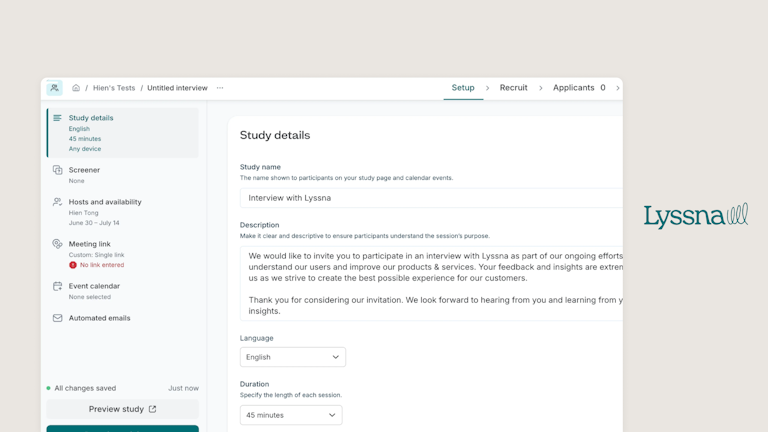
Lyssna (formerly UsabilityHub) offers usability testing methods and is best suited to teams that want quick feedback on early design decisions, such as first impressions, click expectations, preference between design options, or basic navigation structure. It also offers participant recruitment through its panel, with a 690,000+ member panel and 395+ demographic attributes.

Pros
- Fast design validation: Teams can run five-second tests, first-click tests, preference tests, and prototype tests to validate early design decisions quickly
- IA testing: Lyssna supports card sorting and tree testing, which helps teams test navigation, labels, categories, and content structure
- Built-in participant recruitment: Teams can recruit from Lyssna’s panel or bring their own participants for studies
- Live website and Figma prototype testing: Lyssna supports testing on live websites and Figma prototypes, making it useful across early concepts and existing experiences
- Interviews and video screeners: Teams can run moderated interviews and use video screening to check participant fit before live sessions
Cons
- Figma-only prototype testing: Lyssna only supports prototype testing through Figma, which can be restrictive for teams using other design tools.
- Limited behavioral analytics for live websites: Live website tests capture session recordings, task completion time, and participant responses, but don’t generate automated heatmaps or click reports.
- Limited product stack integrations: Lyssna’s integrations directory currently lists Figma, Google Calendar, Microsoft Outlook, Microsoft Teams, and Zoom. It doesn’t list native integrations with product analytics platforms, issue trackers, or research repositories.
Pricing
Free | Growth | Enterprise |
|---|---|---|
$0 | $166/month | Custom pricing |
|
|
|
Lyssna vs. Dscout
Lyssna and Dscout overlap across usability testing, surveys, interviews, and card sorting. However, Lyssna offers dedicated methods for quick design and information architecture testing, including first-click tests, preference tests, navigation tests, tree testing, and prototype testing.
The verdict: Choose Lyssna if you want self-serve testing for design decisions, prototypes, and information architecture. It also has a free plan, while Dscout requires teams to speak with sales for custom pricing.
💡Want to see how Maze compares to Lyssna? Read the Maze vs. Lyssna comparison for a side-by-side look at usability testing, participant recruitment, AI analysis, reporting, and pricing.
What to look for in a Dscout alternative
As you compare options, look for a platform that can support your research methods, recruitment needs, reporting workflows, and budget.
- Breadth of research methods: Choose a tool that supports the studies your team runs most often. If you mainly run diary studies and field research, Dscout may still be a fit. If you need AI-moderated interviews, prototype testing, live website testing, first-click testing, mobile usability testing, card sorting, tree testing, and surveys, look for a research platform that offers end-to-end research methods.
- Participant access: Check whether the platform can reach the audiences you actually need. Some teams need consumer panels, while others need verified B2B professionals, international participants, existing customers, or users inside a live product experience.
- AI capabilities and support: Prioritize AI that speeds up the research workflow. Look for support across study creation, question writing, dynamic follow-ups, transcription, interview analysis, theme detection, and reporting.
- Reporting quality: Choose a platform that turns research data into evidence your team can actually use. The best reports combine quantitative metrics with qualitative context, so stakeholders can see what happened, why it happened, and what to do next.
- Workflow fit: Check how well the tool connects with your existing stack, including design tools, analytics platforms, calendars, video conferencing, Slack, project management tools, and research repositories. A good tool should make insights easier to share.
- Pricing model: Look at how pricing changes as your team adds seats, studies, participants, recordings, AI features, or enterprise controls.
- Scalability: Make sure the platform works for both today’s research volume and tomorrow’s. A lightweight testing tool may be enough for one-off studies, but larger teams often need governance, templates, user roles, security controls, repeatable reporting, and support for multiple research methods.
Which is the best Dscout alternative
The best Dscout alternative depends on the issue you’re trying to solve. Hotjar is a good fit if you want to analyze how users behave on a live website through heatmaps, session recordings, and funnels, while Respondent works well if you only need to recruit verified B2B or niche participants for studies run in another tool.
But if you want one AI-first end-to-end research platform that offers mixed research methods, recruitment, analysis, and reporting, Maze is the best Dscout alternative. Teams can run AI-moderated interviews, traditional interviews, prototype tests, live website tests, live mobile tests, card sorting, tree testing, feedback surveys, and in-product prompts.
Maze also gives teams automated reporting across methods with quantitative and qualitative insights, including success rates, heatmaps, charts, misclicks, usability scores, path analysis, summaries, and thematic analysis.
That setup is especially useful when research needs to scale across large product teams. For example, Itaú Unibanco, one of Latin America’s largest financial institutions, used Maze to move from time-intensive usability testing to a program that now supports around 500 usability tests a year. The team also reduced time to insight by over 75% while using Maze data to make product decisions with speed and confidence.
With Maze, you can bring the entire research workflow into one place and keep insights moving at the speed of product decisions.
Frequently asked questions about dscout alternatives
Why do people move away from Dscout?
Why do people move away from Dscout?
Teams usually move away from Dscout when its recruitment, integrations, or pricing model no longer fit their workflow. Global recruitment beyond the native Scout panel relies on Partner Panels with more limited screening options, integrations may leave gaps across a broader product stack, and there’s no self-serve free plan or upfront pricing.
What is the best Dscout alternative for enterprise teams?
What is the best Dscout alternative for enterprise teams?
Maze is the best Dscout alternative for enterprise teams that need an AI-first platform for testing, recruitment, analysis, and reporting. Teams can run prototype tests, live website tests, live mobile tests, surveys, card sorting, tree testing, traditional interviews, and AI-moderated interviews in one workflow. Maze also supports automated reporting, participant recruitment, and enterprise controls, making it a better fit for teams scaling research across product, design, and research functions.
How does Maze compare to Dscout in terms of AI functionalities?
How does Maze compare to Dscout in terms of AI functionalities?
Maze offers AI support across more stages of the research workflow. Teams can use Maze for AI project naming, dynamic follow-up questions, question quality checks, question phrasing support, survey theme grouping, AI-moderated interviews, transcription clean-up, interview analysis, findings summaries, and sentiment analysis.
Dscout supports some AI features, including dynamic follow-up questions, question phrasing support, survey theme grouping, interview analysis, and AI-generated summaries. However, it doesn’t support AI project naming, AI question quality checks, AI-moderated interviews, AI transcription clean-up, or sentiment analysis of responses.
What are the best Dscout alternatives for enterprise teams?
What are the best Dscout alternatives for enterprise teams?
The best Dscout alternatives for enterprise teams depend on the use case. Maze is the best all-round option for teams that need AI-first user testing, recruitment, analysis, and reporting in one platform.
Userlytics is a good fit for global recruitment, quantitative usability testing, and UX benchmarking, while Lookback works well for moderated research, mobile testing, and live stakeholder observation. Optimal is a good fit for teams focused mainly on card sorting, tree testing, and navigation research.