







Chapter 10
Meet the 19 top-rated UX research tools & software for 2026
Building your UX research tool stack is an essential step in establishing an effective research practice. Read on for a round-up of essential tools that will help you conduct UX research and move the needle in your organization.


TL;DR
Choosing the right UX research tool depends on your research methods, team size, and integration needs. The best platforms support both qualitative and quantitative research, integrate seamlessly with design tools, and scale from individual researchers to enterprise teams.
Our top picks include:
- Maze: AI-first, all-in-one platform for prototype testing, surveys, card sorting, tree testing, and traditional and AI-moderated interviews with automated analysis
- Optimal: Specialized information architecture (IA) testing suite with card sorting, tree testing, and first-click testing
- Lookback: Qualitative interview platform with live sessions, screen capture, and AI-powered transcription
- Hotjar: Behavior analytics with heatmaps, session recordings, and on-site feedback widgets
- Respondent: B2B participant recruitment with 4M+ verified participants and 15-minute matching
Best UX research tool comparison table
UX research tool | Best for | Pricing |
|---|---|---|
Maze | AI-first, all-in-one UX research | Free; custom pricing for Enterprise |
Loop11 | Task-based usability testing | From $63/month |
Userlytics | Moderated and unmoderated testing | From $49/month |
Lyssna | Fast unmoderated testing (5-sec, 1st click) | Free, then from $99/month |
UserTesting | Enterprise video feedback and usability testing | From ~$10,000/year |
Dscout | Longitudinal and diary studies | From ~$3,000/project |
Rally UXR | User research CRM platform | From ~$65/participant for moderated B2B research |
Ethnio | In-product intercepts and tester recruitment | From $79/month |
Respondent | Niche B2B participant recruitment | From $80/session |
Optimal | IA testing and card sorting | From $99/month |
kardSort | Lightweight card sorting | Free, then from €11/month |
UXArmy | IA testing and moderated research in APAC | Card sort from $79/month |
Hotjar | Behavior analytics and in-product feedback | Free, then from $39/month |
Kissmetrics | Event-based product analytics | From $25.99/month |
Mixpanel | Funnel and journey analytics | Free, then from $20/month |
SurveyMonkey | Surveys with templates and logic | Free, then from $25 per user/month |
Typeform | Conversational forms and surveys | From $25/month |
Jotform | Flexible form and survey builder | Free, then from $34/month |
19 Best UX research tools in 2026
UX research tools do a lot of heavy lifting when it comes to user research. From recruiting participants and planning the interviews to getting feedback, and sharing your findings, having a great tool stack is important for running a great research practice.
Selecting the right UX research toolkit depends on where you are in the research process, the research method you’ll be using, the size of your organization, and the type of product you’re researching.
Here are some tools to consider.
1. Maze

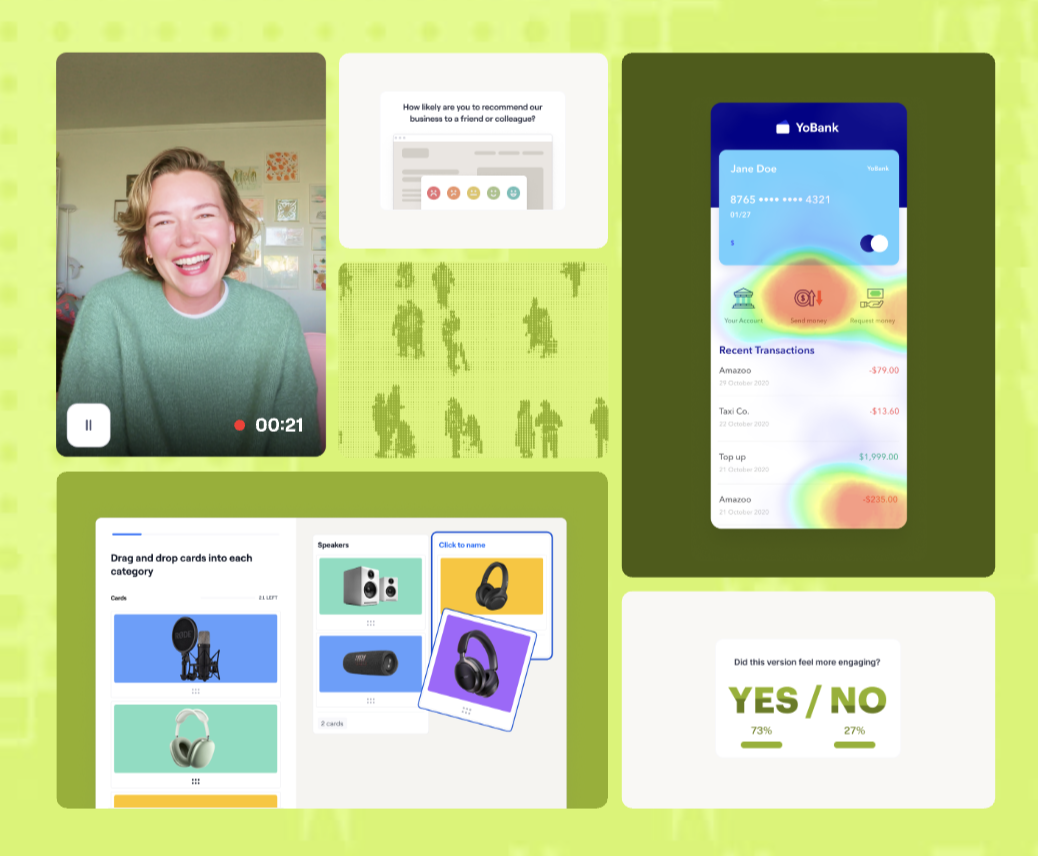
Maze is an AI-first user research platform that makes user insights available at the speed of product development. Maze provides both moderated and unmoderated research methods to teams big and small, enabling researchers and Product people to put users at the center of every decision and, ultimately, to build better products.
You can run various studies at different stages of the design and development process, like concept validation, usability testing, content testing, and feedback collection. As a holistic UX research platform, Maze goes beyond user testing—offering participant recruitment and management solutions, a variety of user research templates tailored to different research needs, and advanced AI features and capabilities for planning, conducting, analyzing, and reporting on research studies.
Key features:
- Prototype testing: Import Figma prototypes and turn them into task-based usability tests so you can validate flows, spot friction, and compare design variants before handoff
- Website testing: Run usability tests on your live product to observe real behavior, validate changes, and catch navigation or conversion issues in production environments
- Feedback surveys: Launch targeted surveys alongside other studies to collect preferences, pain points, and satisfaction data in one place
- Card sorting: Run open, closed, and hybrid card sorting to understand how users group content and use mental models to shape navigation, menus, and content structure
- Tree testing: Validate your information architecture by testing labels and navigation paths, seeing exactly where people drop off, so you can refine the user experience
- Interview studies: Run moderated interview sessions with scheduling, tasks, and note-taking baked in, so you can dig into motivations, expectations, and customer sentiment
- AI moderator: Use Maze’s AI moderator to run autonomous, dynamic interviews that adapt questions in real time and work across time zones and languages
- Clips: Capture audio, video, and screen recordings of sessions so you can show stakeholders real user behavior, highlight moments of friction, and quickly build alignment around what to fix next
- Maze AI: Let Maze AI help write and refine bias-aware questions, summarize interviews, extract themes, and highlight critical learnings
- Automated, customizable reporting: Generate shareable reports with completion rates, paths, heatmaps, NPS or satisfaction scores, and key quotes, then tailor views for different stakeholders or teams
- Participant recruitment: Recruit from Maze panel, powered by partners like Prolific and Respondent, to reach millions of B2B and B2C participants with granular targeting in days or hours
- Participant management: Keep track of research participants with Maze Reach, a CRM-style participant management solution
- In-product prompts: Trigger feedback widgets and prompts directly inside your product to capture in-context insights and funnel engaged customers
- AI prototype integrations: Plug Maze into AI-generated prototypes from tools like Figma Make, Bolt, Lovable, and Replit to test designs at their earliest stage
- Ample integrations: Connect Maze with tools like Figma, Slack, Amplitude, and more, so insights, reports, and clips move straight into your existing design, analytics, and collaboration workflows
Pricing
Maze offers pricing options for organizations and Product teams of all sizes. The Free plan is ideal for individuals, with one study per month and five seats for basic prototype tests and surveys with pay-per-use panel credits.
The Enterprise plan offers additional custom study volumes, unlimited seats, access to a global participant panel, AI-moderated interviews, card sorting, tree testing, mobile testing, full Maze AI, automated analysis and reports, and enterprise-grade security and support.
2. Loop11

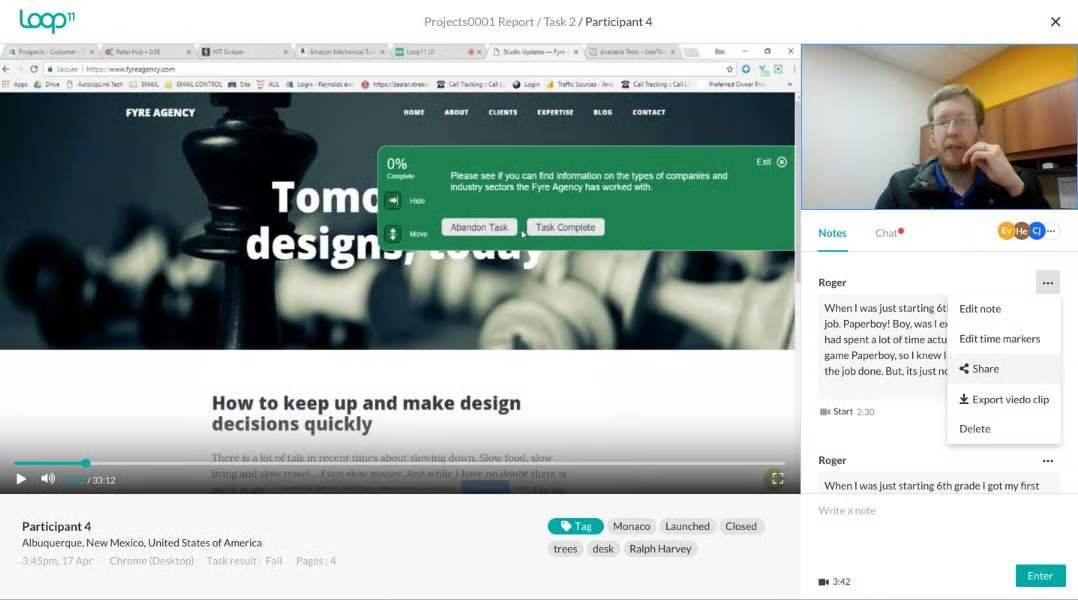
Loop11 supports both moderated and unmoderated usability testing on live websites, prototypes, and competitors’ websites, among others. You can set up task-based studies, invite participants, and get quantitative metrics, like task success, time on task, NPS, and SUS, plus heatmaps and clickstream analytics. GPT-4–powered summaries and AI insights highlight key findings and design recommendations faster.
On the downside, reviewers often mention a learning curve and pricing that’s on the higher side for small teams, especially if you only run ad-hoc projects.
Key features
- Cross-device testing: Validate flows on desktop, mobile, and tablet, including responsive layouts and mobile web experiences
- Session recording and replay: Record screen, audio, and video, replay sessions, and use these clips to show real behavior and build stakeholder alignment
- Heatmaps and clickstream analysis: Visualize where people click, scroll, and drop off, and analyze their navigation paths to spot friction in journeys
- AI insights and browser agents: Use AI to summarize tasks, highlight key findings, and even run AI browser agents through tasks to catch issues before launch
Pricing
- Rapid Insights at $199/month: Includes five seats, moderated and unmoderated testing, unlimited tasks and questions, and up to three projects per month
- Pro at $399/month: Includes five seats, heatmaps, clickstreams, and path analysis, data export, and up to 10 projects per month
- Enterprise plan with custom monthly pricing: Includes unlimited projects, advanced security (SSO), report segments, and tailored support based on team size and volume
3. Userlytics

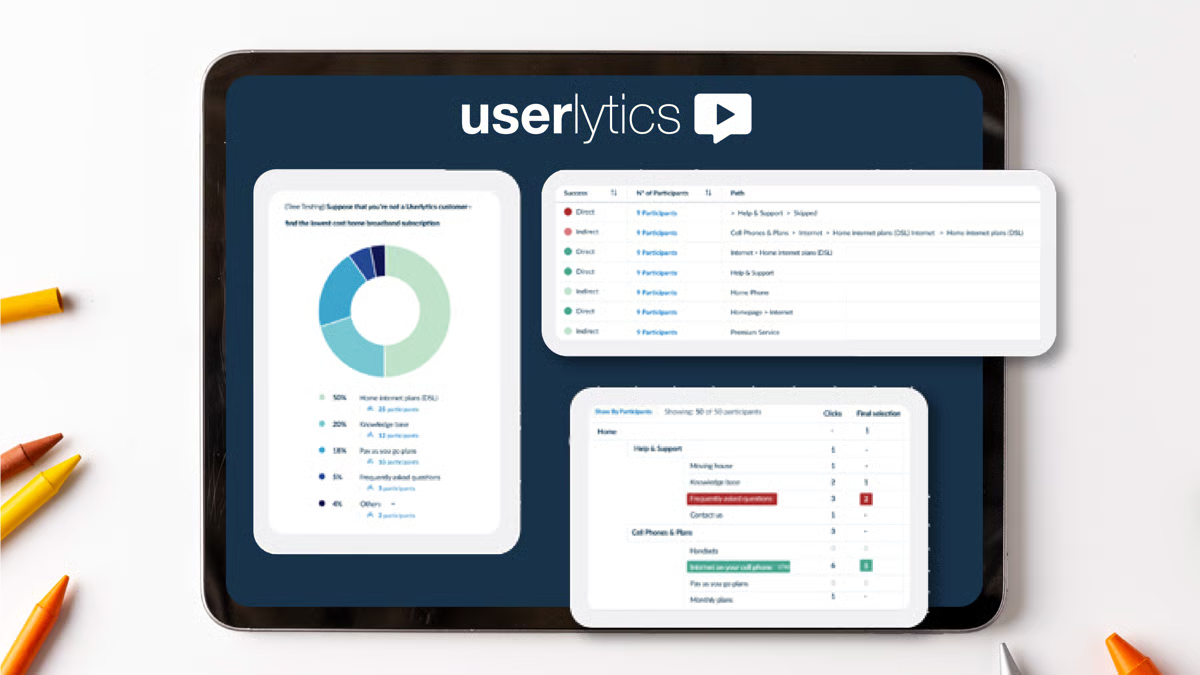
Userlytics is a remote UX research platform for running video-based usability tests and 1:1 interviews on websites, apps, and prototypes. You can run moderated and unmoderated studies, capture rich qualitative feedback, and layer in quantitative UX metrics, like task success and standardized UX scores. It’s built for deep, project-based research where specialist researchers want granular insight into user behavior rather than lightweight, always-on testing.
Key features
- ULX Benchmarking Score: A proprietary UX KPI that combines 18 attributes across eight UX constructs to give a 360° score you can track over time and compare against competitors
- AI UX Analysis: AI-powered analysis that synthesizes video session transcripts, surfaces themes, and runs sentiment analysis
- Advanced video tooling: Multi-language transcriptions, searchable timelines, timestamps, and highlight reels to clip and share the most important moments with stakeholders
- Global panel: Access to a participant panel of over 2M vetted participants, with international coverage for multi-country and localized UX studies
Pricing
- Project-based: Custom per-project pricing with no monthly subscription. Best suited for one-off or occasional research runs.
- Premium at $699/month: Subscription plan for smaller teams, with five seats and a fixed monthly testing allowance (e.g. around 20 sessions per month) plus unlimited ‘bring your own user’ (BYOU) testing.
- Enterprise plan with custom monthly pricing: Volume-based pricing with per-session costs as low as $34 at scale, unlimited projects and participants, SSO, and advanced reporting options.
- Limitless plan with custom monthly pricing: Top-tier plan with unlimited accounts and tests, unlimited sessions, and full access to self-recruitment and panel capabilities.
4. Lyssna

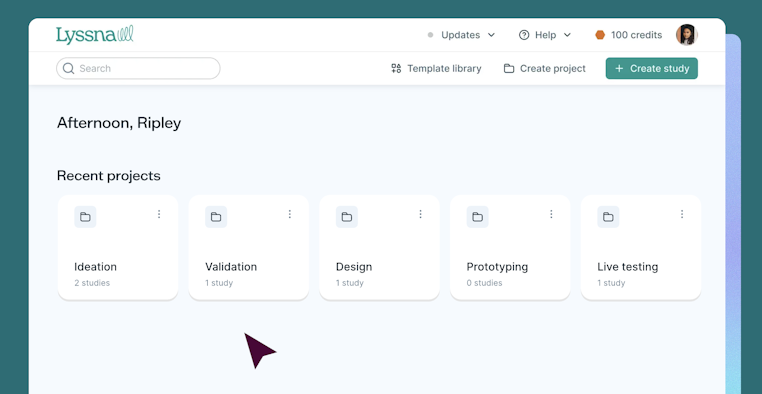
Lyssna is an unmoderated UX research platform for fast, lightweight testing of designs, copy, and information architecture. You can run quick studies like surveys, five-second tests, first-click tests, card sorting, tree testing, and prototype validation in a browser, mainly on a desktop.
Lyssna doesn’t support native mobile app testing or deep, interview-led studies, so it tends to fit smaller teams that want rapid feedback more than end-to-end, continuous discovery.
Key features
- Research panel: Access a built-in panel of hundreds of thousands of participants, with pay-per-response pricing, or invite your own users
- Prototype and live website testing: Embed Figma and other prototypes, or test live websites, to see where people click first, how they navigate, and where they drop off
- Card sorting and tree testing analytics: Use similarity and agreement matrices, card/category views, and task success metrics to refine IA and navigation
- AI-assisted analysis: On paid plans, use AI follow-up questions and AI summaries to speed up analysis of open-ended responses and highlight key themes
- Collaboration and spaces: Share studies and results via links, manage teams with spaces and role-based permissions
Pricing
- Free: Includes one study per month, three seats, 15 self-recruited responses. Supports core methodologies, interviews, live chat support, GDPR compliance, section groups, randomization, and Spaces.
- Starter at $99/month: One study per month, five seats, unlimited self-recruited responses. Everything in Free, plus AI follow-up questions, CSV export, custom welcome/thank-you messages, interview co-hosts, live website testing, recordings, variation sets, and conditional logic.
- Growth at $199/month: Three studies per month, 15 seats, unlimited self-recruited responses. Everything in Starter, plus AI-generated summaries, custom variables, recruitment limits, role-based permissions, and test redirects.
- Enterprise with custom pricing: Everything in Growth, plus agreements, closed Spaces, custom branding, custom contract terms, password rules, priority support, security audit help, SOC 2 report access, SSO, and wallets.
💡 Want more? Check out our full list of usability testing tools here.
Tools for user interviews
5. Lookback

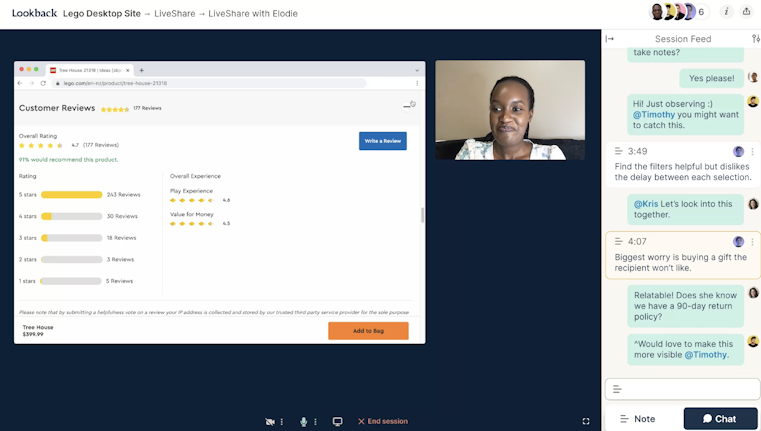
Lookback is a qualitative UX research platform for running live and unmoderated sessions on desktop and mobile. You can run user interviews, usability tests, and diary-style studies, capturing screen, camera, and audio. Stakeholders join via a virtual observation room, add notes and tags in real time, and later use ‘Eureka’—Lookback’s AI assistant—to turn long recordings and transcripts into digestible summaries and highlights.
It doesn’t support core quantitative methods, like card sorting, tree testing, or benchmarking dashboards, so it’s usually paired with analytics or experimentation tools for a full picture.
Key features
- Live moderated sessions: Run real-time interviews and usability tests where researchers guide participants through tasks while observers watch from a virtual backroom
- Unmoderated tasks: Set up step-by-step task flows for participants to complete on their own time, ideal for quick feedback
- Rich session capture: Record screen, face, and audio across desktop, iOS, and Android, including touch interactions, to give full context on how people navigate and react
- Eureka AI assistant: Auto-transcribe sessions, generate ‘headlines’ for key moments, and create AI-written notes
- Collaboration and tagging: Use timestamped notes, tags, comments, and highlight reels to align stakeholders around the same moments and themes
Pricing
Lookback only offers annual plans, priced by sessions, seats, and panel access.
- Freelance at $299/year: Includes 10 sessions (moderated or unmoderated), with an extra 10-session pack at $299 each. One panel participant included; bring your own participants for free; extra panel participants at $49 each.
- Team at $1,782/year: Includes 100 moderated sessions, with an extra 10-session pack at $178 each. 10 panel participants included; BYOU free; extra panel participants at $38 each.
- Insights Hub at $4,122/year: Includes 300 moderated sessions, with an extra 10-session pack at $137 each. 30 panel participants included; BYOU free; extra panel participants at $31 each.
- Enterprise plans with custom annual pricing: Includes unlimited moderated and unmoderated sessions. 200 panel participants included; BYOU free; extra panel participants at $25 each.
6. UserTesting

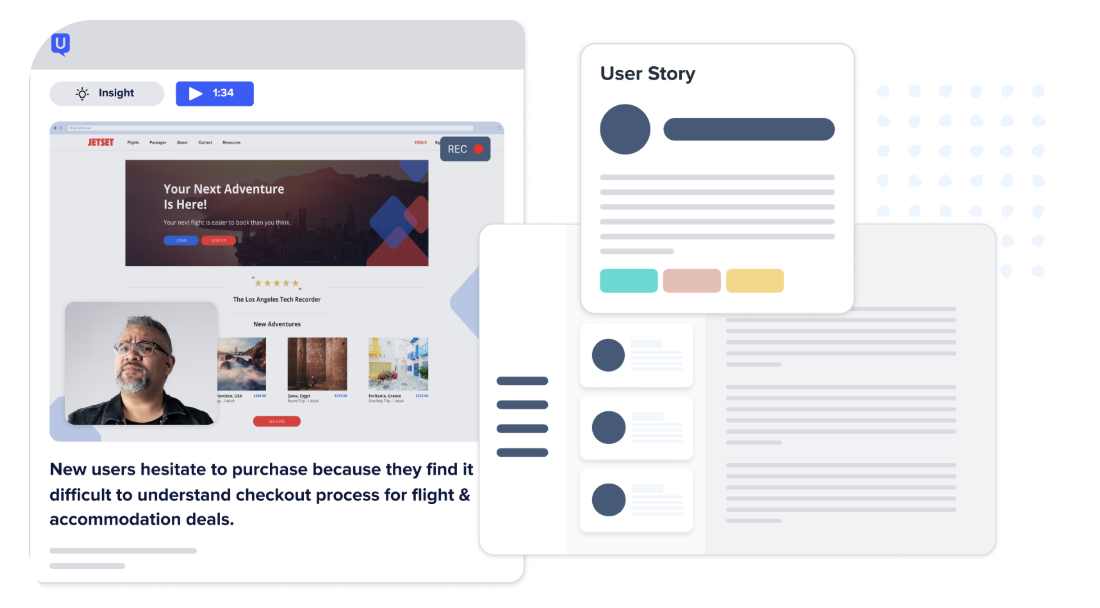
UserTesting is an enterprise‑focused human insight platform used to run moderated and unmoderated, video‑based research on websites, apps, prototypes, and concepts. It combines a large global participant network with live interviews, task‑based usability testing, surveys, and AI‑assisted insight summaries.
It’s built for large organizations that want standardized, high-volume research across product, UX, and marketing teams, but it’s also one of the most expensive tools in the market, with opaque, enterprise-only pricing that puts it out of reach for most smaller teams.
Key features
- Moderated ‘Live Conversation’ sessions: Run 1:1 or group interviews with video, screen share, and live note-taking
- Unmoderated usability tests: Launch task-based studies on websites, mobile apps, and prototypes that capture screen, clicks, and think-aloud audio
- Global contributor network: Recruit from a large panel across ~30 countries with granular targeting, screeners, and quality checks (including LinkedIn verification and AI fraud checks)
- AI insight summaries: Use AI to summarize verbal responses and on-screen behavior for supported task types, grouping themes, and sentiment
Pricing
UserTesting doesn’t publish pricing. Based on third-party benchmarks and buyer reports, most contracts sit in the five-figure range, with a common median around $40,000 per year. On public forums, teams report quotes from ~$10,000 up to ~$42,000+, with older ‘unlimited’ deals near $15,000 and per-seat pricing in the low thousands.
7. Dscout


Dscout is a qualitative research platform for running in-context and longitudinal or diary studies through three main modules: Diary, Express, and Live. Participants (called ‘scouts’) use a mobile app or the web to submit videos, photos, screen recordings, and survey answers as they complete tasks or log moments over days or weeks.
Teams use it to study real behavior in real environments, run quick unmoderated usability or concept tests, and conduct moderated video interviews—all in one workspace where you can recruit participants, manage incentives, and analyze recordings.
Key features
- Live interviews: Run 1:1 video interviews with built-in scheduling, calendar invites, waiting rooms, screen sharing, automatic transcription, and cut clips and highlight reels directly from sessions
- Participant panel and recruitment tools: Access Dscout’s vetted panel of scouts (primarily US-based) or invite your own customers
- Analysis and sharing workspace: Tag and code moments in entries, create highlight reels, generate basic text and frequency visuals (e.g., word counts/word clouds), and publish password-protected share pages
- Privacy and compliance controls: Options like facial blurring, consent workflows, and controlled sharing links help protect participant identity while still letting teams use rich video and photo data
Pricing
Dscout doesn’t publicly publish its pricing plans. Based on external benchmarks and buyer reports, individual projects are said to start around $3,000 each, with annual subscriptions averaging just over $60,000/year, and Enterprise plans reportedly starting around $75,000/year. In practice, that makes Dscout a better fit for mid-to-large companies with dedicated research budgets.
Tools for recruiting research participants
8. Rally UXR

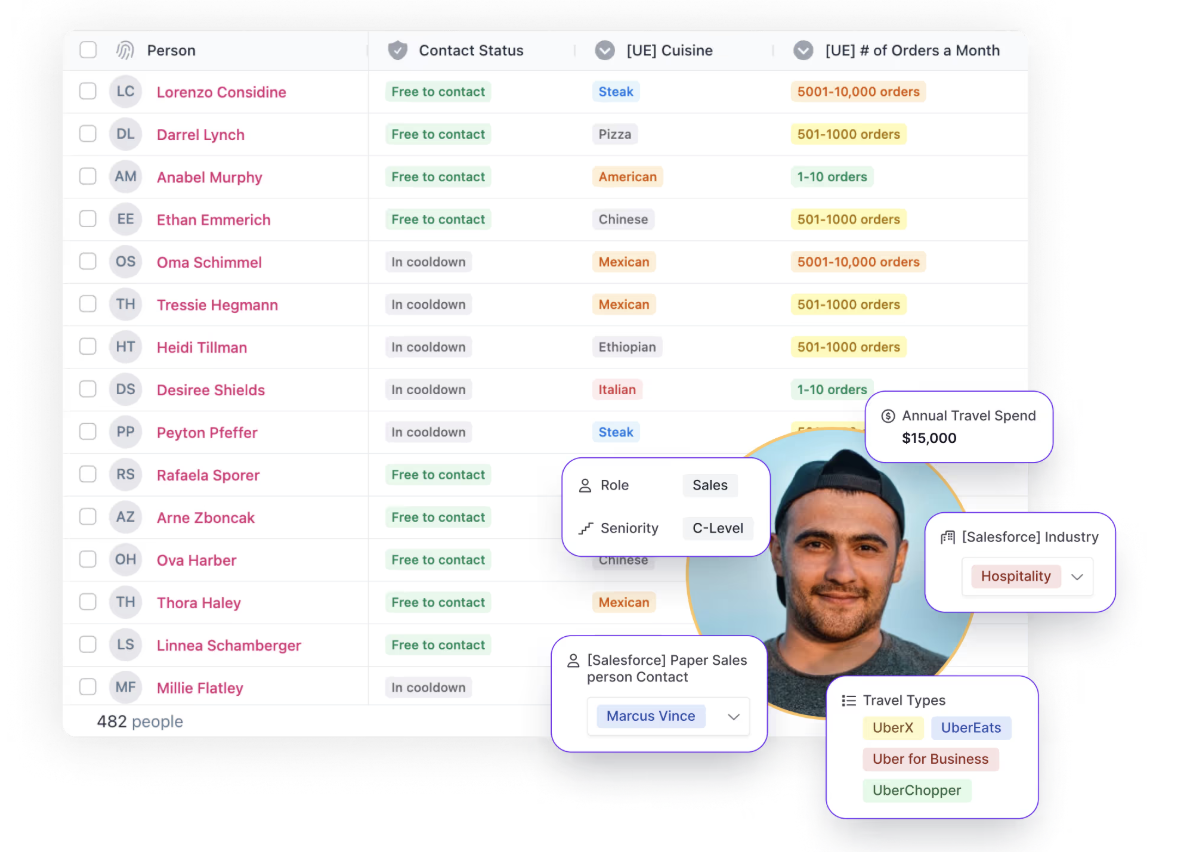
Rally UXR is a user research CRM platform that lets you store and manage your own user panels by importing customer data via CSV, Salesforce, or Snowflake integrations. It has screeners with conditional logic, email outreach, consent management, scheduling with calendar sync, and global incentives with 2000+ redemption options.
Key features
- Participant panels: Upload lists, collect sign-ups via forms, or integrate with your CRM to build continuously updated panels of your own users ready for research
- Set-and-forget governance: Configure default or custom cool-down periods between studies, monitor participant engagement with automated contact statuses, and embed consent management into workflows
- Activity reports and research tracking: Capture all research activity happening across your organization, view trends over time, and communicate research ROI with shareable dashboards of study volume and throughput
- Advanced filtering and segmentation: Recruit participants using custom attributes, survey results, research engagement history, demographic data, and screener responses saved as filterable properties
Pricing
Rally UXR does not publicly disclose specific platform pricing on its website. However, when you recruit from external panels (Respondent or User Interviews) through Rally, this is what they cost:
- Moderated B2B at $65/participant
- Unmoderated B2B at $43/participant
- Moderated B2C at $39/participant
- Unmoderated B2C at $26/participant
8. Ethnio

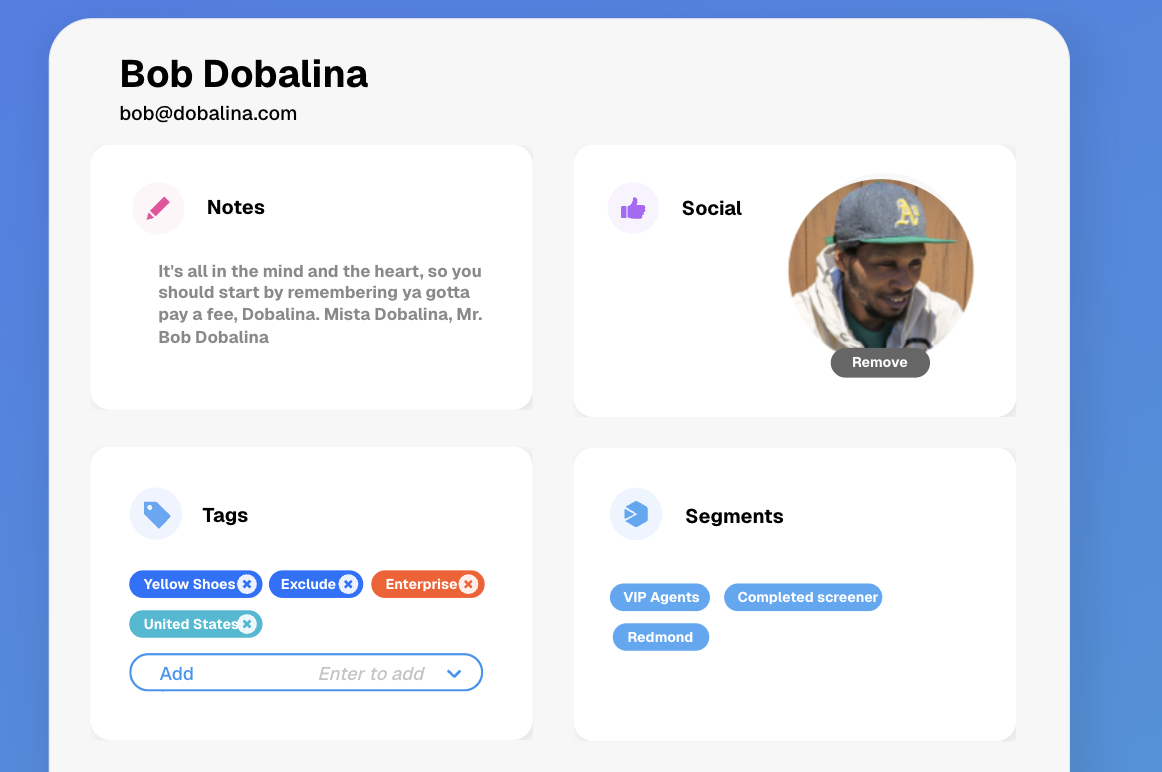
Ethnio is a UX research recruitment and CRM platform for your own users. It lets you recruit people directly from your website or app, screen them with custom surveys, store them in a first-party research pool, and then handle scheduling, consent, and incentives from one place. You still run the actual research in other tools (like Maze), but Ethnio is where you manage who you invite, how often, and under which consent and compliance rules.
Key features
- In-product recruitment: Show targeted intercepts on web, iOS, and Android to invite real users into studies based on page, behavior, device, or other rules
- Custom screeners: Build screener surveys with multi-question logic to qualify or disqualify participants before they enter a study
- Multiple recruitment sources: Pull participants from intercepts, email lists, social posts, CSV/Sheets imports, or integrations with CRM and survey tools like Salesforce and Qualtrics
- Scheduling automation: Let participants pick time slots for 1:1 or group sessions with calendar and video integrations (e.g. Google/Outlook + Zoom), plus reminders to reduce no-shows
- Incentive handling: Send and track incentives via PayPal, gift cards, or donations, with reporting on who was paid, how much, and for which project
Pricing
- Individual plan at $15/month: 2–6 seats. Includes unlimited screeners and studies, plus access to the 24/7 help center
- Pro at $99 per seat/month: For 7+ seats. Adds localization and global incentives, centralized consent, and support/training with a four-hour SLA
- Enterprise plan with custom pricing: Includes Pool with unlimited participants, a dedicated CSM with Slack and Zoom support, SSO, and third-party risk assessments
10. Respondent

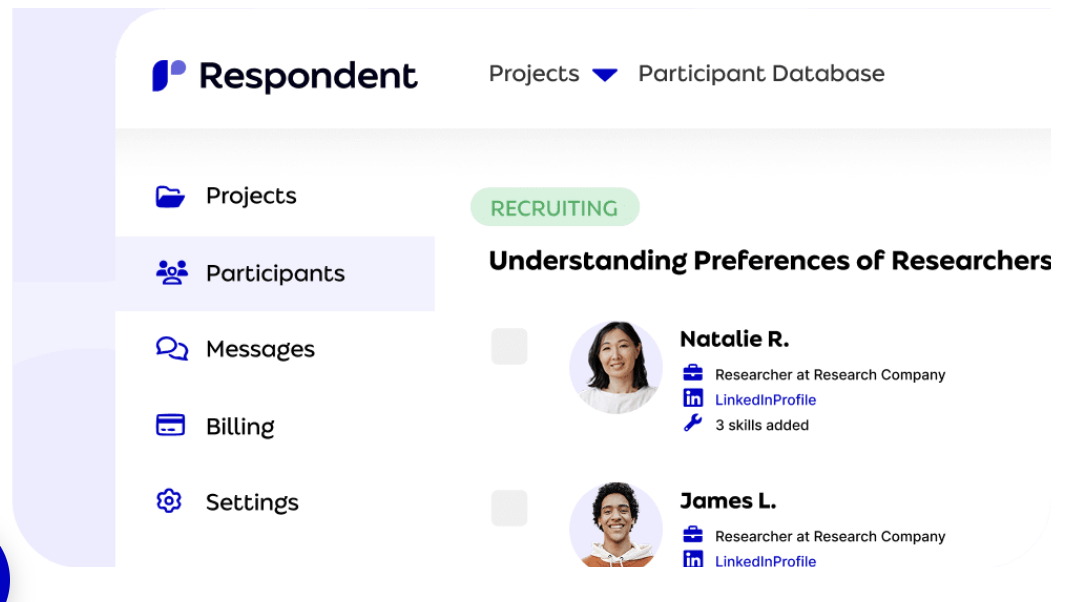
Respondent gives you on-demand access to 4M+ phone-verified participants across 150+ countries. You define your study, target by job title, skills, or demographics, add screener questions, and Respondent’s matching engine surfaces candidates—often delivering your first qualified participant in about 15 minutes. You then run the actual research in your tool of choice (e.g., Maze, Lookback, SurveyMonkey), while Respondent handles recruitment logistics and incentive payouts.
Key features
- Strong B2B coverage: 155K+ job titles and 270K+ skills captured, making it easier to find specific professional profiles (e.g. PMs, engineers, finance leaders, niche SaaS roles)
- Fast matching and screening: Algorithmic matching plus custom screener surveys; typically ~15 minutes to the first qualified participant and ~1.5 days to fill an average study
- End-to-end recruitment workflow: Define a project, match, screen, schedule, and then mark sessions complete so Respondent can automatically trigger incentive payments
- Scheduling & integrations: Built-in scheduling and integrations with tools like Zoom, Google Calendar, SurveyMonkey, Lookback, and more, so participants flow directly into your preferred research setup
- Quality controls and fraud prevention: Multi-step verification, ongoing fraud monitoring, and clear reporting to keep low-quality and fraudulent participants out of your studies
Pricing
- Pay-as-you-go at $80/session: All add-ons included (targeting, screening, payouts, scheduling automation, integrations, unlimited seats, support, document signing, NDAs, recontact database, filter past participants).
- Credit Bundle at $68/session (31 sessions): Prepay for 31 sessions to save ~15% versus PAYG. Same inclusions as Pay-as-you-go (consumer/B2B, 50% off unmoderated, all add-ons included).
- Large Volume with custom pricing: Discounted per-session pricing for higher volumes when you pay up front; quote available via sales.
Tools for information architecture testing
11. Optimal

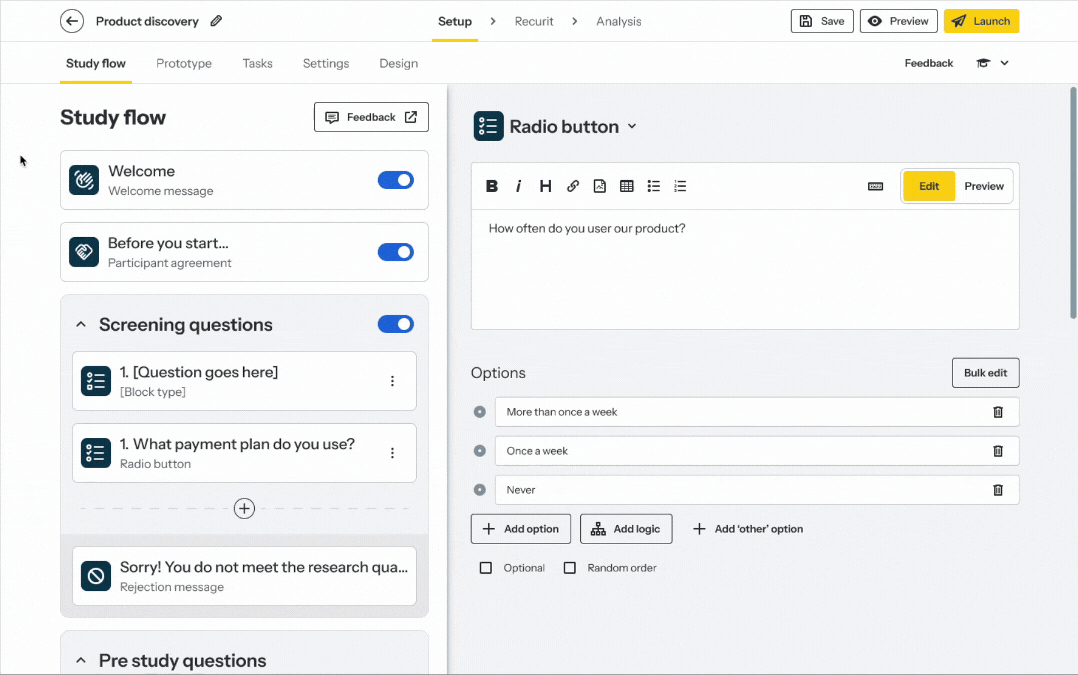
Optimal offers a suite of testing tools to help you conduct information architecture (IA) tests. For card sorting, you can use their OptimalSort tool to understand how people expect your content to be organized and categorized.
Another component of Optimal is Treejack, which helps you conduct unmoderated tree tests to identify if users are currently getting lost on your site and where they expect to find key information.
Key features
- First-click testing: Upload static screens to see where people click first for key tasks, and review heatmaps and click maps to validate layouts and labels
- Live site testing: Send users to your live website or web app, define tasks, and analyze how they move through real journeys without adding tracking code
- Surveys: Add quick surveys around tasks to capture expectations, satisfaction, and open-ended feedback alongside behavioral data
- Interviews and qualitative insights: Store interview notes, tag observations, and cluster themes to support your IA and UX decisions
Pricing
- Starter at $199/month (billed annually): Includes five studies per year, unlimited seats, unlimited participant responses per study, access to all tools and study types, AI-powered analytics and insights, SOC 2/GDPR compliant
- Enterprise plans with custom pricing: Includes custom study bundles, unlimited seats, unlimited participant responses per study, all tools and study types, enterprise-grade security, multiple workspaces, and private projects
12. kardSort

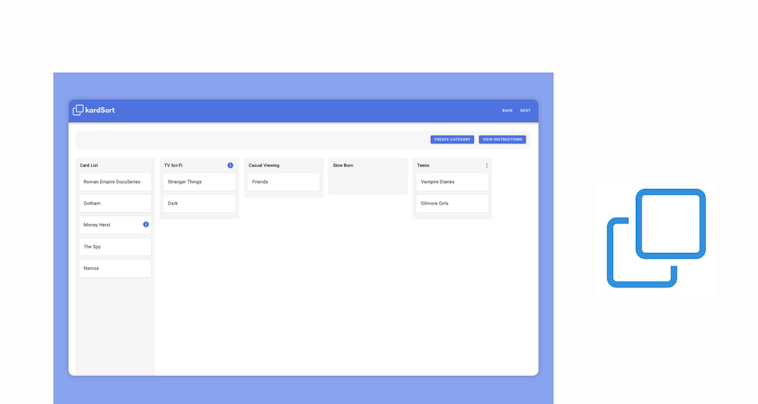
kardSort is an online card sorting tool that offers moderated, unmoderated, and hybrid card sorting. As user-friendly as they come, kardSort operates in a simple drag-and-drop function that makes card sorting easy for researchers and participants alike.
Working on all browsers, you can set up and run a card sorting session incredibly quickly, and it’s ideal for asynchronous sessions due to its simplicity and ability to add pre- or post-study questions.
Key features
- Open, closed, and hybrid card sorting: Run simple IA studies to see how people naturally group content, or test your proposed categories and labels
- Browser-based participation: Share a link and let participants sort cards in their browser, with no downloads or setup friction
- Card and category notes: Add short descriptions to cards (and guidance for categories), so participants understand what each item represents
- Study scheduling: Set start and end dates so the study opens and closes automatically
- Password protection: Restrict access to invited participants when you’re testing internal or sensitive content structures
Pricing
- Free Tier: One study, 10 cards, two questions, 10 participants, 7-day data retention, community support
- Starter at €11/month: Includes five studies, 1,000 cards, 100 questions, 1,000 participants, 30-day data retention, and priority support
- Premium at €25/year: Includes 100 studies, 1,000 cards, 100 questions, 1,000 participants, 90-day data retention, and priority support
- Enterprise plans with custom pricing: Unlimited-flex plans built around your org (multi-accounts for teams, custom integrations, dedicated support, enterprise-grade security)
13. UXArmy

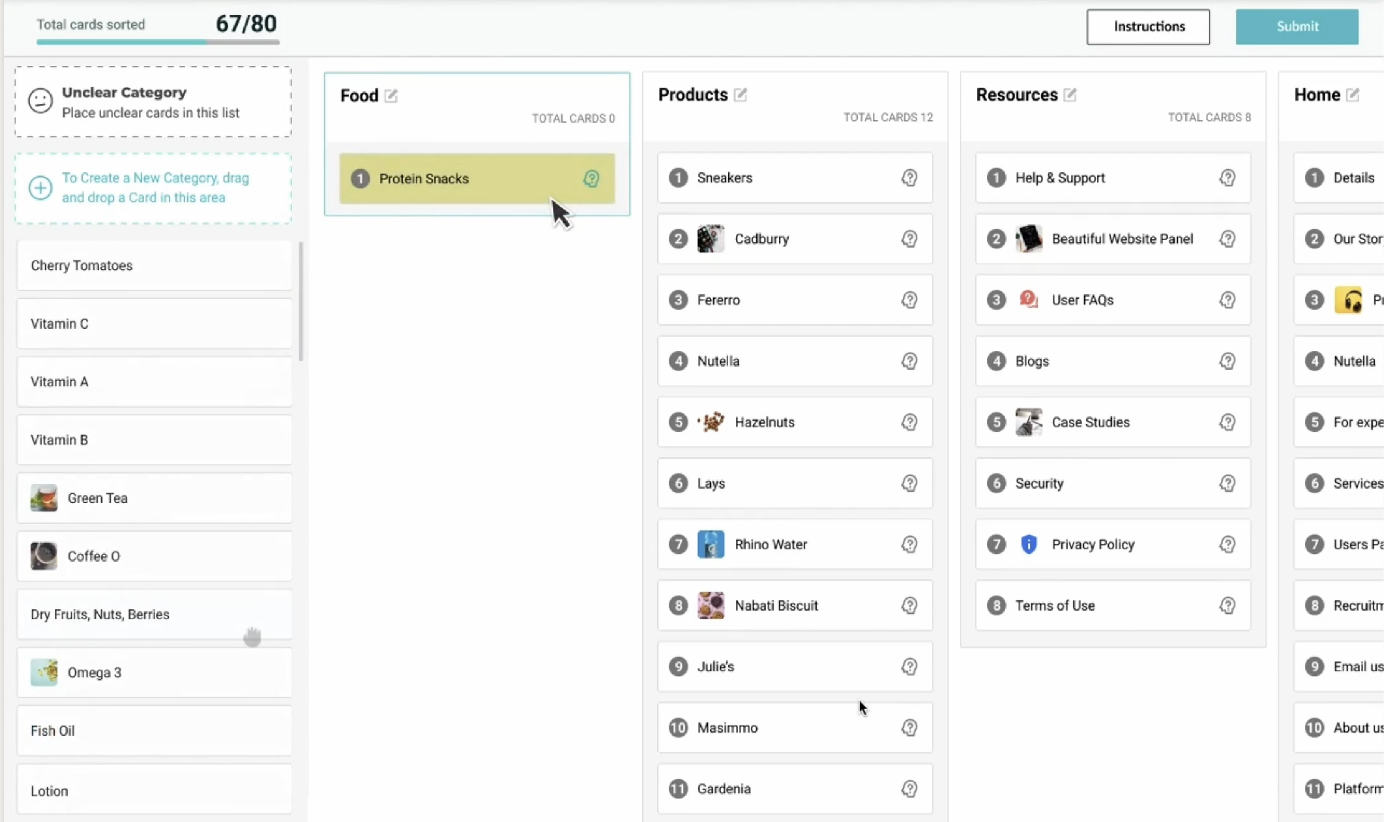
UXArmy provides a variety of user testing solutions to help you run information architecture testing via tree tests and card sorting. You can create tests on the platform or import existing ones.
UXArmy makes evaluating your layout easy, and in-depth analytics help you uncover insights from tests—including participant analysis, path analysis, and destination matrices. It’s quick and easy to get started, and provides an intuitive process for your participants.
Key features
- Moderated research (DeepDive): Host live interviews plus dyads, triads, and focus groups, with observer-friendly session capture
- Card sorting: Run open, closed, and hybrid card sorts (including image cards) to validate how users group and label content
- Tree testing: Test findability in a text-based navigation tree to spot where users get lost and which paths they expect to take
- Surveys and questionnaire blocks: Add structured questions before, during, or after tasks to capture expectations, satisfaction, and open-ended feedback
- Participant recruiting panel: Recruit from UXArmy’s panel, with strong coverage for Asia-Pacific audiences and targeting via screeners
Pricing
- Free: Includes access to all tools, unlimited active studies, unlimited transcription, unlimited storage, unlimited test length, all AI features, and pooled credits
- Starter at $29/month: Includes everything in Free, plus pooled credits with pay-as-you-go (collect responses beyond your monthly allocation) and optional access to UXArmy’s participant panel (add-on)
- Pro at $99/month: Includes everything in Starter, plus roles and permissions, collaborative test creation and analysis, and three collaborator seats (with the option to add more full seats)
- Organization plans with custom pricing: Includes everything in Pro, plus SSO and enterprise-grade security, centralized billing and invoicing, personalized onboarding, and priority support
Tools for product analytics
14. Hotjar

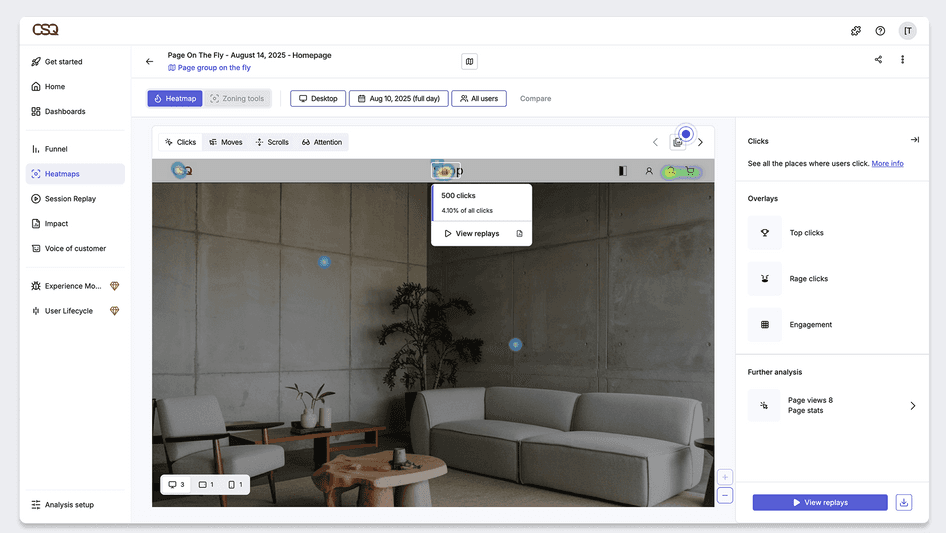
Hotjar is a behavior analytics and on-site feedback tool for websites and web apps. It helps teams see what users do (heatmaps, session recordings, funnels) and hear why they do it (surveys, feedback widgets, interviews). It’s commonly used alongside traditional analytics, like Google Analytics, and comprehensive research platforms, like Maze, to explain why people drop off, hesitate, or rage-click.
Key features
- Heatmaps: Visualize clicks, scroll depth, and engagement so you can spot what users ignore, what they engage with, and where they get stuck
- Session recordings: Replay real user journeys (clicks, scrolls, navigation) to identify friction like rage clicks, errors, U-turns, and abandoned flows
- Funnels: Map key paths (signup, checkout) to pinpoint where drop-offs happen and jump into recordings to see what caused them
- Surveys: Launch on-site or external surveys, use templates/AI survey creation, and review AI summaries and sentiment to speed up analysis
Pricing
- Free: Up to 200k monthly sessions, plus Session Replay, unlimited heatmaps, Funnels, standard filters, seven integrations, and dashboards
- Growth at $49/month: Includes everything in Free, plus starts at 7k monthly sessions, Sense (Contentsquare AI), 13 months data access, zone-based heatmaps, journey analysis, impact quantification, and nine integrations
- Pro with custom pricing: Includes everything in Growth, plus starts at 1M monthly sessions, multi-session replay summaries, zone-based heatmaps with revenue metrics, revenue goals, and tracking
- Enterprise with custom pricing: Includes everything in Pro, plus digital experience monitoring, user lifecycle extension, error summaries, data feeds, and unlimited projects
15. Kissmetrics

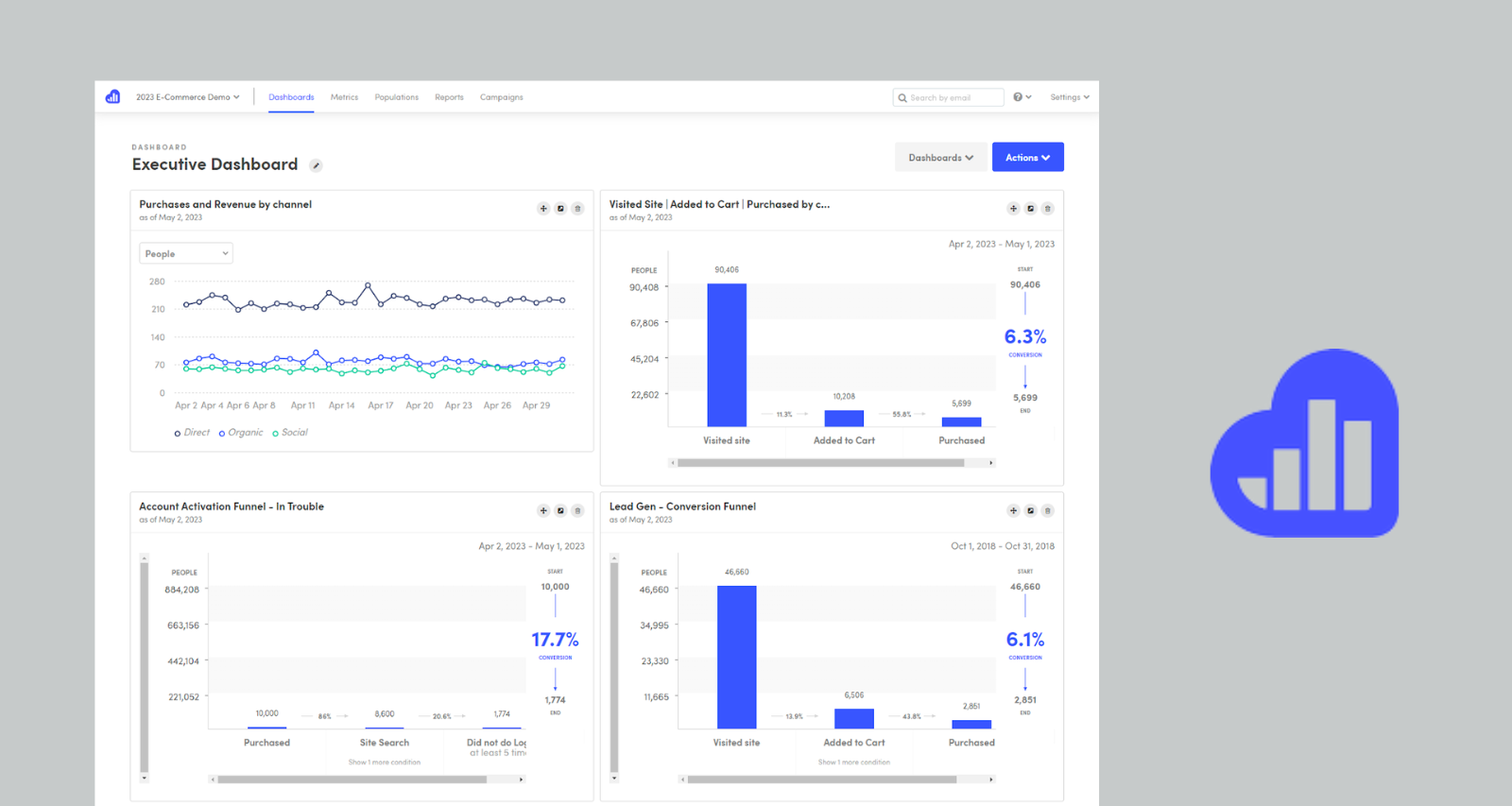
Kissmetrics is an event analytics platform that helps you track user behavior across your site. By giving you information about how customers interact with your product, Kissmetrics helps you acquire qualified prospects, convert trials to customers, and reduce churn. It gives you tools to gain insights into how users interact with your product—especially if your primary focus is revenue.
Key features
- Event tracking and custom properties: Define Product/Marketing events (‘signup,’ ‘upgrade,’ ‘used feature X’) and attach user/event properties for richer analysis
- Funnel analysis: Build multi-step funnels and see conversion rates, drop-offs, and where users get stuck
- Path and journey reporting: Visualize common routes users take before converting, upgrading, or churning
- Cohorts and retention: Group users by signup date, campaign, or behavior and track engagement/retention trends over time
- Behavioral segmentation: Create segments based on actions and attributes (e.g., ‘added to cart but didn’t buy,’ ‘power users,’ ‘high-intent leads’)
Pricing
- Bronze at $25.99/month: Includes one seat, up to 10,000 ‘populations,’ and email support
- Pay-as-you-go: Usage-based pricing for teams that want flexibility
- Silver at $299/month: Includes three seats, up to 2,000,000 ‘populations,’ priority email support
- Custom: For high-traffic and tailored setups (the table lists ‘Custom’ across limits and services)
16. Mixpanel

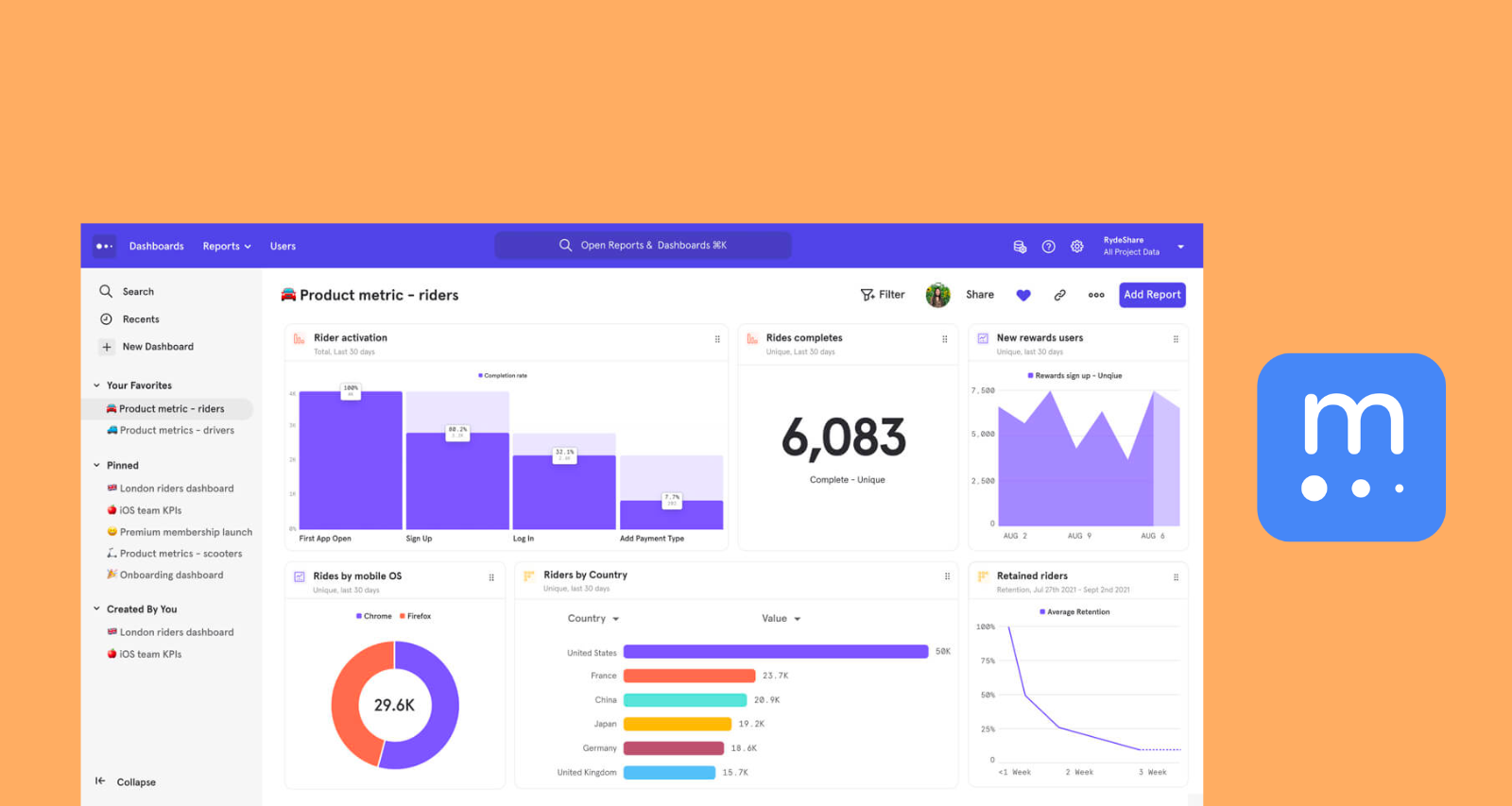
Mixpanel is an events analytics tool that lets you see every moment of the customer experience. It lets you splice and dice data to uncover trends and find the root of the problem.
It’s a great tool for getting insights the whole team can understand and use, with collaborative notes, goals, and boards. With an easy learning curve, it’s a fast tool to pick up and get started with.
Key features
- Event tracking: Instrument key actions (clicks, signups, feature use, purchases) across web and mobile, so analysis is based on user behavior
- User profiles and properties: Attach attributes (plan, device, region, acquisition source) to users/events to slice performance by audience and context
- Identity resolution: Merge interactions across devices/sessions into one user view
- Funnels: Map step-by-step journeys (onboarding, checkout, activation) and pinpoint exactly where users drop off
Pricing
- Free plan: Capped at 1M monthly events. Includes the basics to get started, plus up to five saved reports and 10K monthly session replays.
- Growth plan: Pricing scales based on your usage needs. A common setup is 1M monthly events free + $0.28 per 1K events after. Includes unlimited reports, cohorts, and 20K monthly session replays free, plus additional growth features.
- Enterprise: Unlimited monthly events with advanced analytics, comprehensive data governance and security, premium support, and more.
Tools for user surveys and feedback
17. SurveyMonkey

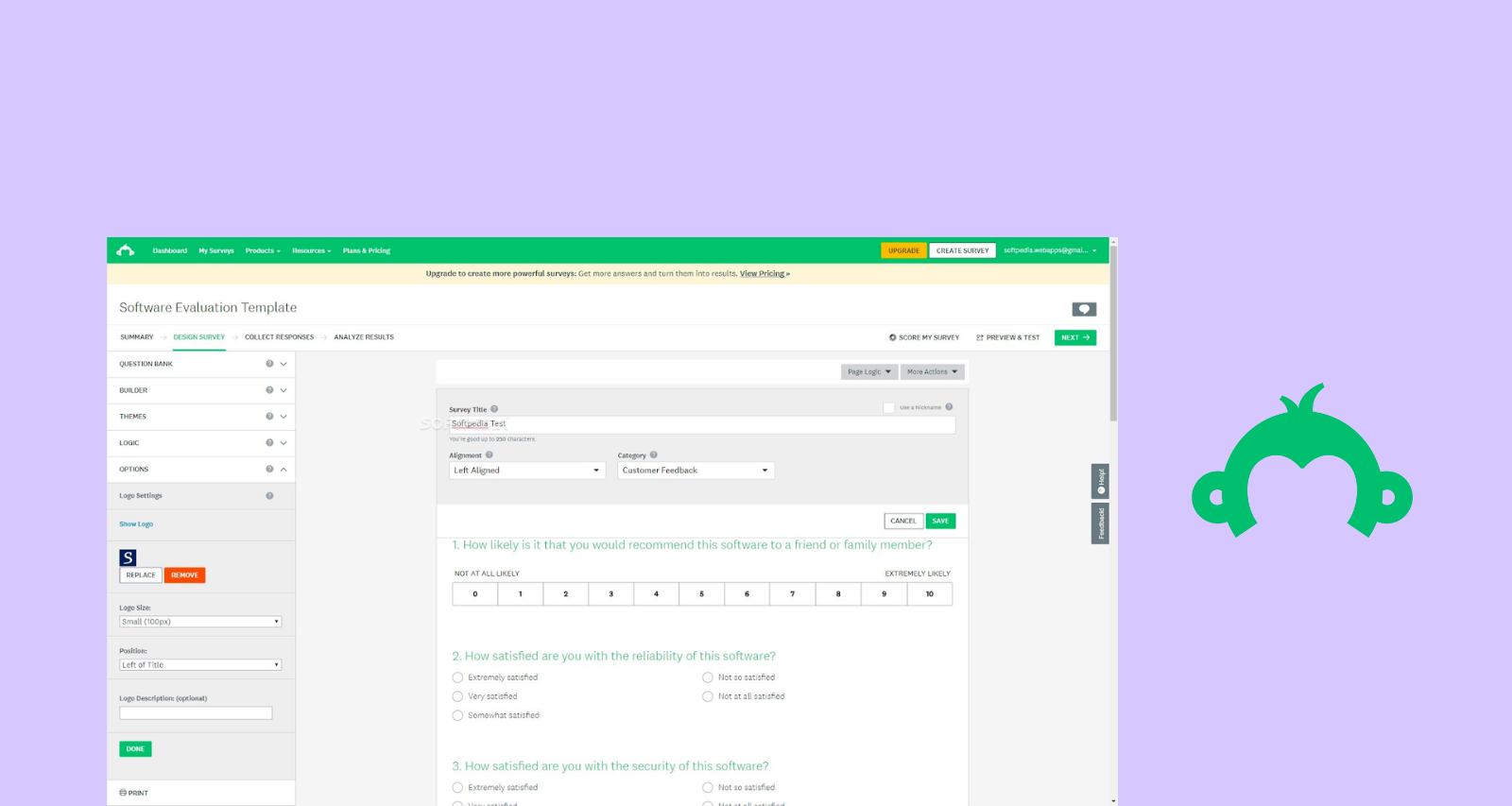
SurveyMonkey is a popular survey tool that helps you collect customer feedback via online questionnaires. It’s easy to use and easily customizable—from the in-survey branding and background to the font and URL.
SurveyMonkey’s AI feature—SurveyMonkey Genius—provides guidance and support to help you create optimized surveys. It’s a quick and easy tool for making surveys that get the insights you need.
Key features
- Templates library: Use expert-written templates for common studies like NPS, CSAT, employee engagement, market research, and quick feedback surveys
- Flexible question types: Build surveys with multiple choice, ratings/matrix, Likert scales, open-text, NPS, file upload, and more
- Drag-and-drop builder: Customize layout, themes, logos, colors, fonts, and URLs to match your brand
- Skip logic and branching: Route respondents to different questions based on earlier answers to keep surveys relevant and shorter
- Piping and custom variables: Insert prior answers (or external data) into later questions and messages for personalization
Pricing
- Team Advantage at $30 per user/month (billed annually): Requires 3+ users, includes up to 50,000 responses/year, team collaboration and shared brand assets, skip logic, and 200+ integrations
- Team Premier at $92 per user/month (billed annually): Requires 3+ users, includes up to 100,000 responses/year, everything in Team Advantage plus white-label branding, advanced branching and piping, block randomization, multilingual surveys, crosstabs, and sentiment analysis
- Enterprise (custom pricing): Custom response limits and enterprise admin controls for larger orgs, including workgroups and a custom question bank, with tailored integrations and governance
18. Typeform

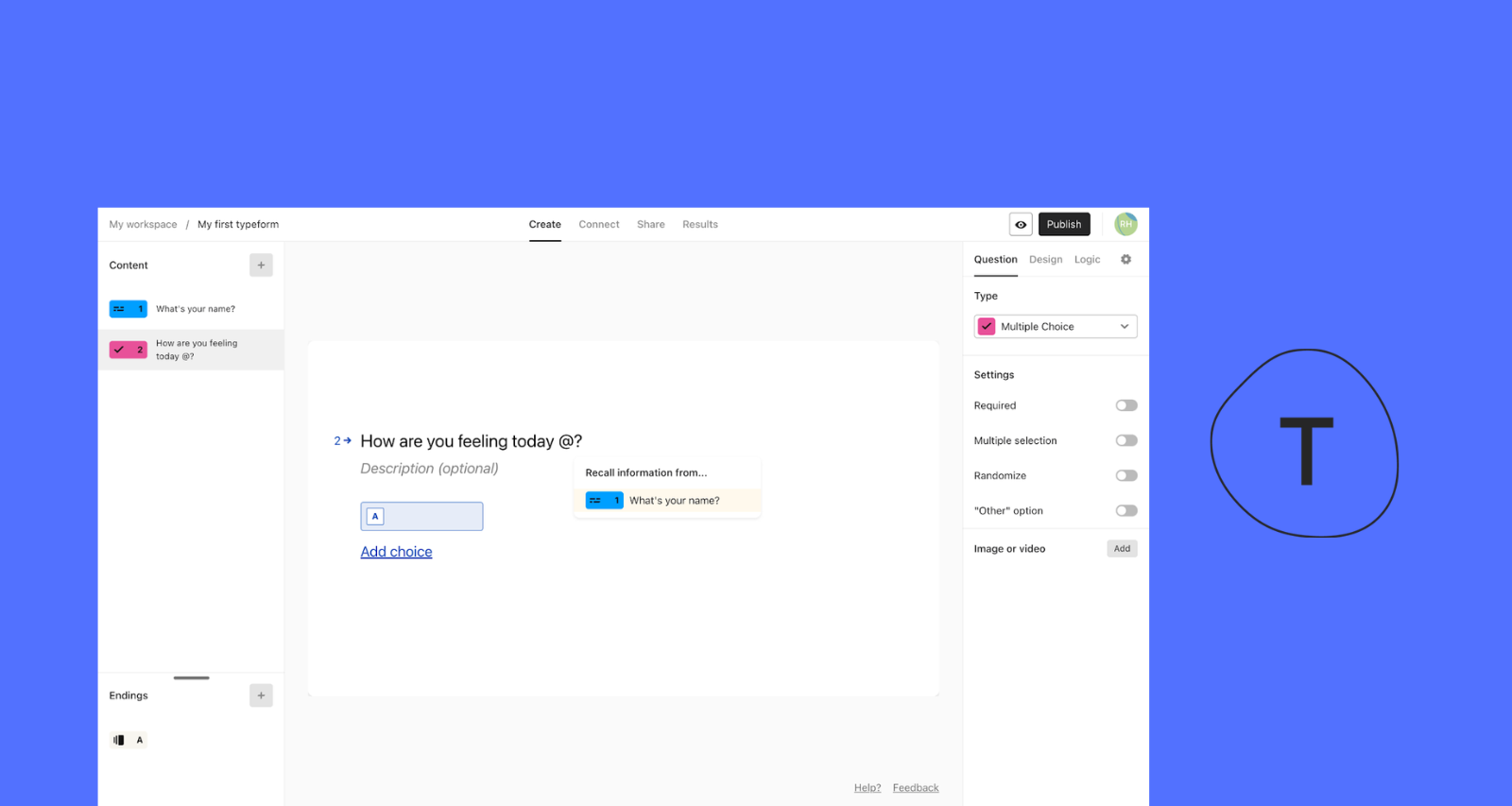
Typerform is another online survey builder that helps you build forms that stand out and collect the information you need. Typeform integrates with your existing workflow to help streamline the customer feedback collection process, and provides a smooth, effortless experience for the users you’re surveying—ideal when UX is crucial, and you don’t want a clunky experience to get in the way of authentic insights.
Key features
- Conversational form UX: One-question-at-a-time flow designed to feel like a chat, with strong mobile and desktop completion rates
- Question types: Supports a wide set of field types (multiple choice, picture choice, ratings/opinion scales, ranking, matrix, date/time, file upload, and more)
- AI form creation: Use Typeform AI to generate a form from a prompt and speed up draft-to-live setup
- Logic jumps and branching: Show/skip questions based on answers so respondents only see what’s relevant
- Hidden fields and tracking: Pass metadata like UTM/campaign IDs and other context into responses for cleaner attribution
Pricing
- Basic at $29/month ($348/year): One user, 100 responses/month, unlimited typeforms, unlimited questions
- Plus at $59/month ($708/year): Three users, 1,000 responses/month, removes Typeform branding, includes a custom subdomain (plus everything in Basic)
- Business at $99/month ($1,188/year): Five users, 10,000 responses/month, adds drop-off rate analytics and conversion tracking, plus priority support + live chat (plus everything in Plus)
- Enterprise (custom pricing): Tailored response limits and seats, with advanced features and support via Sales
19. Jotform


Jotform is an online form builder that provides templates for you to use in your customer feedback process. It shares many key features with the other survey tools on our list, but also offers a number of other solutions—like a no-code app builder and online storefront builder. It’s an intuitive platform that helps you create branded surveys in minutes, making it a great all-in-one platform if you’re limited on budget.
Key features
- Drag-and-drop form builder: Build forms without code by adding fields, layouts, images, and widgets
- Large template library: Start fast with 10,000+ templates for surveys, registrations, HR, payments, and more
- Advanced field types: Use file uploads, e-signatures, rating scales, and other richer input fields
- Design and branding controls: Customize themes, styling, branding, layouts, and even CSS for full control
- Submission management (Jotform Tables): View and manage responses in a spreadsheet/database-style interface
Pricing
- Starter: Includes all features with Jotform branding, five forms, 100 monthly submissions, one user, 100 MB storage.
- Bronze at $34/month, billed annually: For solo creators who need higher volume without branding. 25 forms, 1,000 monthly submissions, one user, 1GB storage, 10,000 monthly form views.
- Silver at $39/month, billed annually: 50 forms, 2,500 monthly submissions, one user, 10 GB storage, 100,000 monthly form views, 25,000 total submission storage.
- Gold at $99/month, billed annually: Built for high submission volume. 100 forms, 10,000 monthly submissions, one user.
Key criteria when choosing a UX research tool
The research platform you choose depends on what kind of research you do, who’s involved, and how the results will be used.
Keep these considerations in mind to pressure-test any platform against your needs.
- Breadth of research methods: Does the tool support the actual methods you use—e.g., usability testing, card sorting, interviews, surveys, tree testing?
- Ease of use and speed to launch: Can researchers (and non-researchers) set up studies quickly without engineering help?
- Integrations and exports: Will it slot cleanly into your stack? Think CRM, product analytics, Notion, Slack, spreadsheets—the whole lot.
- Collaboration and access control: Does it allow for shared studies, version history, comments, and permissions across teams?
- Security and compliance: Look for GDPR, HIPAA, and SOC 2 if you’re in a regulated niche or working with sensitive data.
- Pricing structure and scale: How are you billed—per seat, per session, per month? Are there hidden costs? Can it grow with your team?
💡 For a deeper walkthrough, see our guide to selecting the right UX research platform.
UX research tools: Which one is the best for you?
Whatever your needs, there’s a UX research tool out there for you. For example, if you’re focused purely on information architecture, tools like Kardsort or Optimal are purpose-built for card sorting, tree testing, and refining navigation.
For user interviews and capturing rich qualitative data, platforms like Dscout and Lookback help you gather insights directly from your target audience via video recordings and live sessions.
But if you want to streamline your entire UX research process from brainstorming and wireframes to A/B testing, usability tests, surveys, interviews, and more, Maze offers a high-quality, AI-enabled experience.
Maze helps product managers, designers, and researchers conduct research to make better design decisions, fast. Whether you're testing mockups, wireframes, or live prototypes, Maze makes it easy to gather insights, analyze research data, and share insights with stakeholders—all in one place.


Frequently asked questions about UX research tools
What is a UX research tool?
What is a UX research tool?
A UX research tool is software that helps you plan, run, and analyze user research like usability tests, user interviews, card sorting, tree testing, surveys, or product analytics, so you can understand behavior and improve the user experience.
What features should I look for when choosing a UX research tool?
What features should I look for when choosing a UX research tool?
Choose a UX tool that supports the research methods you rely on most, like usability testing, prototype testing, surveys, card sorting, tree testing, and interviews. It should be easy to navigate, automate analysis, and offer strong reporting so insights move quickly across teams. Integrations and participant recruitment are essential if you want a scalable workflow, as are AI capabilities for streamlining manual tasks.
Can UX research tools help with both qualitative and quantitative data?
Can UX research tools help with both qualitative and quantitative data?
Yes! Many UX research tools support both. They capture quantitative data like completion rates, clicks, and time-on-task, alongside qualitative data like open-ended feedback, interview recordings, and session notes.
What integrations are important in a UX research tool?
What integrations are important in a UX research tool?
Useful integrations in a UX research tool include design tools (like Figma), collaboration tools (like Slack or Notion), and product analytics platforms (like Amplitude or Mixpanel). Integrating these tools with a comprehensive UX research tool enables you to efficiently manage the UX research process from start to finish.
How does Maze compare to other UX research tools?
How does Maze compare to other UX research tools?
Maze brings multiple research workflows into one platform. It suports particpant recruitment and management with Maze panel and Reach. It enables a wide range of user research methodologies—such as website testing, interview studies, prototype testing, card sorting, tree testing, and surveys—and also offers UX reporting and strong design-tool integrations.
Maze AI empowers UX research workflows in a number of ways—from helping perfect question phrasing and dynamic follow-up questions to conducting AI-moderated user interviews and analyzing transcripts and user sentiment.