






Chapter 10
Collaborating with stakeholders
Research only creates impact when insights are shared, discussed, and acted on. In most organizations, that means collaboration between researchers, designers, product managers, marketers, and executive stakeholders.
Maze is built for collaborative research. It gives people who do research and the teams they work with an easy way to review findings, comment, and align on next steps. So, you can turn metrics and insights into prioritized product decisions faster.
In this chapter, we'll cover:
- Collaborating across roles and teams without losing research accuracy
- Inviting teammates and stakeholders with the right level of access
- Managing permissions and governance as research scales
- Commenting directly on mazes and reports to share feedback and interpretation
- Sharing and embedding insights across your broader tool stack
Maze is designed for cross-functional teams
User research rarely lives with a single team. A typical study might involve:
- Researchers defining goals, methods, and success criteria
- Designers reviewing flows, prototypes, and usability signals
- Product managers interpreting results to inform prioritization
- Marketers validating messaging, positioning, or perception
- Leaders and stakeholders reviewing outcomes to guide decisions
Maze supports collaboration across all of these roles. It lets teams share live reports, invite collaborators, and collect feedback from stakeholders.
Collaborating throughout the research lifecycle
Maze enables collaboration at every stage of research, from setup to synthesis. During study creation, teammates can review tasks, questions, and flows before testing begins. After launch, results and reports become a shared space for interpretation and discussion. This ensures alignment happens continuously, not just at the end of a project.
By centralizing collaboration inside Maze, teams avoid fragmented feedback across documents, slides, and chat threads.
Roles, access, and governance
As more teams participate in research, you need clear controls over who can manage the account and who can work on studies. Maze lets you assign roles and permissions based on each person’s responsibilities.
- Owners and Admins can manage members and roles, create and delete workspaces, handle billing and invoices, and configure account-level settings
- Editors focus on day-to-day research work like creating and deleting projects, building and launching studies, hiring panel participants, creating themes, exporting data, and reviewing and commenting on blocks
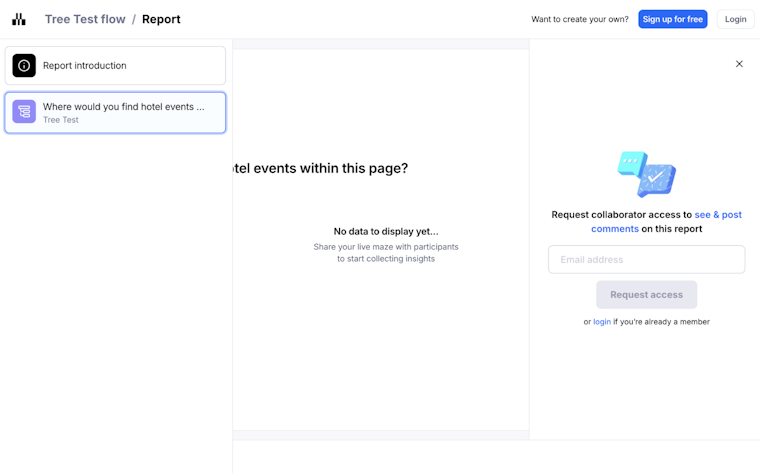
You can also invite collaborators to specific individual projects. They get view access to those projects, including results and reports, via the ‘Shared with me’ space, but don’t have access to the wider team space or team settings.

This setup makes it easy to bring leaders, team members, and external partners into your research while keeping team management and study changes in the hands of the right people.
Commenting on mazes in Build
Build is where you set up your maze before sharing it with participants. It’s where you add missions, questions, and prototypes and decide what the user experience should look like.
Use comments in Build to:
- Align on study goals, missions, and key flows
- Review copy, question wording, and prototypes with team members and stakeholders before launch
- Record decisions next to the exact block they affect, instead of spreading feedback across docs or chat threads
- Mention colleagues on specific blocks so they’re notified and can respond in context
- Mark threads as resolved when decisions are made, and reopen them if the study changes later
Since comments are tied to individual blocks in Build, everyone working on the maze can see what was discussed, what changed, and why, before the study reaches participants.
Commenting on Maze reports
Once testing is complete, collaboration shifts from setup to interpretation. In Maze reports, collaborators can comment directly on results to:
- Highlight meaningful trends or outliers
- Ask follow-up questions about user behavior
- Add hypotheses, context, or business implications
Project members and collaborators can view and add comments on reports, while people who only have a shared report link see the report content without comments. This keeps the discussion with the core team.
In addition to comments, teams often use Clips to bring real user behavior into collaborative discussions. Clips capture short, meaningful moments from sessions and can be shared alongside reports to provide direct evidence behind an insight. While comments live on Maze blocks and reports, Clips help teams align faster by grounding interpretation in what users actually said or did.
Collaboration often extends beyond the immediate project team. Maze makes it easy to bring research into the tools where different teams already work.
You can share reports as links, embed them into internal documentation or knowledge bases, or download them as PDFs. This lets stakeholders review results in the tools they already use, without needing full access to your Maze workspace.
You control who can see each report. You can keep it restricted to authenticated team members or make it available to anyone with the link.
By connecting Maze to Slack, you can send real-time notifications when new responses arrive or when studies reach key milestones. This keeps people informed as research progresses and helps bring insights into planning, execution, and decision-making across the organization.
From collaboration to confident decisions
When collaboration is built into the research workflow, teams move faster and with more confidence. By keeping evidence, discussion, and interpretation in one place, Maze helps teams align across roles, reduce miscommunication, and turn user insights into clear next steps, so research becomes a shared foundation for decisions.
Over the course of this guide, you’ve seen how to plan studies, bring stakeholders in early, and use reports to move from raw findings to shared understanding. With these practices in place, every Maze you run becomes another opportunity to make product decisions rooted in what your users need.
And if you’d like more support as you go, our help center is a good place to start.