









Chapter 5
Participant recruitment and management for research studies
Recruiting the right participants is one of the most important steps in any research workflow. Even the best-designed study can fall short if it reaches the wrong audience or relies on overused participants. In this chapter, we'll cover how Maze supports two primary ways to recruit participants and best practices:
- Maze panel: Recruit external participants on demand
- Links and in-product prompts: Recruit participants directly from your product or owned channels
Both options are built directly into Maze, so recruitment stays connected to your study setup, results, and analysis.
Recruiting research participants in Maze
Maze gives you two main ways to recruit participants for your studies.
- Maze panel to recruit external participants on demand: Access a large pool of vetted participants across countries and roles, filter by criteria that matter to you, and let Maze handle sourcing and incentives
- Links and in‑product prompts: Share open study links through your own channels, or trigger prompts in your product to capture feedback or recruit people while they’re actively using it
Let’s look at each of these in detail.
Recruiting external participants with Maze panel
Maze panel gives you on-demand access to external research participants without managing your own database. It's ideal when:
- You don’t have access to the right users internally
- You need feedback quickly
- You want to validate designs or concepts with a broader audience
- You need to scale participant volume without recruitment overhead
Typical uses include early‑stage user research, market research on new ideas, and concept or functionality checks with respondents outside your existing customer base.
💡 Maze panel is powered by a marketplace of industry‑leading panel providers (including Prolific and Respondent), so you’re not locked into a single source. This open ecosystem helps you match different audiences and use cases to the right provider while keeping recruitment in one place.
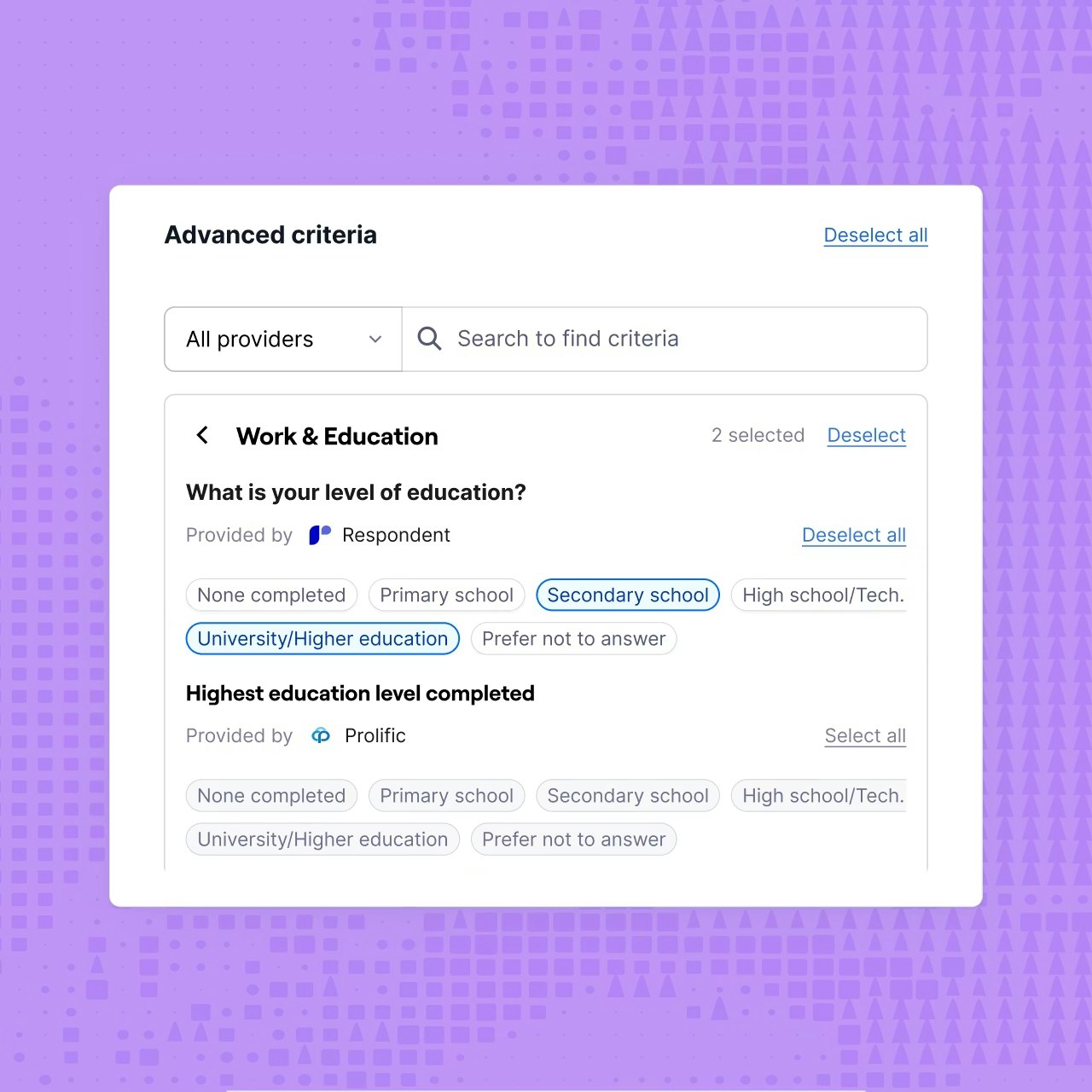
Defining your target audience and screeners
The first step is to define who counts as a qualified participant:
- Set demographic and professional criteria (country, age, education, role, industry, and more)
- Use screener questions to test eligibility and filter out people who don’t match your research question
Good screener design is at the heart of your recruitment process. It improves response rates from the right people and reduces no‑shows, so your final respondents closely match your intended target audience.

Placing a Maze panel order
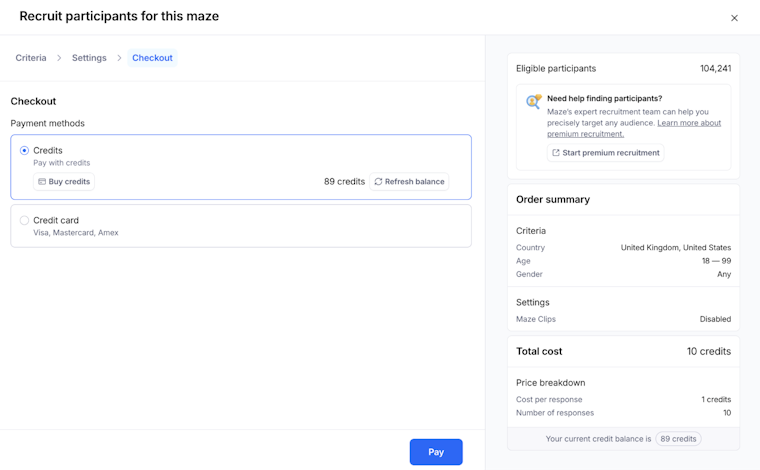
Once your study is live, you can place a Panel order directly from the Share or recruitment flow:
- Choose Panel as your recruitment method
- Define your criteria and desired sample size (number of participants)
- Confirm pricing and credits, then start the order
Maze handles participant sourcing, incentives, and logistics, so you can focus on the research itself.

Monitoring quality and results
Panel sessions show up in your results as a distinct recruitment channel, so you can filter for “Panel” responses when analyzing data.
From there, you can:
- Track response rates, completion, and the number of participants who met your criteria
- Spot and report low‑quality respondents so future research projects benefit from a cleaner participant pool
Recruiting participants via links and in-product prompts
In addition to Maze panel, you can recruit participants by sharing a Maze URL or triggering in-product prompts. This recruitment method lets you capture feedback directly from users as they interact with your product or experience.
This is a low-cost, lightweight, and flexible recruitment strategy. It’s especially useful when you want fast, contextual feedback without managing a participant database or sending email campaigns.
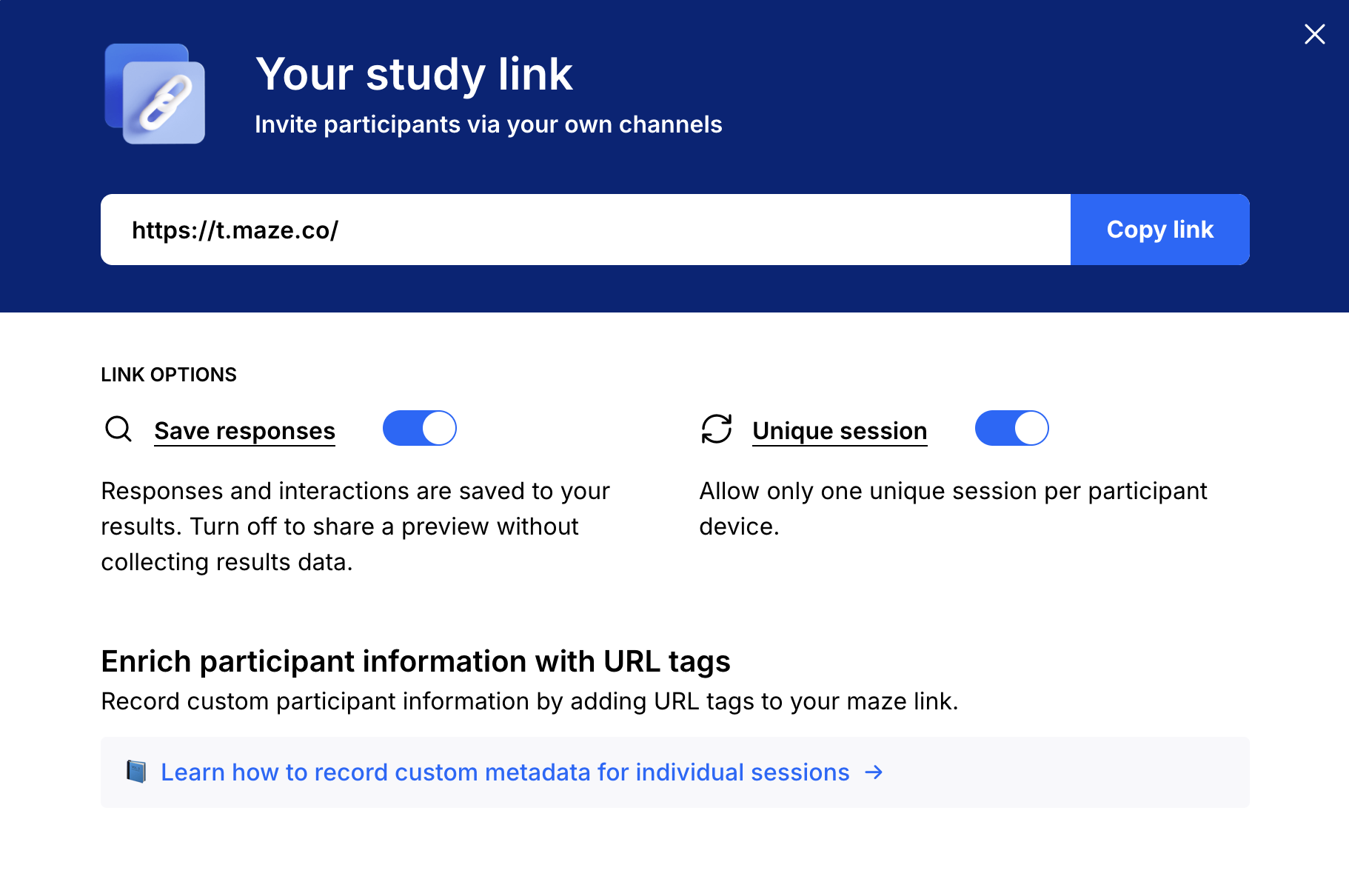
Maze URLs
Every maze can be shared via a unique URL. You can distribute this link through:
- Internal tools like Slack or email
- Customer communities, social media platforms, or forums
- Support workflows
- Documentation or release notes
Anyone with the link can participate, making URLs ideal for quick feedback loops or broad outreach. Because URLs are open, Maze tracks participation behavior (started, completed), but not who the study was sent to, unless you add URL parameters to tag the recruitment channel or capture contact information.

In-product prompts
In-product prompts allow you to invite users to a Maze directly inside your product, at the moment that matters most. This is especially powerful for:
- Capturing feedback in context
- Testing live experiences or workflows
- Gathering insights immediately after a key action
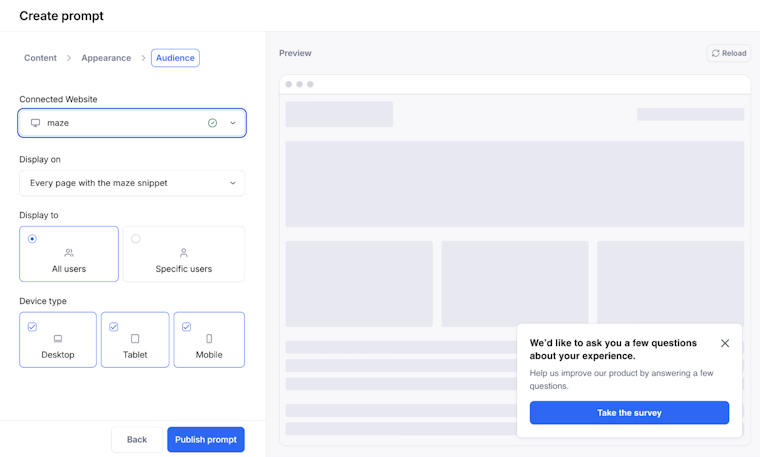
Prompts can be triggered based on product usage, timing, or location (for example, specific pages or URL patterns), helping you reach users while their experience is still fresh. To create an in-product prompt:
- Make sure you have Maze’s tracking code installed on your website. Not sure how to do this? Revisit Chapter 2 for a refresher.
- Go to the Share page of your live maze and select In-Product Prompt
- Use the prompt editor to configure:
a. Content (internal name, title, description, CTA, and whether answers appear in the prompt or a new tab))
b. Appearance (button colors, position)
c. Audience (target pages, URL rules, users, device type) - Click Create Prompt to publish it live immediately

Choosing the right recruitment method
Here’s a simple decision framework to use when trying to determine when to use Maze panel vs. in-product prompts/URLs.
Use Maze panel when:
- You need participants fast
- You’re testing early concepts or usability
- You don’t yet have access to your target users
- You want to avoid managing recruitment logistics
Use URLs or in-product prompts when:
- You want feedback from active users in context
- Timing and immediacy matter
- You’re testing live experiences or recent changes
- You don’t need participant management or email outreach
Many teams use both methods:
- Use Maze panel early to validate ideas and usability
- Use URLs or in-product prompts to capture in-the-moment feedback
Best practices for recruiting participants
Regardless of which method you use:
- Match the audience to your research question: Define your target audience up front (for example, role, experience, context), and use a short screener or questionnaire to make sure only qualified participants are invited.
- Be clear and honest in your recruitment materials: In every invite, explain what the study involves, the time commitment, and any incentives, so potential participants can make an informed choice, and you reduce no‑shows.
- Respect ethics, consent, and approvals: Follow your organization’s policies on informed consent and data use. Where applicable, get IRB or ethics approval for your recruitment messages and processes before you start contacting people.
- Avoid over‑contacting the same people: Track who you invite, how often they participate, and when they last took part, so you protect your participant pool from fatigue and keep insights fresh.
- Combine internal and external perspectives when it helps: Balance feedback from your own users with input from external study participants to avoid blind spots and broaden your findings.
- Plan for follow‑up: Decide how you’ll handle reminder messages, thank‑you notes, and any follow‑up interviews or surveys so people feel respected and are more likely to participate in future research projects.
Buy credits for hiring participants
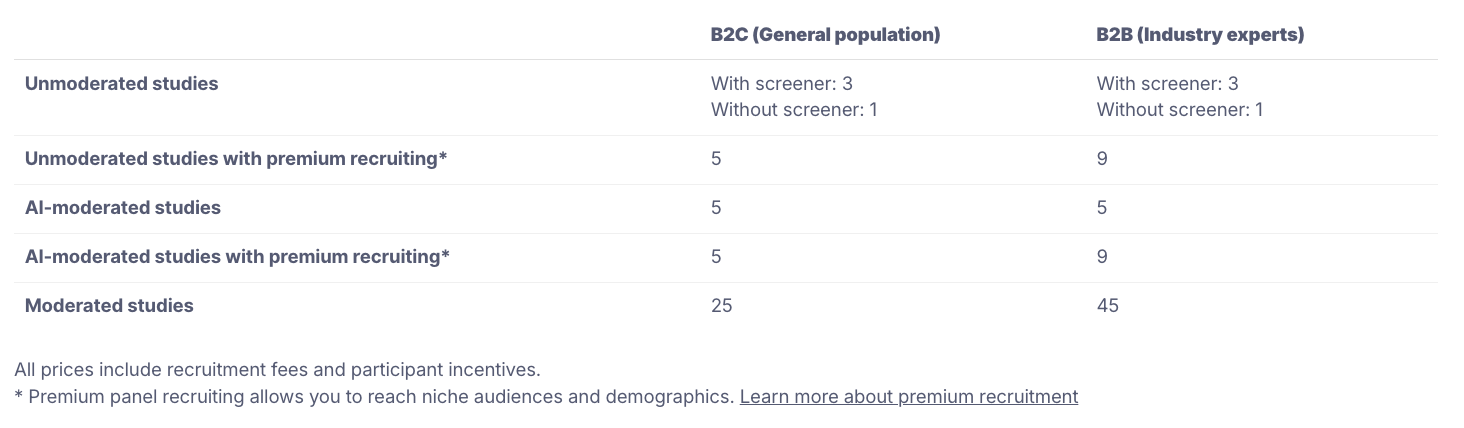
You can also purchase Maze credits to add to your account and use them across all your projects and mazes whenever you need them. The process of using credits to order testers is fairly straightforward. Access the Maze credits page (Maze login required) and choose the credits package that suits your needs.
The credits you buy will be added to your account. When you want to test with users, choose the Hire Testers option, and use the credits in your account to order testers.

💡 Learn more about Maze credits.
Up next: Choosing the right Maze Study type
So far, you’ve learned how to structure research with Maze building blocks, how to set up and run a prototype test, and how to recruit participants into your studies.
The next chapter will help you decide how to conduct those tests—as unmoderated, moderated, or AI-moderated studies. The study type you choose determines the kind of insights you’ll get, how hands‑on you need to be during research, and how quickly you can move from sessions to findings.