









Chapter 6
Website usability testing: How to run it, what to measure, and best practices
TL;DR
Live website usability testing shows you how people move through your site, so you can spot issues like confusing navigation, slow checkout, and unclear CTAs before they hurt conversions.
To run an effective live website usability test:
- Set clear, measurable objectives
- Choose the right method, such as moderated or unmoderated, qualitative or quantitative, remote or in person
- Pick a usability testing tool and recruit the right participants
- Give participants realistic tasks without stepping in
- Review paths, metrics, and feedback to prioritize fixes
Maze then records the user journeys and feedback so you can prioritize fixes, test regularly, and keep usability insights flowing into your roadmap.
A website can look polished and still create friction when real users try to sign up, make a purchase, find information, or get in touch. Website usability testing helps you see where people hesitate, get confused, or drop off, so you can fix issues before they hurt conversions.
Here’s our comprehensive guide to why and how you should run live website testing—plus our best practices for gathering actionable user feedback.
Why is live website usability testing important?
Live website usability testing helps you find and fix usability issues on your active website before they affect conversions, engagement, or customer satisfaction. It shows how well your site supports the actions that matter most to your business, from product discovery to checkout, sign-up, or lead generation.
And since the test runs on your live website, participants interact with the same content, navigation, page speed, forms, and flows your visitors already use. This gives you more practical feedback than testing in a controlled prototype alone.
This matters as more teams move toward continuous research. In our Maze Future of User Research 2026 report, teams highlight surveys (77%), usability testing (75%), and moderated interviews (71%) as core methods as they move toward more continuous, always-on research.
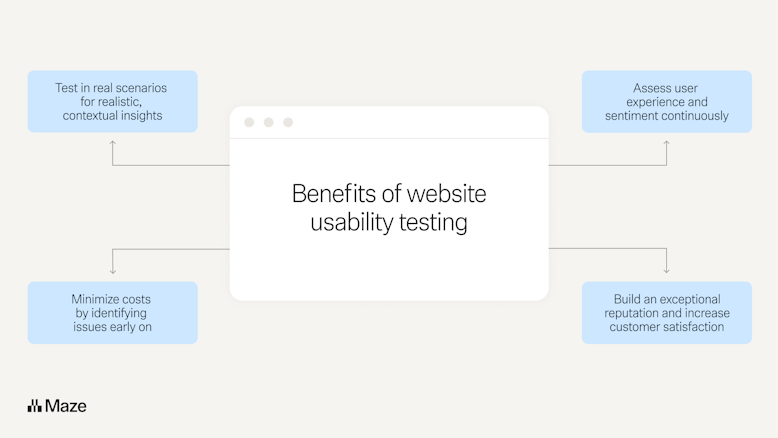
What are the benefits of website usability testing?
The biggest benefit of testing live websites for usability is the ability to react quickly, meet evolving user needs, and identify problems early on. By regularly assessing your site post-launch, you can be continuously informed by data.
Testing your live website is also beneficial to:
- Assess user experience and sentiment continuously: Running usability testing on a regular basis shows you how people move through your site, where they hesitate, and how they feel about key journeys, so you can prioritize the changes that will have the biggest impact for them
- Test in real scenarios for realistic, contextual insights: With live website testing, you see people using your actual site with real content, real flows, and real performance
- Minimize costs by identifying issues early on: Finding navigation problems, broken flows, or slow pages early helps you avoid lost conversions, unnecessary support tickets, and expensive rework later in the product development process
- Build an exceptional reputation and increase customer satisfaction: When customers see that you listen to their feedback and improve the experience, they’re more likely to stay, engage with new features, and recommend your product to others

How to conduct live usability testing on a website
Live website usability testing works best when you have a clear process for what you’re testing, who you’re testing with, and how you’ll use the findings. Here’s our tried-and-tested process to follow when performing usability tests on your live website:
1. Define your testing objectives
Start by defining clear objectives for the study. These objectives sit under your broader usability testing plan, and they describe what you want to learn about your website’s user experience in this round of testing.
First, decide what you want to test:
- Testing the whole website is useful after a major update or before a big launch, when you want to benchmark ease of use across your key web pages and journeys
- Testing a specific flow is better when you want to validate one part of the interface, such as an e‑commerce checkout, sign‑up funnel, or pricing page, and optimize that journey in detail
Next, make your objectives specific and measurable instead of vague. For example, instead of “See what people think of our website,” you might set an objective like “Identify usability issues that prevent first‑time visitors from completing the ‘add to cart’ and ‘checkout’ tasks on mobile.”
Another example is “Validate whether people in our target audience can find pricing information in under two minutes on the redesigned pricing page, using remote usability testing.”
The overall goal of every usability test is to validate how easy it is to use your website, but each study should have detailed goals that point to specific questions and metrics. These can be quantitative or qualitative in nature. For example:
- Abandonment rate (quantitative)
- Number of alternative paths (quantitative)
- Time to complete certain tasks (quantitative)
- Reasons for choosing a specific path or CTA (qualitative)
- Answers regarding pain points of frustration (qualitative)
- How easy or difficult users found the website to understand (qualitative)
2. Determine the usability testing methods
As part of your usability testing plan, once you have a clear outline of your goals, you neeed to choose the right usability testing method for your needs (we go into this more in chapter five ).
For each usability test, you’ll need to make three key decisions:
- Moderated or unmoderated: Choose whether or not you need the testing session to have a moderator. Some researchers prefer a moderator to ask follow-up questions in real time, while others opt for the freedom of unmoderated testing, where participants don’t feel they’re being watched.
- Qualitative or quantitative: This refers to the type of answers you’ll get from the test. These can be sentiment-focused (qualitative) like quotes or facial expressions from users, or they may be data-focused (quantitative), such as number of clicks, or time to perform a task.
- Remote or in-person: It’s common for website tests to happen remotely as you can record the user’s screen and monitor clicks. You can, however, also host them in person, if you have a product that requires in-person testing.
If you... | Then choose… | Why this helps |
|---|---|---|
Need to ask follow-up questions in real time, probe user behavior, or explore complex usability issues | Moderated usability testing (remote or in person) | A moderator can guide the session, ask clarifying questions, and observe reactions as they happen |
Want fast feedback from more participants, without scheduling calls | Unmoderated usability testing | Participants complete tasks on your website in their own time, which is usually easier and less expensive to run |
Need rich insights about pain points, expectations, and mental models | Qualitative usability testing | You collect sentiment-focused data such as quotes, comments, and observed behavior to understand why people struggle |
Need numbers to benchmark and compare designs over time | Quantitative usability testing | You track metrics like time to complete tasks, success rate, and clicks to measure changes between versions |
Want people to use your site on their own devices, in their normal environment | Remote usability testing | You capture real behavior in context, often by recording screens and monitoring interactions on the live site |
Need to observe physical context or test something that is hard to replicate online | In‑person usability testing | You can watch how people interact with your product and website in the same space, which is useful for complex or multi-device setups |
✨Pro tip: Running unmoderated tests is usually easier and less expensive, as people can test from anywhere at a time that suits them, whereas moderated tests require multiple people’s calendars to align so they can conduct the test together.
3. Pick a tool or location
If you're running your usability test in person, you need to choose a location for. the test. However, if you're running remote usability testing, you need to choose a usability testing tool that suits your research and product team needs. If you’re running remote live website tests, Maze helps you capture both quantitative metrics and qualitative feedback so you can see what users do and prioritize improvements with your team.
Ideally, you need website testing features like:
- Click tracking and task flows to see how participants move through key journeys and where they deviate from your ideal path
- Session replay (video, audio, and screen) so you can replay real visits and watch where people hesitate or scroll
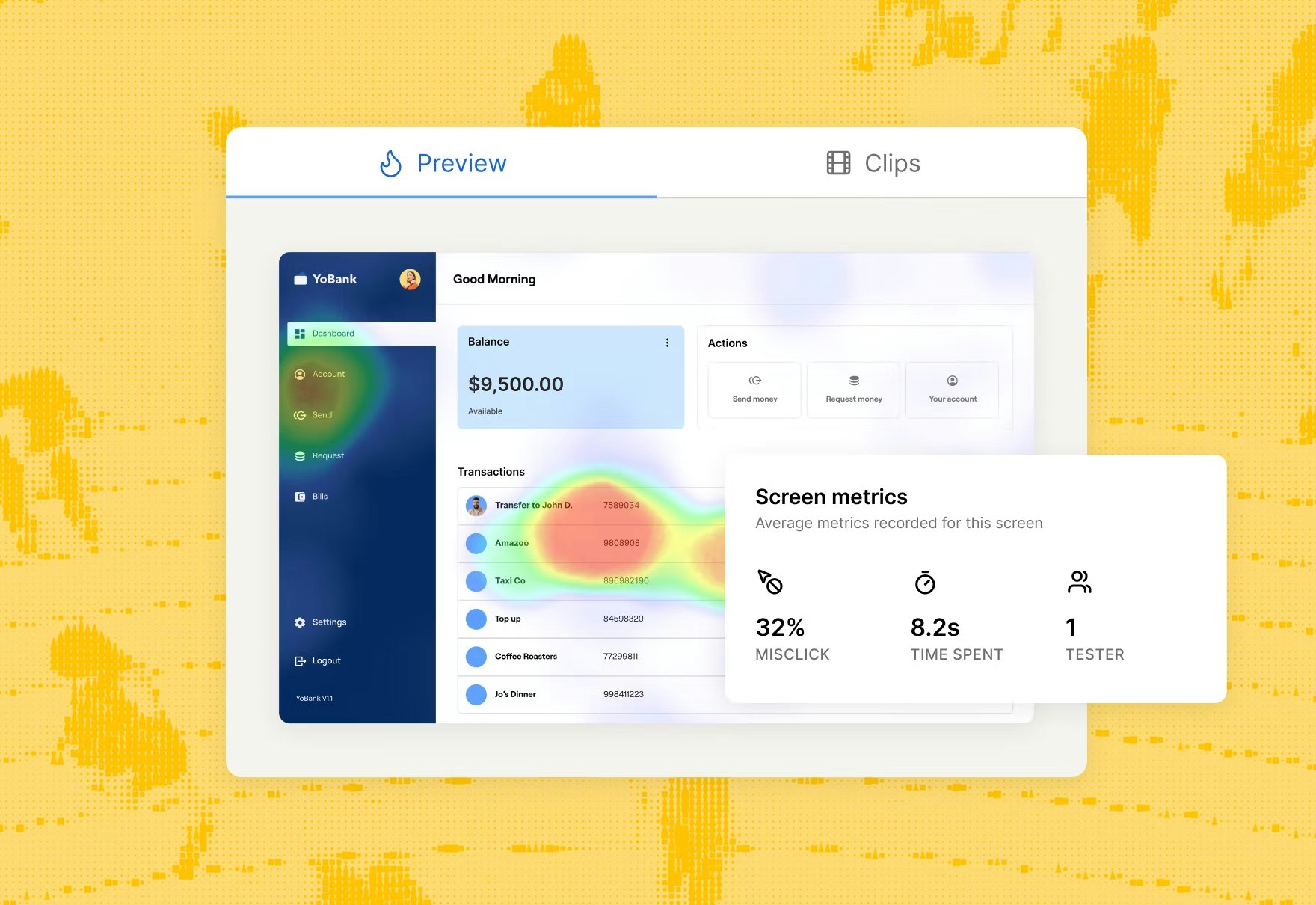
- Heatmaps and aggregated paths that show which elements get attention, which are ignored, and how different people navigate the same flow
- In-context questions and follow-up user research prompts so you can collect qualitative feedback alongside quantitative usability metrics such as success rate and time on task
- Privacy and anonymization options, especially if you ask people to log in or enter personal data on a live site
Maze’s live website testing is built for this type of research on live flows, features, and experiences. You connect your website to Maze, define the task you want people to complete, and Maze overlays a small widget on your site to guide participants through it while capturing their behavior and responses.
Depending on how you integrate Maze with your site, you can also unlock analytics like heatmaps, path visualizations, and usability scores, alongside screen recordings and qualitative feedback in one place.
To get started quickly, you can use templates such as test live website navigation or validate sign-up funnels to structure common live website tests in just a few clicks.

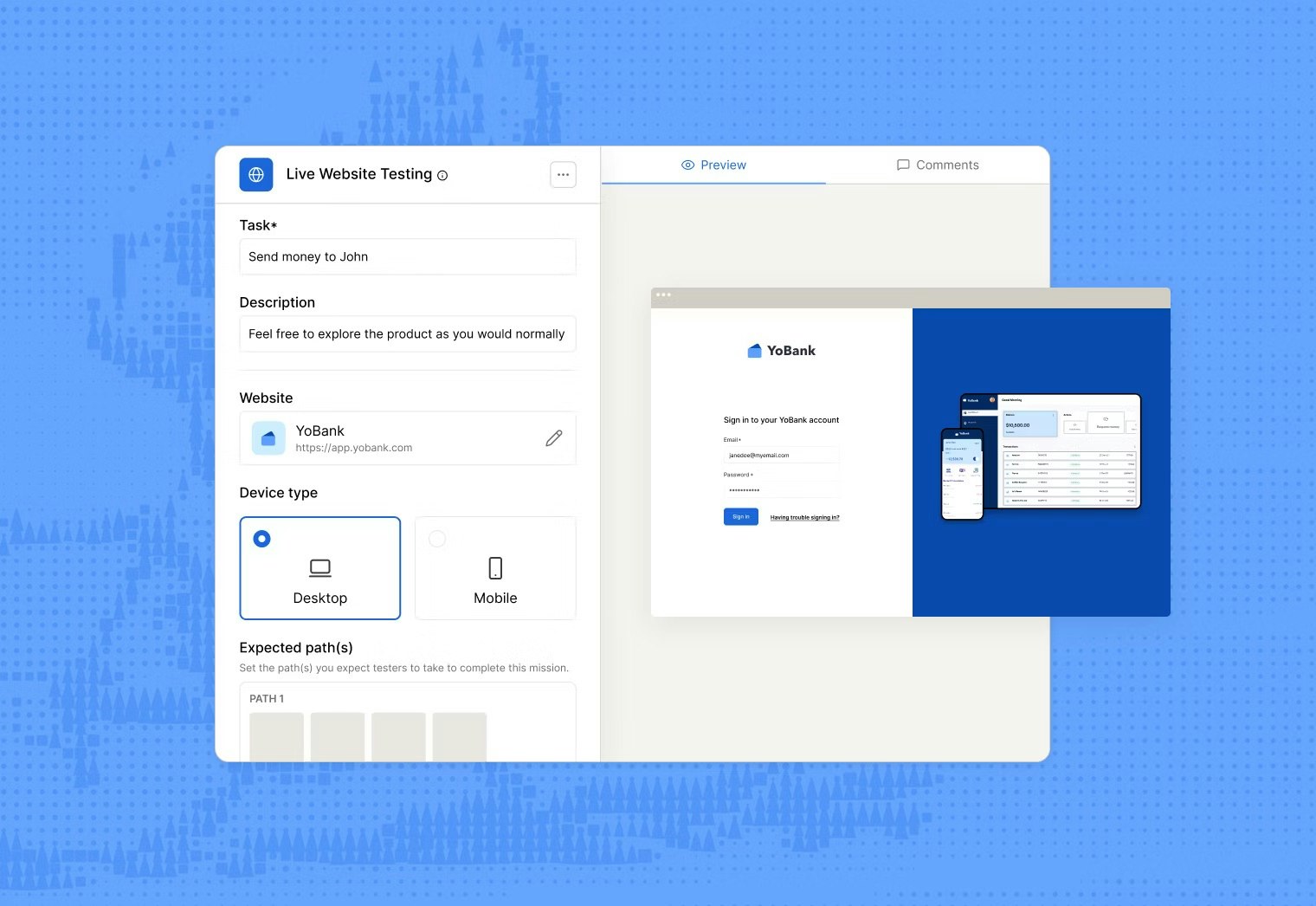
💡 Short on time? The AI study builder lets you describe what you want to learn and automatically generates a draft study with tasks, questions, and structure you can refine before sending it live.
4. Recruit participants
Recruiting test participants who are willing to test your product can be challenging. But to gather valuable insights, it’s crucial you get this step right—and if you’re testing frequently, your bank of participants will always be growing.
Here are some ways to recruit participants:
- Leverage your current users
- Recruit people you know
- Ask on social media
- Make use of a recruitment platform
- Use your testing tool’s database
If you’re using Maze for running remote and unmoderated tests, you can add in-product prompts to recruit participants directly from your live website. These prompts appear as targeted popovers on your site and invite visitors to take part in a study while they’re already browsing.
You can also hire participants through the Maze panel with 400+ filters across 130+ countries, including B2B and B2C participants, and add custom screening questions to make sure participants meet your study criteria.

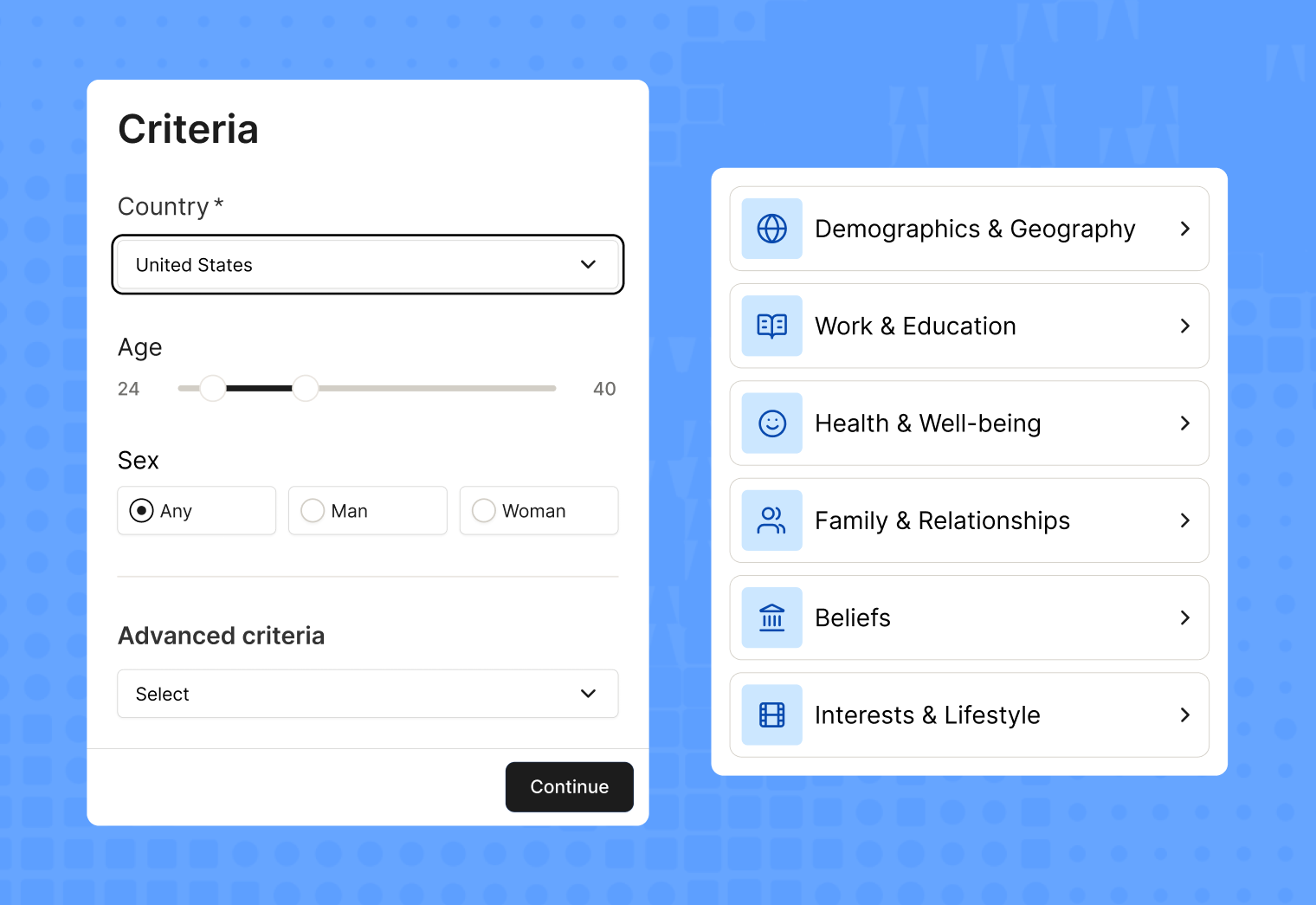
Screening your users
However you recruited participants, you’ll need to ensure you have a clearly-defined user persona to start running screeners. You can do that by:
- Coming up with a pre-screening survey: Ask about demographics, experience, and any relevant information to your test—e.g, if they’ve ever done a test for you before.
- Run a pilot test or group interview: Get a small group of users to jump on a call with you before the official usability test, and assess the kind of answers they give you. This is mostly relevant to assess the type of answers you’ll get based on how you phrased each question.
It’s worth keeping track of your participants and categorizing them, so you can easily invite them to future tests.
✨Pro tip: Exclude past participants when ordering from the Maze panel to control whether repeat testers can join your study. You can choose to include repeat participants, exclude people from the same project, or exclude anyone who’s previously taken a study from your team.
5. Design effective testing tasks
Well-written tasks are one of the most important parts of a usability test, because they guide participants through the study and determine the quality of insights you’ll get from their behavior. Create usability test scenarios that are tightly linked to the test goals and mirror real use cases for your product.
For example, you may ask participants to:
- Add a pair of green, size 2 socks to your cart
- Buy two size M white t-shirts using a gift card
- Request a refund because your package never arrived
Share as much detail as you can, but don’t solve the task for them. This means adding accurate descriptions or gift card codes, not writing: “Go to the accessories tab and click on the first product in the fourth row.”
If you’re running moderated qualitative tests, you should also ask participants about how they’d do certain tasks, and what they found frustrating or difficult. Make sure these are open-ended questions.

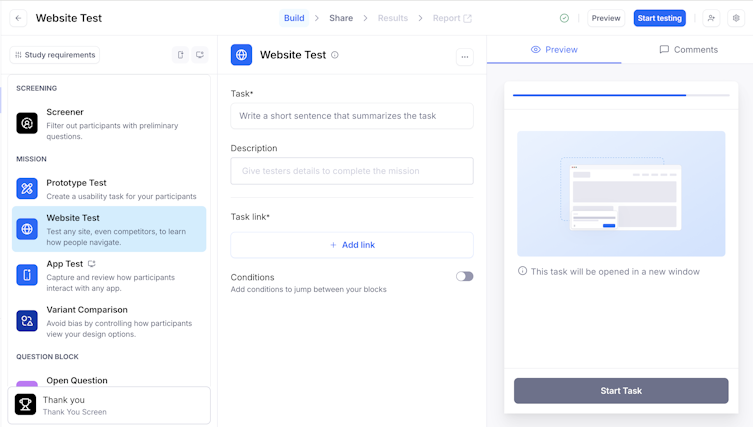
💡 Want a head start? Our usability testing script guide gives you a ready-made flow with introductions, background questions, core tasks, and wrap-up prompts you can copy, review with your team, and reuse across studies.
6. Run the tests
Once your tasks and questions are ready, you need to configure the test that your users will see and make it available to participants. In Maze, that means choosing your study type, adding your live website URL, and adding the tasks, questions, and success criteria you defined in the previous steps.
When you launch the study, let participants work through the tasks without stepping in. Maze will automatically record their paths, clicks, and task completions and can generate heatmaps, path visualizations, and screen recordings depending on your setup.
You can also share the test link with recruited participants or place it directly on your live site using in-product prompts. From there, Maze collects their behavior and responses while they complete tasks in their environment.
As you watch live sessions or review recordings, note specific moments you’ll want to return to during analysis, such as:
- Hesitation before clicking
- Backtracking between pages
- Repeated searches
- Long pauses on key screens
- Missed CTAs or important links
- Form errors or abandoned form fields

7. Analyze results
Once you’ve run your tests, review the results with your original goals in mind. Start by looking for patterns across sessions, not one-off moments. A single participant getting stuck might be useful context, but repeated friction usually points to a common usability issue.
Look for signals such as:
- Tasks with low completion rates
- Pages where participants hesitate, backtrack, or drop off
- Steps that take longer than expected
- Repeated misclicks or clicks on non-clickable elements
- Navigation paths that differ from the route you expected
- Feedback that points to unclear copy, labels, or CTAs
- Moments where participants complete the task, but take a confusing or inefficient route
Once you’ve identified these patterns, group your findings by theme. For example, you might see issues around navigation, checkout flow, form design, page speed, or unclear messaging. This makes it easier to separate isolated feedback from recurring problems your team should prioritize.
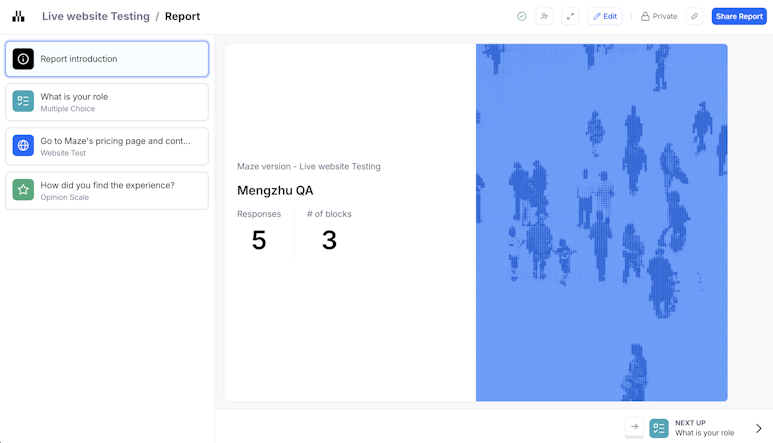
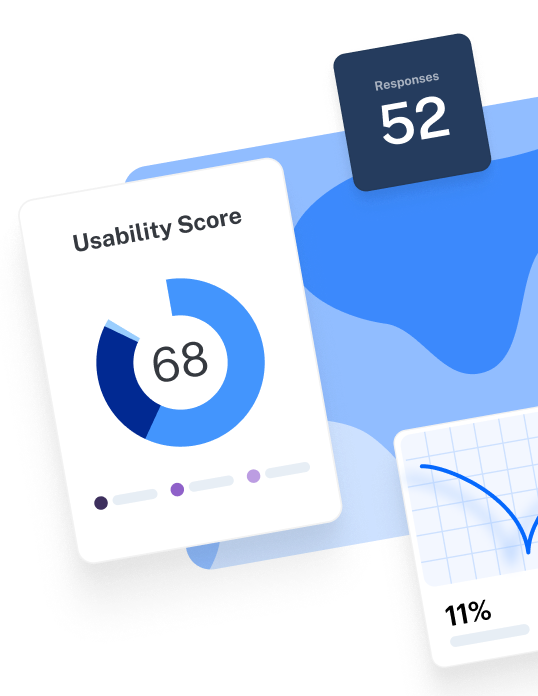
If you’re using Maze, every live study with at least one participant gets an automatically generated UX report, including website tests. These reports show key metrics at a glance. You see usability scores, completion rates, time on task, misclicks, and mission outcomes such as direct success, indirect success, and unfinished tasks.
For website tests specifically, you also get a mission overview with usability metrics like success rates, average duration, and a navigation view of the paths people took through your site. This includes a Sankey-style flow view that makes it easy to see how participants move toward success or drop off.

💡 Want a step-by-step structure for reviewing your data? Follow the approach in our usability testing analysis chapter to move from raw results to actionable insights and recommendations.
6 Best practices for testing your website usability
Testing your live website for usability is a best practice in itself. But if you want to do it right, here are some tips to keep in mind:
1. Make sure your scenarios are realistic and easy to understand
Avoid using technical language in your test scenarios—make it easy for your participants to understand and follow what you’re asking. For example, instead of saying “Create a user account using any form of external authentication (not your email),” say “Sign up using your Facebook or LinkedIn account.”
Also, ensure you’re asking for something that’s actually possible. If you’re only inviting them to sign up using Facebook, but they don’t have a Facebook account, you’re just going to frustrate participants and limit your insights.
2. Encourage ‘thinking out loud’
Invite your participants to think aloud as they work through the test. Then, you can listen back to the recording and spot exactly what their thought process was to arrive at their solution. For example, you may hear a user say: “I couldn’t find the sign-up button on the home page, but I’ve noticed that sometimes there’s a link to create a new account on the log-in page. So, I’m clicking on the log-in page to see if I can find it there.”
You’ll get richer insights from this, combined with quantitative data like clicks and heatmaps, than you would from the data alone.
✨Pro tip: Use Maze's Clips feature to record your tester's screen and video to collect qualitative insights about your product. Then, review these clips, along with the solutions to the tasks, asynchronously. Learn more about Clips.
3. Don’t overhelp when participants get stuck
It’s tempting to jump in and show participants where to click when they struggle, but that hides the very problems you are trying to uncover. When you rescue someone too quickly, you also introduce cognitive bias. They look to you for hints, and their behavior reflects what they think you want, not how they would use the site alone.
Instead, remind participants that it’s okay to be confused, ask them to keep thinking out loud, and watch how they try to solve the problem on their own. Their struggle often reveals unclear labels, hidden actions, or navigation gaps you need to fix, and it helps you avoid framing or leading them toward a correct path.
4. Separate task completion from satisfaction
Do not assume that ‘participants completed the task’ means ‘the experience was good.’ Someone can successfully check out, update their details, or reset a password and still feel stressed, confused, or annoyed along the way.
For each key task, track what participants did and how they felt about it:
- On the behavior side, look at metrics like success rate, time on task, and misclicks or backtracking
- On the experience side, add a quick rating or follow-up question, such as “How easy or difficult was this task?” or “What, if anything, felt frustrating here?”
5. Test early and often
Leaving usability testing until right before launch is risky and, typically, costly. When teams only test at the end of a project, they often end up fixing issues in production or rushing through redesigns under pressure.
The best time to conduct usability tests is at several points in your product lifecycle: early in discovery to validate ideas, on wireframes and prototypes to catch friction before you build, and on your live website to check that real users can complete key tasks.
6. Use a variety of user testing methods
You should try a mix of test types. While both quantitative and qualitative insights offer value, the most value comes from a combination of the two. One type of data provides context for the other.
For example, ask questions to humanize your quantitative data and truly understand your audience’s thinking process, or analyze test statistics to give numerical weight to qualitative feedback.
Final tips to excel at live website usability testing
You might think that skipping usability testing is a way to save time and money. However, it’s quite the opposite.
When you push features to production, you need to be in a position to catch issues or inconsistencies early on and later down the line as problems pop up. Testing regularly with a live site is the only way to ensure your website is always performing as needed and serving a truly user-centered experience.
Maze helps teams run live website tests as part of a broader research workflow, alongside prototype testing, surveys, AI-moderated interviews, and reporting. With Maze, teams can recruit the right participants, collect qualitative and quantitative feedback, and use AI-powered analysis to identify patterns, summarize findings, and share insights with stakeholders.
Check out the next chapter of this guide on how to test and improve your mobile UX to reduce drop-offs and increase conversions.


Frequently asked questions about website usability testing
How do you run usability tests on a website?
How do you run usability tests on a website?
To run usability tests on a website, you need to create a clear task, give users a realistic scenario, and watch how they move through the live flow. The goal is to see where they succeed, struggle, or hesitate and then iterate based on what you observe.
What tools can I use for website usability testing?
What tools can I use for website usability testing?
Maze live website testing is perfect for conducting usability tests on live sites. It's simple to set up and run tests, and Maze's automated analytics provide key metrics and insights like completion rates, time on task, and heatmaps. Clips in Maze help you record participant screen, audio, and video to capture their entire use journey and reactions during the test. Maze also supports prototype testing for conducting usability tests during the design and development phase ahead of launch. You can also easily recruit research participants for usability tests with Maze panel.
How do you analyze results from website usability tests?
How do you analyze results from website usability tests?
Start by anchoring your analysis to the test goal. Then look at the performance data: where users succeeded, where they stalled, and which paths they took. Quantitative signals like completion rates, time on task, abandonment, and click paths tell you what happened. Qualitative cues like verbatims, hesitation points, and recorded interactions tell you why.
What usability metrics are used to assess website performance?
What usability metrics are used to assess website performance?
For live website testing, teams typically track metrics like task success rate, error rate, time on task, abandonment rate, and click paths.
Does Maze support website testing?
Does Maze support website testing?
Yes! Maze supports live website testing, so teams can evaluate real user behavior directly on a live site. You can run unmoderated sessions at scale, add in-product prompts on web pages to capture feedback in context or recruit from Maze’s global testing panel.
How many participants do I need for website usability testing?
How many participants do I need for website usability testing?
For most qualitative website usability tests, a good starting point is around five participants per user group per round, when you are testing a single flow or prototype. For unmoderated or more complex studies on a live website, plan for a larger sample, often 15–20 participants or more, especially if you are testing critical paths or multiple user segments.
If you need statistically reliable, benchmark-style results, you will likely need 30–40+ participants and should calculate sample size based on your confidence level and margin of error using a sample size calculator.
What's the difference between moderated and unmoderated website usability testing?
What's the difference between moderated and unmoderated website usability testing?
In moderated website usability tests, a researcher joins the session at the same time as the participant (usually in person or on a video call), guides them through tasks on your website, and asks follow-up questions as they go.
In unmoderated tests, participants complete a scripted test on your site on their own, and a tool records their behavior and answers so you can review the results later without being in the session.
What metrics should I track in website usability testing?
What metrics should I track in website usability testing?
For live website tests, you can track a few core usability metrics like task or mission completion, missions unfinished (where people abandon), expected paths followed, and average time on task. These show whether people can complete key journeys, how efficiently they do it, and how often they stray off the route you designed.
Also consider supporting signals like misclicks, heatmaps, and path visualizations, and pair those quantitative metrics with quick satisfaction or ease-of-use questions after each task.
How often should I run website usability tests?
How often should I run website usability tests?
A good rule of thumb is to test key flows every time you make meaningful changes to your site and to schedule smaller usability tests on an ongoing basis (for example, monthly or each quarter), so you catch issues early and feed actionable insights into your roadmap.